

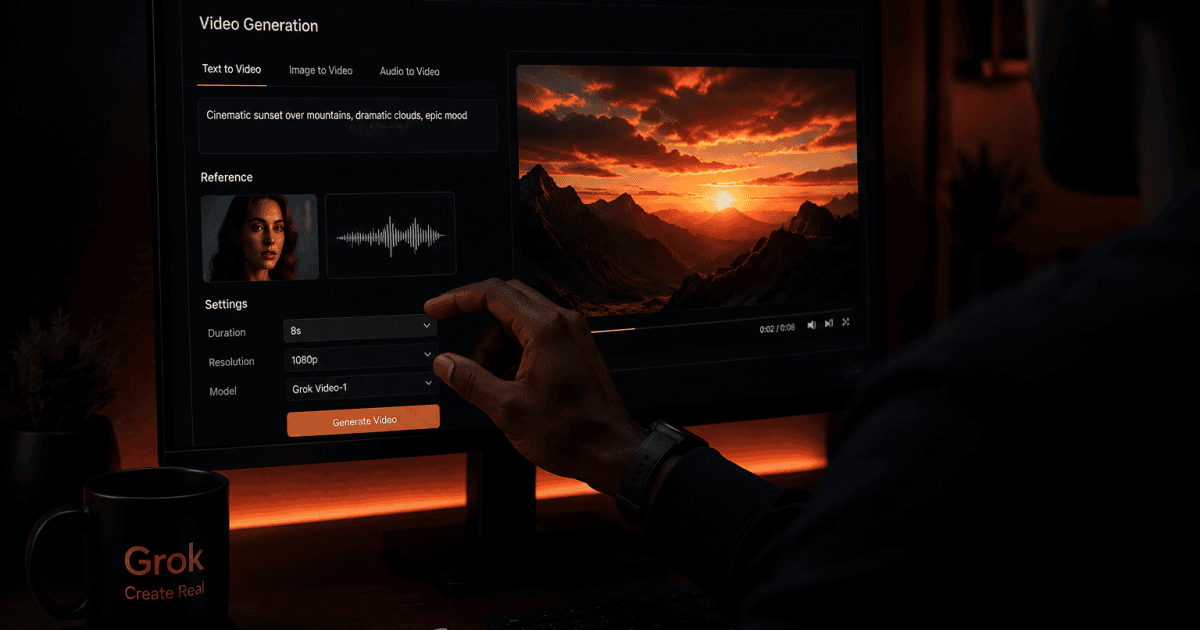
If you have been using Dreamina’s reference system from our other AI video guides, Grok just added its own version, and it does something that tool does not do yet. It keeps a character’s voice the same across every scene, not just their face, through what xAI calls Grok Imagine Video 1.5 references.
Key Takeaway
Grok Imagine Video 1.5 now accepts up to seven reference files per video, and each one locks a single thing in place, a face, a product, or a location. The standout feature is voice consistency: pair a character photo with a voice sample, and both carry through every scene the same way. It only works on SuperGrok Heavy and Plus right now, not the free tier, and it is still rolling out to all paid tiers over the next few days.
Here is exactly what changed, how the reference system works, and how it stacks up against the tools you already know from this site.
What Actually Launched
xAI rolled this out on July 31 as an upgrade to Imagine Video 1.5, which was already their strongest video model before this update. The new pieces are text-to-video without needing a starting image, native 1080p output, and reference support for images and voice.
It went live first in the US for SuperGrok Heavy and SuperGrok Plus subscribers, on grok.com/imagine and the iOS app, and xAI says it is expanding to every paid tier over the next few days.
There is also an API version for developers, using a model called grok-imagine-video-1.5, though voice reference support there is only available on request right now, not fully open yet. On the API, native 1080p output runs $0.25 per second, which sits between Google Veo 3.1’s two published tiers, its faster mode at roughly $0.15 per second and its higher-quality mode at roughly $0.40 per second.
How the Reference System Actually Works
Each reference file you upload locks exactly one part of the scene. You can keep a character the same while changing the background, keep the background the same while swapping the character, or hold both in place and only change what is happening in the scene. Up to seven of these can be combined in one generation.
The voice part is what makes this different from anything else in this cluster so far. You give it a photo of your character and a short sample of a voice, and both stay locked together for every scene you generate after that, same face, same voice, no separate dubbing or lip syncing step needed afterward.
How This Compares to Kling and Dreamina
Kling’s Element Library holds up to four reference images at once, and it only handles visual consistency, no audio involved. Dreamina’s Seedance system, covered in our free plan guide, goes further on raw reference count, up to twelve files mixing images, video, and audio, and it is still the strongest of the three at multi-shot storytelling across a sequence of scenes.
Grok Imagine sits in the middle on reference count, seven files, fewer than Dreamina, more than Kling. But it is the only one of the three that pairs a voice sample directly with a face reference inside the same generation. If your content depends on a character sounding the same as much as looking the same, that is a real, specific gap the other two do not close on their own.
Worth knowing on raw output quality: at its original May 2026 launch, Grok Imagine Video 1.5 topped the Image-to-Video Arena leaderboard, a blind-test ranking of AI video models, ahead of Google Veo, Seedance 2.0, and Kling at that time. That is a snapshot from launch rather than a permanent ranking, since this space moves fast, but it is a reasonable signal that the underlying video quality was genuinely competitive going into this reference update.
This Is Not Part of the Free Stack, Worth Being Clear About That
Kling and Dreamina’s free tiers, covered elsewhere on this site, do not require any of this. Voice and image references on Grok Imagine require SuperGrok Heavy or SuperGrok Plus, and our SuperGrok Heavy pricing review has the current cost breakdown if you want the real numbers before deciding anything.
This tracks with a broader pattern across X in 2026, where free-tier access to image and video generation has been pulled back significantly compared to earlier in the year. If you are not already paying for SuperGrok for another reason, Kling and Dreamina’s free tiers are still the smarter place to start and build your skills at zero cost. If you already pay for SuperGrok Heavy, this feature is now included at no extra charge, and it is worth testing this week while the rollout is still fresh.
Where This Actually Helps
The clearest use case is talking-head or podcast-style content where the same person or character needs to sound consistent across many videos, a faceless brand mascot, a recurring narrator, an AI spokesperson for a small business. Right now that usually takes two separate tools stitched together, a voice cloning service and a video generator. This folds both into one generation.
Once you have generated a batch of clips with consistent character and voice, the next step is turning them into a finished, edited video, and that happens outside Grok entirely. A browser-based editor such as FlexClip is one option worth knowing about for that stage, though I have not tested it head to head the way I have with mobile editors like CapCut and InShot, so treat it as a starting point rather than a recommendation either way.
Reference Workflow Example:
Reference 1: A clear photo of your character or mascot, front facing, consistent outfit
Reference 2: A clean 5 to 10 second voice sample, no background noise
Reference 3 (optional): A scene or location image if you want a specific setting held in placePrompt structure: “Use the character and voice from the references. Scene: [describe the setting and action]. Keep the same face and voice throughout. Duration: [length].”
What to Do Right Now
If you already have SuperGrok Heavy or Plus, open Imagine on grok.com or the iOS app this week and test the voice and character pairing on something small before building anything serious around it.
If you are still on the free tier across these tools, keep building your skills there first. The prompt habits and reference discipline you learn on Kling and Dreamina for free carry over directly whenever you do decide this feature is worth paying for.

















Conversation (0)