

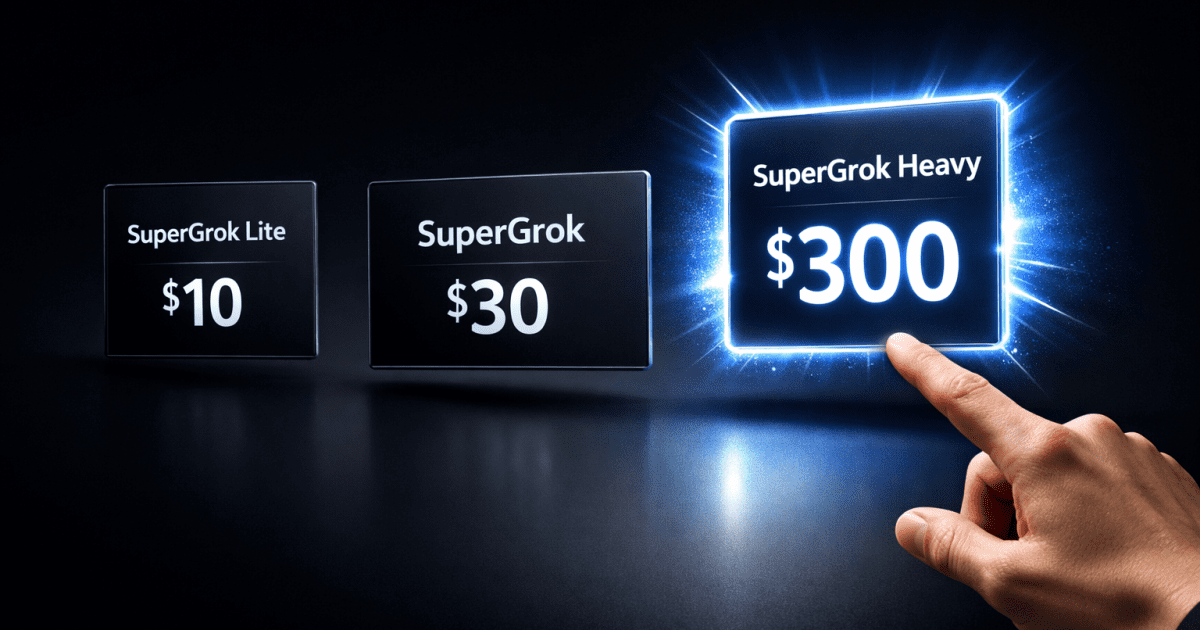
When someone on Facebook posts that they are paying $300 a month for an AI tool and earning between $1,000 and $10,000 a month from it, two types of people react.
The first type sees the $300 and immediately calls it a scam. The second type sees the potential $10,000 and wants to understand the math. If you are reading this, you are probably the second type, and that is the right instinct.
Key takeaway: SuperGrok Heavy normally costs $300 a month, but xAI is currently running a real, confirmed discount down to $99 a month for new and existing subscribers. The length of that discount window is disputed between sources, some say three months, some say six, so confirm the exact term at checkout rather than assuming either number. There is also a tier most guides miss entirely: SuperGrok Plus at $100 a month, sitting between the $30 plan and Heavy, built specifically for people outgrowing $30 but not ready to justify $300.
Whether any of this makes sense for you depends entirely on what you are building and how you plan to use it. This is the honest breakdown before you spend a dollar.
Quick Verdict: Which Grok Plan Fits Your Scale
Your subscription choice should be a direct calculation of your current business volume, not hype. SuperGrok Lite at $10 a month is a basic testing ground, best for casual users experimenting with entry-level image generation before committing to anything bigger.
SuperGrok at $30 a month is the right fit for most creators, giving you real-time web search, video generation, and enough everyday capability to run a real workflow without premium overhead.
Also SuperGrok Plus at $100 a month is the tier worth knowing about that most people don’t know about. It exists specifically for people who keep exhausting the $30 plan’s limits but cannot yet justify $300 for Heavy.
SuperGrok Heavy at $300 a month, or $99 during the current promotional window, is built for industrial throughput rather than raw intelligence, offering the highest rate limits across every feature, priority compute, and exclusive access to Grok Build.
What Is SuperGrok Heavy and Who Made It
SuperGrok Heavy is the premium subscription tier for Grok, the AI built by xAI, Elon Musk’s artificial intelligence company. xAI built Grok around a specific advantage over other AI tools: it connects natively to X, formerly Twitter, giving it real-time access to what is happening on the internet right now, not cached information or training data from months ago.
The Heavy tier gives you access to Grok 4 Heavy, a multi-agent version of the model that deploys multiple AI agents working simultaneously on complex tasks.
Think of it as the difference between asking one person to research, write, and design something versus having a small team of specialists doing each part at the same time. That said, xAI moves fast here. Grok 4.3 launched in April 2026 and Grok 4.5 began rolling out to paid tiers in July 2026, so treat any specific model name as a snapshot, not a permanent fact, and check what your plan actually includes before committing.
SuperGrok Pricing: All Four Tiers Explained Simply
Before evaluating whether Heavy is worth it, you need to understand what each tier actually gives you, because the differences matter more than the price gap suggests.
SuperGrok Lite at $10 a month launched March 25, 2026, giving entry-level access to Grok Imagine: a few creations a day, 480p resolution, short video clips, and limited chat access. This tier is for testing the platform before committing to anything bigger. It will not support a serious content creation workflow.
SuperGrok at $30 a month is where the platform becomes genuinely useful. You get real-time web search through DeepSearch, image generation through Grok Imagine, longer video clips, longer chat conversations, and voice mode. For most content creators, freelancers, and digital entrepreneurs, this is the right starting plan, and it unlocks everything that makes Grok meaningfully different from free alternatives.
SuperGrok Plus at $100 a month is the newer tier worth knowing about specifically because it fills a real gap. If you are consistently hitting the $30 plan’s limits several times a week but a jump straight to $300 feels premature, Plus sits exactly in that space, without the full Heavy price tag.
SuperGrok Heavy at $300 a month, currently $99 during the promotional window, gives you access to Grok 4 Heavy with multiple AI agents operating simultaneously, the highest rate limits and priority compute across every feature, and early access to upcoming xAI products.
Take Note
SuperGrok Heavy is currently the only way to access Grok Build, xAI’s command-line tool for building multi-agent applications, though it is worth knowing this is still described as being in public testing rather than a fully finished product.
This is what developers and power creators are most excited about. Grok Build lets you create automated, multi-agent workflows that operate independently, an entirely different class of capability from standard AI chat. Understanding this distinction matters when deciding whether to pay for it, since the value only shows up if you actually need that specific capability.
The $300 Question: What Are People Actually Using It For
The Facebook post that sparked this conversation made a specific claim, channels built with SuperGrok are earning between $1,000 and $10,000 a month. That range is real, but it needs context. The earnings are not coming from SuperGrok itself. They are coming from faceless YouTube channels and content businesses that use SuperGrok as part of their production workflow. The tool does not make you money. The business built around the tool does.
A 10,000-subscriber faceless finance channel earns $300 to $1,500 a month. At 100,000 subscribers, faceless history channels generate $1,500 to $6,000 a month net. At 500,000 subscribers, faceless true crime channels earn $5,000 to $20,000 a month with minimal overhead. Those numbers are achievable, but they are not fast.
The creators making $10,000 a month built that over months of consistent work, not weeks of casual posting. Once income like that starts landing consistently, actually receiving it becomes its own problem, our guide on getting paid from AI side hustles covers how to receive it without losing a chunk to fees nobody warns you about.
The people genuinely using SuperGrok Heavy are running multiple channels at once, managing content agencies, or building automated pipelines with Grok Build, situations where every hour of production delay has a direct cost.
For them, the investment replaces what would otherwise cost far more in freelance talent and production time. For individual users without an established operation, Heavy at full price is almost never worth it, though the current $99 window changes that calculation for creators who are serious about scaling soon.
The Real Math: When Does the Investment Make Financial Sense
This is the calculation that actually matters. Running a faceless content business the traditional way means paying a scriptwriter, a video editor, a thumbnail designer, and possibly a voiceover artist. Those costs add up to $600 to $1,000 a month minimum for consistent production. SuperGrok Heavy replaces a meaningful share of that overhead while producing faster results. Framed as a payroll replacement rather than a software subscription, the calculation shifts completely.
At the full $300 price, you need real, consistent output at a scale that mostly makes sense for an already-established operation. At the promotional $99 price, that threshold drops enough that serious solo creators building toward scale can reasonably justify testing it. For most people starting out, SuperGrok at $30 remains the right long-term home. The $99 window simply makes Heavy worth a serious look sooner than it otherwise would be, for anyone who has already validated their content model and is ready to increase volume.
The smarter path for most people is starting on the $30 plan, building a channel or workflow until it generates consistent income, moving to Plus if you are hitting real limits but not ready for the full jump, and reserving Heavy for once a proven business is actually bottlenecked by throughput rather than strategy.
How Faceless YouTube Channels Actually Work With SuperGrok
For creators building faceless channels, SuperGrok’s Imagine feature is the core tool in the workflow. Here is how the production process actually works, start to finish.
Step One: Research and Script With Grok DeepSearch
Start by using DeepSearch to research your topic. Because Grok pulls live data from X and the web, you can identify trending angles that other tools would not surface from training data alone. Ask Grok what people are currently saying about your niche, what questions are trending, and what angles have not been fully covered yet. Then ask it to write a script, specifying length, tone, audience, and format. A prompt like “write a 90-second motivational YouTube Short script about overcoming financial setbacks, conversational tone, no jargon, strong hook in the first five seconds, clear call to action at the end” produces usable first drafts that need light editing rather than a full rewrite.
Step Two: Generate Visuals With Grok Imagine
This is where SuperGrok earns its subscription fee for content creators. If keeping a character, product, or setting consistent across multiple clips matters for your channel, our breakdown of Grok Imagine’s reference system covers that specific feature in depth.
The key to good outputs day to day is specificity in your prompts. Instead of “a motivational video clip,” write “cinematic wide shot of a determined young person walking through a busy city street at golden hour, dramatic lighting, inspirational atmosphere, 9:16 vertical aspect ratio.” The more detail you give, the closer the output lands to what you need on the first or second try rather than the tenth. Aspect ratio, lighting style, and mood are the three details that improve output quality the most.
Step Three: Add Voiceover With ElevenLabs
Grok’s built-in voice is useful for testing but not for final production, where audio quality determines whether YouTube monetizes your content. ElevenLabs is the standard for faceless channel voiceovers most serious creators reach for, since the output sounds human enough to pass monetization checks that generic text-to-speech tools fail. Run your finished script through it, pick a voice matching your channel’s tone, and export the audio.
Step Four: Edit and Publish
Import your Grok-generated clips and ElevenLabs audio into a mobile editor, our CapCut vs InShot comparison covers which one actually fits your workflow, then add royalty-free background music at low volume, text overlays for key points, and a thumbnail generated through Grok Imagine. Export at 1080p minimum. A complete Short from prompt to published video takes 20 to 40 minutes once your workflow is established, faster with repetition. A long-form video takes two to three hours.
The Niches That Actually Pay on Faceless YouTube
Not all niches are equal on YouTube. The RPM, what YouTube pays per thousand views, varies enormously by topic. Finance and tech niches tend to generate noticeably higher RPM than pure entertainment content, meaning two channels with identical view counts can earn very different monthly revenue depending purely on subject matter.
The niches performing best for faceless AI-assisted channels right now include financial literacy and side hustle content, motivational storytelling, true crime documentaries, AI tools and tech explainers, and business case studies. These niches attract higher-value advertisers and work well with voiceover-driven content across global audiences.
SuperGrok vs ChatGPT vs Claude for Content Creation
SuperGrok’s real advantage over ChatGPT and Claude for faceless content is its real-time X integration combined with native image and video generation in one platform. You do not need to switch between a writing tool, an image generator, and a research tool, Grok handles all three inside one subscription, which has genuine workflow value at volume.
Claude tends to write more natural long-form prose. ChatGPT has the broader feature ecosystem. Neither generates images and video natively while also pulling real-time trending data from a major social platform.
For faceless content specifically, that combination is SuperGrok’s clearest edge. The practical approach for serious creators is using SuperGrok for research, images, and video, then bringing the script into Claude or ChatGPT for a final polish pass if the writing needs it. Using each tool for what it does best, rather than forcing one tool to do everything, is what actually produces good results at reasonable cost.
What Real Users Are Saying
Community feedback on SuperGrok Heavy splits along a clear line: whether the person buying it already has a monetized business or not. Creators and developers with existing revenue-generating channels or agencies consistently report that Heavy pays for itself quickly through time saved and production volume gained. Developers specifically point to Grok Build as the feature that justifies the subscription on its own.
The negative feedback comes almost entirely from individual users who upgraded expecting Heavy to produce dramatically better quality than the $30 plan. The quality difference is real but marginal for most everyday tasks.
The actual difference is throughput, context priority, and Grok Build access, not raw intelligence. If you upgrade expecting to be amazed by better answers, you will likely be disappointed. If you upgrade because you were genuinely hitting limits that were slowing down a business that already works, the investment tends to feel worth it.
Honest Mistakes to Avoid Before You Subscribe
The biggest mistake is subscribing before you have a working content business. If you do not have a monetized channel, an existing client base, or a proven workflow already generating income, Heavy will not create that for you. The $99 promotional price makes it tempting to jump in early, but discounted overhead is still overhead if the fundamentals are not there yet. Start with the $30 plan, build one channel, get it monetized, then evaluate whether you are hitting limits that justify moving up.
The second mistake is treating SuperGrok as a complete production solution on its own. It generates scripts, images, and short clips. It does not produce finished, edited, monetization-ready videos by itself. You still need a voiceover tool, an editing tool, and a publishing strategy. The workflow is the business. SuperGrok is one tool inside it.
The third mistake is picking a niche that needs more accuracy than AI alone can reliably deliver, finance, law, medical topics specifically. If one inaccurate claim could damage your channel’s credibility or trigger demonetization, build a real review step into your process before every video publishes. The niches with the highest RPM also tend to carry the highest accuracy standards, and that tradeoff is worth knowing before you commit to a direction.
The Verdict: Who Should Buy Which Plan
If you are just starting out, begin with SuperGrok Lite at $10 to test the platform, then move to the $30 plan the moment you are serious about building a channel, Lite’s limits will slow a real publishing schedule down too quickly. If you are hitting the $30 plan’s limits consistently but are not ready for the jump to Heavy, SuperGrok Plus at $100 is worth a serious look, since it exists specifically for that gap.
Amd if you already have a workflow generating income and are regularly hitting limits, or specifically want Grok Build for multi-agent development, Heavy is a legitimate business investment, and the current $99 promotional window makes this the best time to try it at a fraction of full cost. Confirm the exact promotional term at checkout before committing either way.
If you are somewhere in the middle, interested, building, not yet monetized, the $30 plan is exactly where you belong. Heavy will still be there once your business has grown to the point where throughput, not strategy or consistency, is the actual bottleneck. Strategy and consistency are free. Start there.





















Conversation (0)