
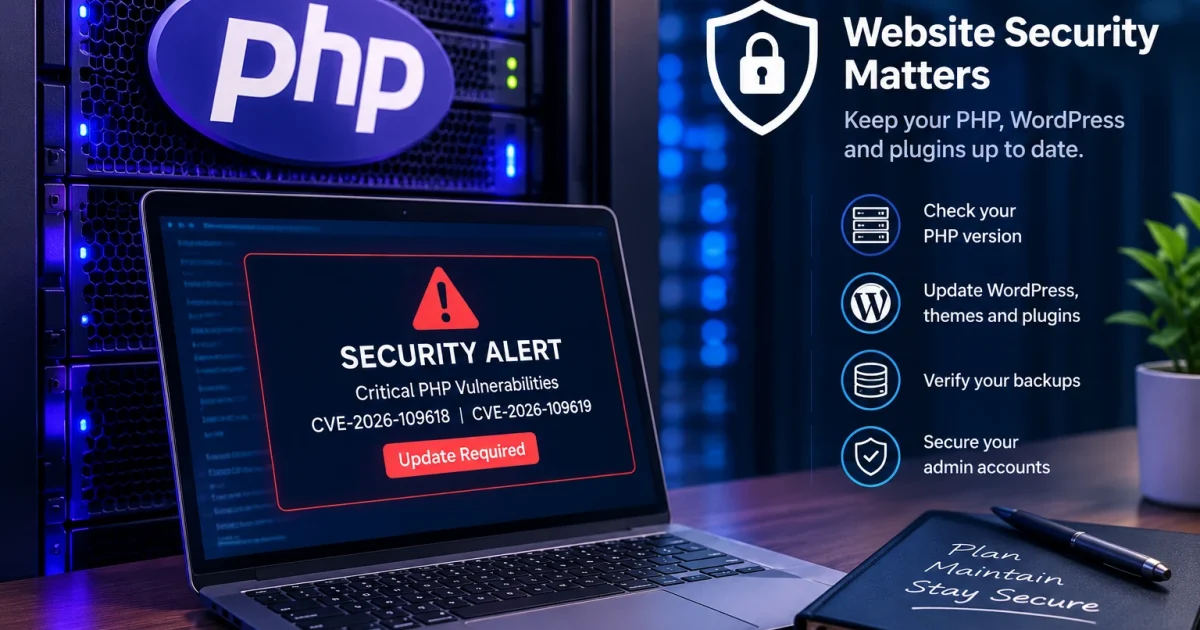
Last night, I received an important security alert from my hosting provider.
My first reaction was simple: let me check our server.
When you run a website, you cannot just build it, publish your content and forget about everything happening behind the scenes. Software needs updates, systems need monitoring, and security issues need attention.
Thankfully, after checking our server, I confirmed that the affected PHP version had already been updated to a safe version.
That was reassuring.
But as I started investigating the alert, I discovered something that made me think beyond my own website.
On October 21, 2026, the PHP development team released security updates addressing two critical vulnerabilities that could allow attackers to execute commands on affected servers without first logging in.
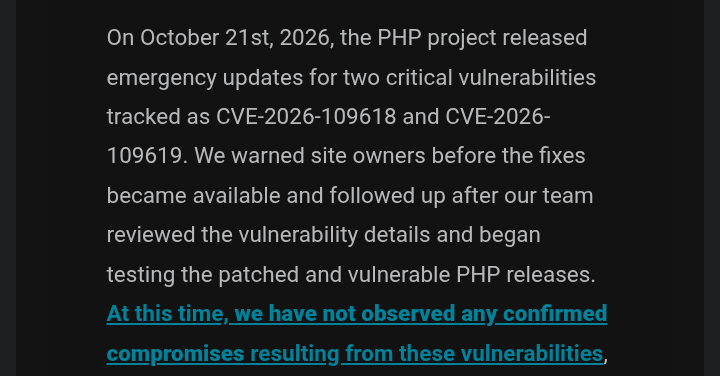
The vulnerabilities, tracked as CVE-2026-109618 and CVE-2026-109619, are serious enough that cybersecurity authorities have urged organisations to apply the appropriate updates immediately.
I started looking into the issue and asking myself a different question.
How many website owners understand what an alert like this means for their businesses?
And how many might not even know where to begin?
What Is PHP, and Why Should Website Owners Care?
Before you close this article because you have seen the word PHP and assume this is a complicated computer problem, let me explain.
PHP is a programming language used to power websites and web applications. It handles things such as processing requests, interacting with databases and generating the pages visitors see.
WordPress, for example, relies heavily on PHP.
That means PHP is not some obscure technology that only a few developers use. It is an important part of the software behind many websites.
When a serious vulnerability affects PHP itself, the consequences can extend beyond a single website or plugin.
According to the official PHP security announcements, the October 21 releases address two critical vulnerabilities that could allow unauthenticated remote code execution.
In simple English, an attacker could potentially send a specially crafted request to a vulnerable server and exploit the weakness to run code on that system without first logging in normally.
That does not mean every website using PHP has been hacked. It means affected systems face a serious security risk if they have not received the appropriate fix.
You can read the technical details in the official PHP security advisory.
Why This Security Alert Caught My Attention
After confirming that our server had already been updated, I began looking for more information about the vulnerabilities.
I checked security announcements, technology discussions and reports from cybersecurity organisations.
The issue was receiving attention internationally.
The UK’s National Cyber Security Centre published guidance urging organisations to take immediate action. Canada’s Cyber Centre also issued an alert about the vulnerabilities, while New Zealand’s National Cyber Security Centre warned about reports of active exploitation.
That last detail is particularly important.
A vulnerability is one thing. Reports that attackers are actively exploiting it make the need to respond even more urgent.
However, I wanted to understand how website owners, particularly small-business owners in Nigeria, could translate this kind of technical warning into practical action.
I could not establish from my own checks how widely the issue was being discussed across Nigeria. But the question remained: would a business owner who paid someone to build a website know what to do after receiving such an alert?
That is where I believe many website owners need better guidance.
Your Website Can Look Fine While Its Software Needs Attention
Imagine paying ₦100,000, ₦300,000, ₦500,000 or even millions of naira to have a website built.
The designer finishes the project.
Your website looks beautiful. Customers can visit your pages, browse your products, fill out forms and perhaps make payments.
Everything appears to be working.
You are happy with the result, and the developer moves on to the next project.
But who maintains the website after that?
Who checks whether its software is still supported? Who installs important security updates? Or Who verifies that backups are working? And who responds when the hosting provider sends a warning?
These are not minor questions.
A website is a digital business asset. It may hold customer information, process enquiries, support sales or serve as the main way people discover your business.
Keeping it online is important, but keeping it secure and recoverable matters too.
I think of it this way: opening a physical business without considering security would be an unnecessary risk.
Your website is not exactly the same as a physical shop or bank, of course. But the underlying principle is similar. You need to understand what protects the asset you depend on.
And please, do not assume that attackers only care about large companies.
Automated scanning can identify vulnerable systems across the internet. A small website does not have to be famous to be exposed to that kind of activity.
What Should You Do If You Own a WordPress Website?
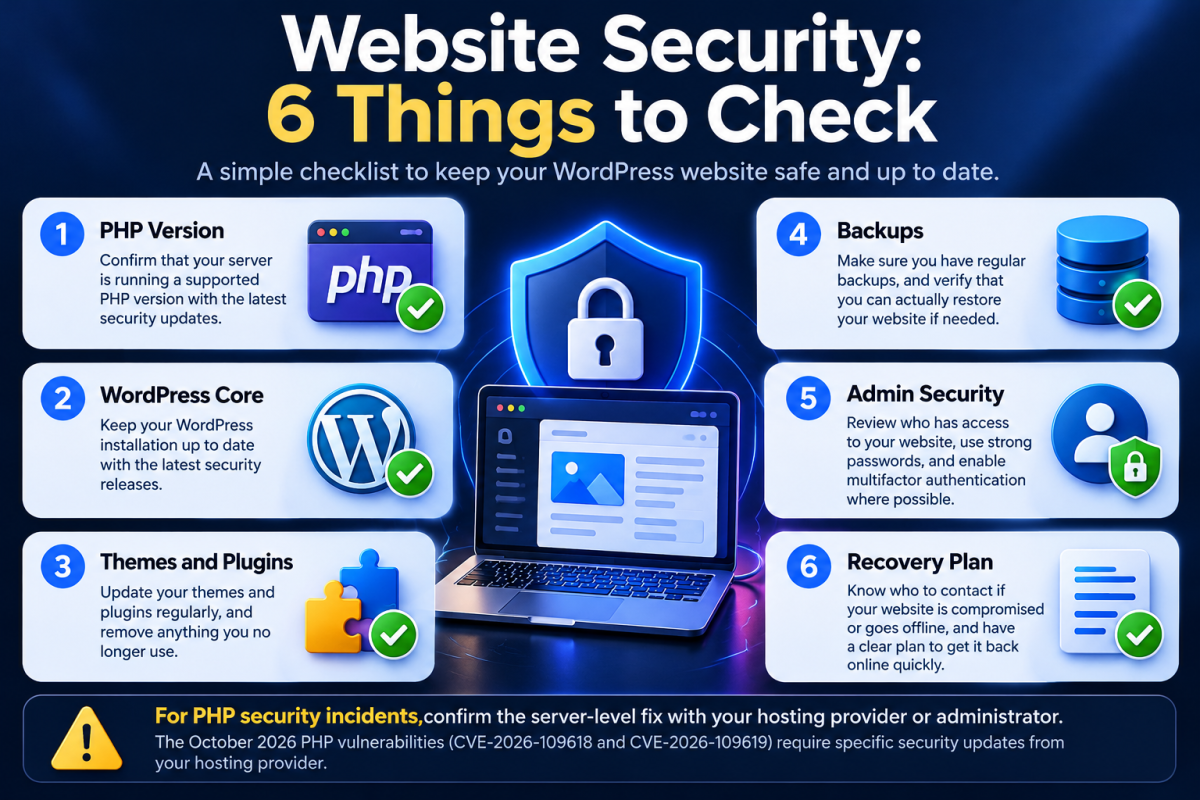
You do not need to become a cybersecurity expert to take sensible precautions.
But you should know who is responsible for maintaining your website and how to verify that important security updates have been applied.
Here are the checks I would prioritise.
1. Confirm Your PHP Version and Patch Status
This is the first step when dealing with the October 21 PHP vulnerabilities.
Ask your hosting provider or server administrator which PHP version your website is running and whether the relevant security fixes have been applied.
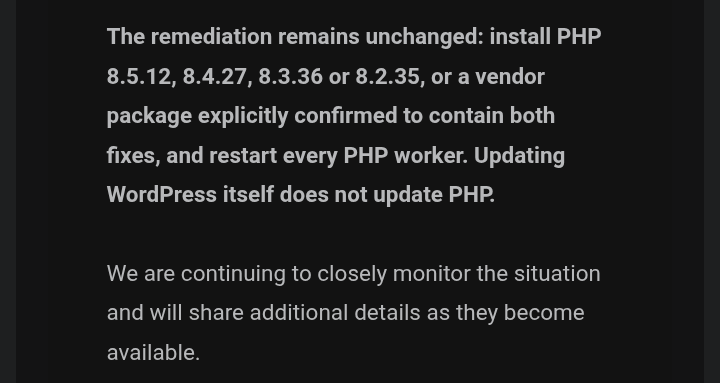
The PHP development team released patched versions including:
- PHP 8.5.12
- PHP 8.4.27
- PHP 8.3.36
- PHP 8.2.35
These are the specific releases listed in the October 21 security announcements. If your server uses an older PHP branch or a hosting configuration with its own update process, ask your provider which supported, patched version is appropriate.
Do not assume that your website is safe simply because it loads correctly.
Also, do not change your PHP version blindly. An older WordPress theme or plugin may have compatibility problems with a newer version, so updates should be handled carefully.
If your hosting provider manages the server, ask them to confirm that the fix has been applied to the PHP installation actually serving your website.
The PHP security advisory is the best starting point for verifying the relevant release information.
2. Keep WordPress, Themes and Plugins Updated
PHP is only one part of a website’s software stack.
WordPress itself, its themes and its plugins also need maintenance.
Outdated components can introduce separate security risks, even when the underlying PHP installation has been patched.
Check for available updates and review compatibility before applying them. Where possible, maintain a staging environment so significant changes can be tested before affecting the live website.
And please, stop installing every plugin you see recommended in a video.
Your website does not need dozens of unnecessary plugins simply because someone claims they are essential.
Every additional component creates something else you may need to maintain, troubleshoot or replace.
Keep the software you actually need, and remove unused components appropriately.
3. Check Your Backups
Backups are important because security measures cannot guarantee that an incident will never occur.
If your website becomes corrupted, suffers a serious technical failure or is compromised, a reliable backup can help you recover.
Ask your hosting provider:
- How frequently is my website backed up?
- How long are backups retained?
- Are the database and website files included?
- Can I restore the website myself?
- When was the last successful backup tested?
If possible, maintain an additional backup separate from your hosting account.
A backup is much more useful when you know it can actually be restored.
4. Review Admin Accounts and Password Security
Check who has administrative access to your website.
Remove accounts that are no longer needed, ensure that each person has an appropriate level of access, and use strong, unique passwords.
Enable multifactor authentication where supported.
If you work with a developer, freelancer or agency, make sure access is managed properly when the working relationship ends.
You should know who can access your website and how that access can be revoked.
5. Make Sure Someone Is Responsible for Ongoing Maintenance
This may be the most important lesson for business owners.
A developer building your website does not automatically mean that someone will maintain it indefinitely.
If you manage your own website, establish a regular maintenance routine.
If someone else manages it, clarify what their service covers. Does it include WordPress updates? Plugin maintenance? PHP compatibility? Security monitoring? Backups and restoration?
Do not wait until something goes wrong to discover that nobody is responsible.
Questions to Ask Your Website Developer Today
If you do not know much about the technical side of your website, that is fine. You can still ask sensible questions.
Here are five I would start with:
- Which PHP version is my website running, and has it received the latest relevant security updates?
- Are WordPress, my theme and my plugins up to date?
- Do we have reliable backups, and have we tested restoring them?
- Who monitors the website for security problems?
- If the website is compromised or goes offline, what is our recovery plan?
These questions can help you understand whether your website is being actively maintained or simply left online.
You can also ask your hosting provider for clarification if you do not have access to server settings yourself.
If you are still evaluating your hosting arrangements, my Listed Hosting review explains my experience with the service I use for FaithfulBiz. Whatever provider you choose, make sure you understand its support, backup and maintenance arrangements rather than assuming every responsibility is automatically covered.
My Biggest Takeaway From This PHP Security Alert
When I received the hosting alert, I checked our server and confirmed that the affected PHP version had already been updated to a safe version.
That was the immediate concern addressed.
But the experience reminded me that running a website involves more than publishing content and making sure the pages look good.
There is a technical layer behind every website, and problems in that layer can affect the businesses and people who depend on it.
You do not need to understand every vulnerability report or spend your day reading cybersecurity research.
You do, however, need a plan for keeping your website maintained, checking important security alerts and recovering if something goes wrong.
A website is not a billboard you put online and forget about. It is a digital asset that requires ongoing attention.
If you own a website, take a few minutes to find out which PHP version it uses, whether the relevant security updates have been applied, and who is responsible for maintaining it.
You may discover that everything is already in order, as I did when I checked our server.
But you should not have to guess.
And if your hosting provider sends you a security alert, do not ignore it simply because the technical language looks complicated.
Ask questions, verify the facts and make sure someone takes responsibility for the next step.
That is part of running a business online.













Conversation (0)