

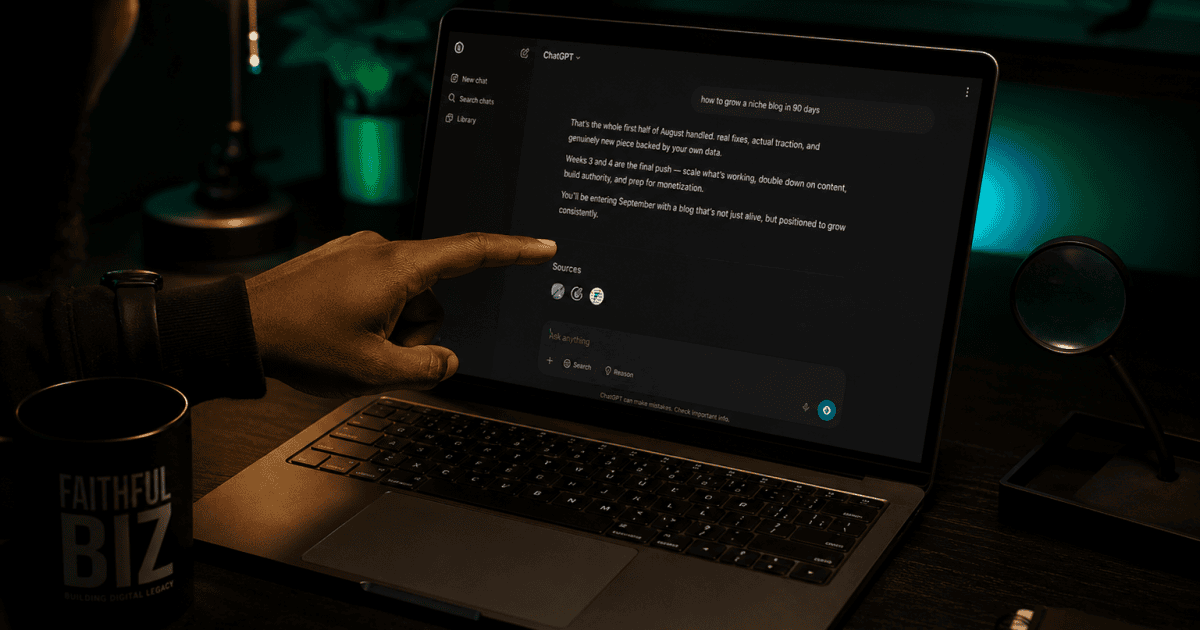
Yes, you can check whether ChatGPT is citing your website, but there is an important catch: there is still no Google Search Console-style dashboard that shows every time ChatGPT cites one of your pages.
You can manually check ChatGPT Search results, monitor referral traffic from ChatGPT in analytics, and make sure your site is accessible to OpenAI’s search crawler. But those measurements tell you different things.
Here’s what you can actually track and what you should not assume from the data.
First, Know the Difference Between a Mention and a Citation
A mention is when ChatGPT talks about your website, brand or topic without necessarily using your page as a source.
A citation is different. In ChatGPT Search, the response can include web sources that support the answer. If your page appears as one of those sources, you have evidence that ChatGPT used your website for that particular search.
OpenAI explains that ChatGPT Search responses can include citations and that users can open those sources to check the underlying information. 0
That distinction matters because asking ChatGPT about your own website and seeing it mention your brand does not prove that the page was selected as a live web source.
Seeing your website mentioned by ChatGPT is not the same as seeing your website cited by ChatGPT.
How to Check If ChatGPT Is Citing Your Website
The simplest method is to test ChatGPT Search yourself.
- Open ChatGPT and make sure web search is available.
- Ask a normal question related to a topic your website covers.
- Do not make the question specifically about your own brand.
- Check the sources or citations attached to the response.
- Look for your domain among the sources.
For example, instead of asking:
“What does FaithfulBiz say about ChatGPT citations?”
try something closer to what a real reader might search:
“How can a website owner tell if ChatGPT is citing their content?”
If your website appears as a source for that query, you have a much stronger indication that ChatGPT is actually citing the page.
Test several related questions before drawing conclusions. ChatGPT’s search results can change depending on the wording of the question and the information available on the web.
Can Google Search Console Show ChatGPT Citations?
No. Google Search Console does not provide a report showing every time ChatGPT cites your website.
However, Search Console can still give you useful information about how your content is performing in Google’s ecosystem. Its normal Performance report can show the search queries that are generating impressions and clicks for your site.
For example, FaithfulBiz recently showed an interesting search signal for this exact topic. On September 15, 2026, the site’s Search Console data showed 61 impressions for the query “can i see when chatgpt cites my website?”
That tells us Google was showing the FaithfulBiz page for people searching for this question. It does not mean that ChatGPT cited FaithfulBiz 61 times.
Those are two completely different measurements.
If you want to understand another side of AI search visibility, see our guide on how to find video content gaps in AI search and get cited.
Google’s AI Search Data Is Also Different
Google now provides a separate Generative AI performance report in Search Console. It reports impressions from Google’s own generative AI features, including AI Overviews and AI Mode. Google’s documentation confirms that this report measures visibility in Google’s generative AI features, rather than ChatGPT.
So if your Search Console shows impressions in Google’s generative AI report, that is evidence of visibility in Google’s AI search features, not evidence that ChatGPT cited your website.
For example, FaithfulBiz’s Search Console data recently showed 688 impressions over a three-month period in the Generative AI features report. That is useful evidence that Google is exposing some FaithfulBiz pages in its AI search environment, but it should not be described as ChatGPT citation data.
How to Track Traffic Coming From ChatGPT
This is where website analytics becomes more useful.
OpenAI says publishers that allow OAI-SearchBot to access their content can track referral traffic from ChatGPT using analytics platforms such as Google Analytics. OpenAI also says ChatGPT automatically adds the UTM parameter utm_source=chatgpt.com to referral URLs from ChatGPT Search.
That means a visitor who clicks your website from a ChatGPT search result can potentially be identified in your analytics data as traffic coming from ChatGPT.
This is different from knowing the total number of times your articles were cited. It tells you about actual referral visits.
OpenAI’s publisher guidance explains both the OAI-SearchBot requirement and the ChatGPT referral-tracking method.
Make Sure ChatGPT Can Find Your Website
If you want your pages to have a chance of appearing in ChatGPT Search, make sure your website isn’t blocking OAI-SearchBot.
OpenAI’s current publisher guidance specifically recommends allowing OAI-SearchBot to crawl your site if you want your content to be discovered, surfaced and clearly cited or linked in ChatGPT Search. 1
Check your robots.txt file and your site’s security or CDN settings if you suspect OpenAI’s crawler cannot access your pages.
Also remember that crawler access does not guarantee citation. OpenAI says ChatGPT ranks search results using multiple factors, and placement is not guaranteed. 2
What You Still Cannot Reliably Measure
There is currently no reliable publisher dashboard where you can log in and see something like:
“Your website was cited by ChatGPT 347 times this month.”
Be careful with claims like that.
You can test individual queries, see whether your page appears as a source, and measure referral visits from ChatGPT. But those measurements should not automatically be treated as the total number of times ChatGPT has cited your website.
What This Means for Smaller Websites
You don’t need to be a huge publisher before your content can appear in AI search.
The more useful goal is to publish pages that provide something worth citing: clear answers, original information, first-hand experience, accurate data and genuinely useful explanations.
That also means avoiding articles that simply repeat what dozens of other websites have already said.
If a page answers a specific question particularly well, keeps important information current and is accessible to search crawlers, it gives AI search systems something useful to work with.
The Practical Way to Monitor Your AI Visibility
You do not need to obsessively test ChatGPT every day.
A better approach is to monitor three different signals:
- Google Search Console: Which searches are bringing people to your pages?
- Google’s Generative AI reports: Which pages are appearing in Google’s AI search features?
- Analytics: Are people actually visiting your website from ChatGPT?
Then occasionally run real, non-branded questions through ChatGPT Search to see whether your pages are being selected as sources.
Google’s own Search Console documentation explains that its Generative AI performance report covers AI Overviews and AI Mode, which is why that data should be kept separate from ChatGPT citation testing. 3
The goal isn’t simply to get mentioned by AI. The goal is to publish information useful enough that AI search systems have a reason to cite it.
What to Watch as AI Search Changes
AI search is still evolving, so the way publishers measure visibility will likely change as well.
For now, the safest approach is to treat ChatGPT citations, Google AI visibility and referral traffic as separate signals rather than trying to combine them into one number.
And if you’re already monitoring Google Search Console, don’t overlook the search queries themselves. Sometimes the questions people are searching for reveal the next article you should publish.
For FaithfulBiz, that’s exactly what happened with this topic: a real Search Console query about ChatGPT citations revealed that people were already looking for an answer.


























The distinction between ChatGPT citing a website and conventional referral traffic is especially useful—standard analytics may not show the full picture. The focus on tracking indirect signals like branded searches and direct visits gives publishers a more realistic way to measure AI visibility.
The distinction between being cited by ChatGPT and actually seeing referral traffic in analytics is especially useful. Tracking branded searches, direct traffic, and referral data together seems like a more realistic way to measure AI visibility than relying on citation counts alone.
The distinction between a ChatGPT citation and a measurable referral visit is especially important—standard analytics may not reveal every time your content is surfaced.
The distinction between ChatGPT citations, referral traffic, and crawler accessibility is especially useful—analytics alone can’t confirm when a page was actually mentioned. For teams tracking AI visibility alongside creative tools like this framework offers a more realistic measurement approach.