

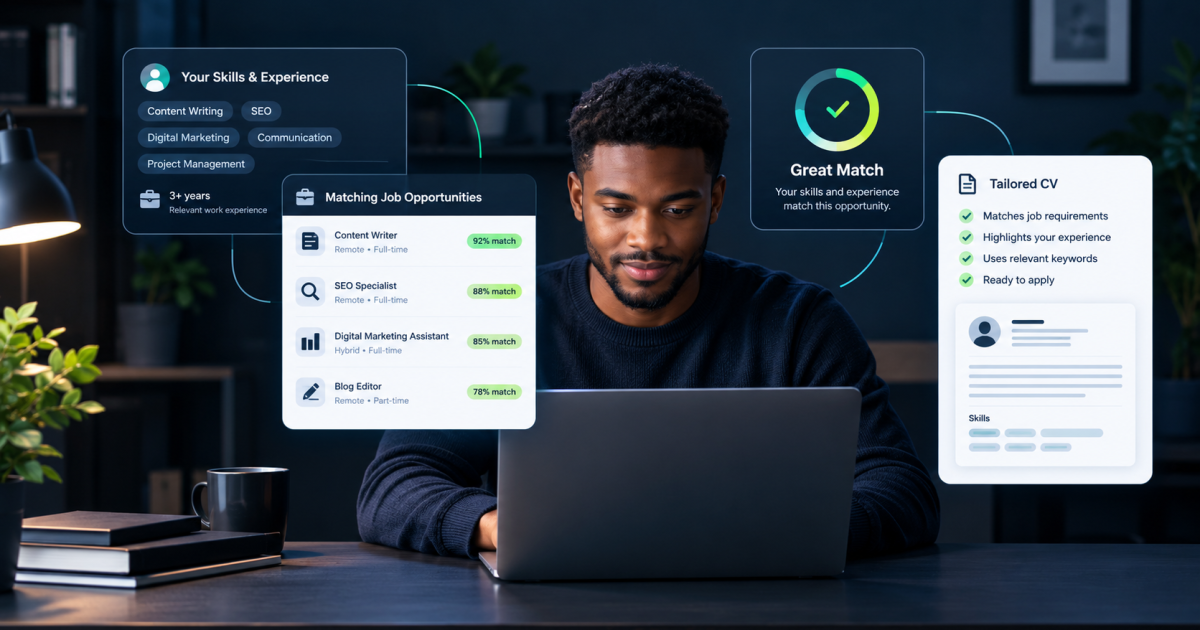
Finding a job is not just about discovering vacancies. It is about identifying the ones you have a realistic chance of getting, understanding what employers are asking for, and deciding where your time is best spent.
ChatGPT can help with that process, but there is a mistake worth avoiding: pasting your CV into a chatbot and asking it to rewrite everything for every vacancy you find. That can produce polished applications without answering the more important question: Is this job actually a good fit for me?
A better approach is to use ChatGPT to screen job descriptions first, compare their requirements with your real experience, and tailor your CV only when an opportunity deserves further attention.
This guide walks through that process, including prompts you can adapt to your own job search.
1. Build a career profile before searching for jobs
Before asking ChatGPT to find suitable roles, give it an accurate picture of your background.
Prepare a short profile containing:
- Your current or most recent role.
- Your relevant work experience.
- Skills you can demonstrate with examples.
- Qualifications, certifications and training.
- Projects, achievements or responsibilities you have handled.
- Preferred job titles, industries and locations.
- Salary expectations, work arrangements and other non-negotiable requirements.
You do not need an impressive CV to begin. You need an honest record of what you can do.
For example, someone who has managed social media accounts, written product descriptions and prepared campaign reports might be suitable for several roles beyond “social media manager.” Depending on their actual experience, those could include content coordinator, digital marketing assistant or marketing communications associate.
ChatGPT can help identify adjacent job titles, but it should not be allowed to turn a transferable skill into a qualification or professional experience you do not have.
Prompt 1: Create your job-search profile
Act as a career research assistant. I will provide my work history, skills, education, achievements and job preferences.
Create a structured career profile that includes:
- My strongest demonstrable skills.
- Job titles that plausibly match my background.
- Adjacent roles where my existing skills may transfer.
- Requirements I can already demonstrate.
- Requirements I may need to develop.
- My stated location, salary and work-arrangement constraints.
Do not invent qualifications, experience or achievements. If information is missing, ask me questions instead of making assumptions.
Here is my background: [paste your information].
Save the resulting profile. You can reuse and update it as your search progresses.
2. Find vacancies using reliable sources
ChatGPT can help you discover search terms and identify employers worth investigating. However, you should not treat a list of job titles generated by a chatbot as a list of confirmed vacancies.
Start with actual job boards, company careers pages and professional networks. Search using several variations of your target role because employers do not always use the same title for similar work.
For example, someone seeking entry-level data work might search for “junior data analyst,” “reporting analyst,” “data assistant” and “business intelligence intern,” provided those titles reflect their interests and qualifications.
There is also a more direct option for some ChatGPT users: the Indeed app.
According to Indeed’s official guide to its ChatGPT app, connecting an Indeed account can help users search listings in natural language, discover roles informed by their profile and preferences, and research employers. Users are redirected to Indeed to begin an application.
Availability may vary, so check whether the app appears in your own ChatGPT account. If it does not, you can follow the same process using vacancies you find manually.
Whichever method you choose, collect the actual job descriptions. A job title alone rarely provides enough information to judge whether a role is suitable.
3. Screen the job before changing your CV
This is the step that makes the workflow more useful than simply asking AI to rewrite a résumé.
For each vacancy, compare the employer’s requirements with your career profile before deciding whether to apply.
Look at three things:
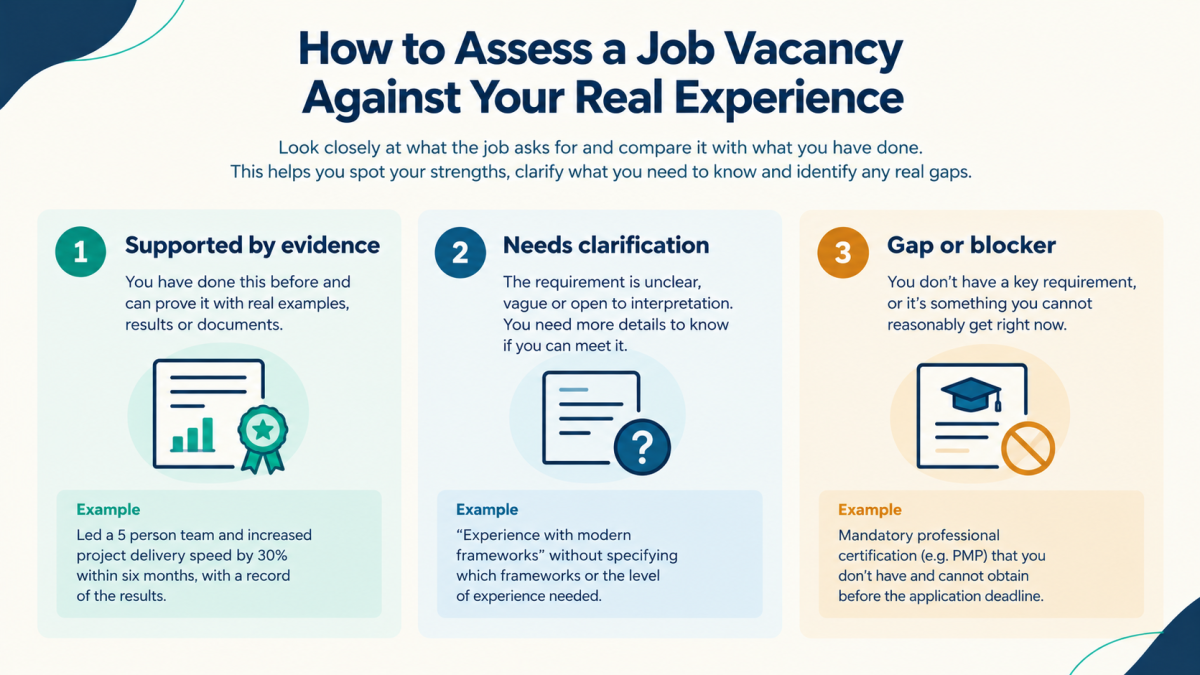
- Evidence of fit: Which requirements can you demonstrate with real examples?
- Gaps: Which requirements are missing, unclear or only partially supported by your experience?
- Constraints: Does the location, work arrangement, experience level or eligibility requirement rule the job out?
A job description may list eight requirements, but not all eight necessarily have equal importance. Some employers distinguish between essential and preferred qualifications; others make a particular certification, location or minimum experience level mandatory.
Ask ChatGPT to separate those categories rather than simply counting matching keywords.
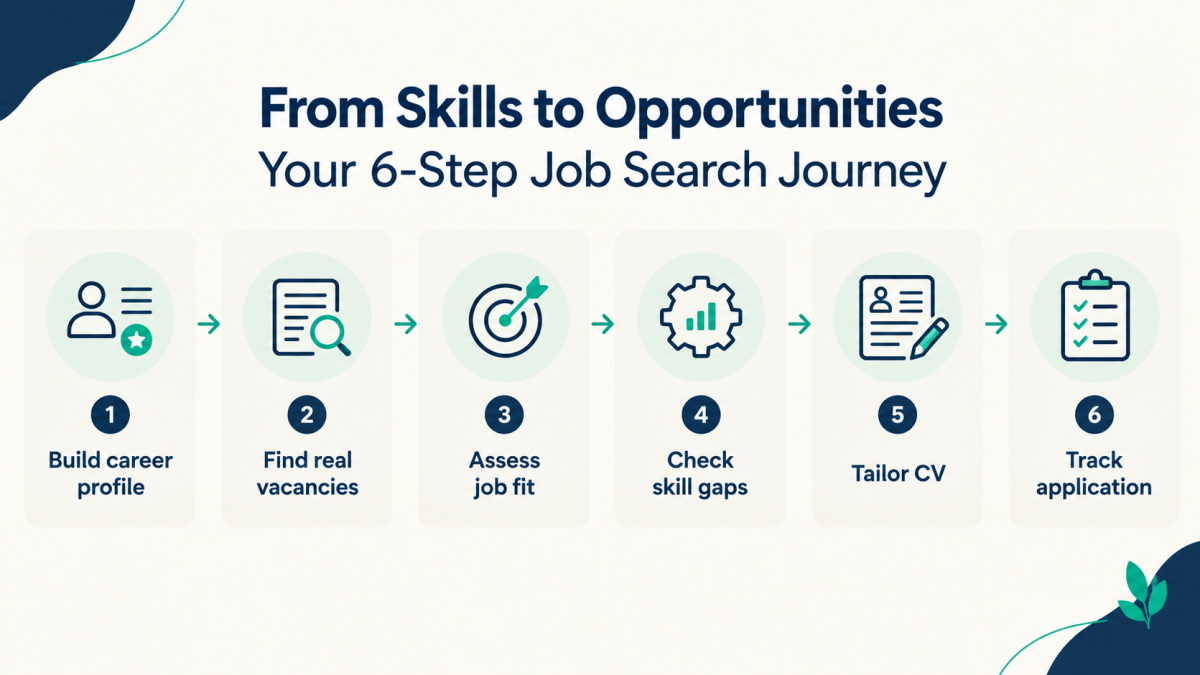
Prompt 2: Assess a vacancy against your actual experience
Compare the job description below with my career profile.
First, extract the employer’s essential requirements, preferred requirements, responsibilities and any explicit eligibility restrictions.
Then classify each requirement as:
- Supported by direct evidence from my background.
- Partially supported or requiring clarification.
- Not supported by my current evidence.
- A potential eligibility blocker.
For every supported requirement, identify the specific experience or achievement that provides the evidence. Do not infer that I have a skill merely because it is common in this occupation.
Finish with a recommendation: strong match, possible match or weak match. Explain the main reasons, identify the most important gaps and list any questions I should answer before deciding.
My career profile: [paste profile].
Job description: [paste full job description].
Treat the result as a decision aid, not a hiring prediction. ChatGPT cannot reliably calculate your probability of getting an interview from a job description alone.
A “strong match” means the available evidence supports considering the vacancy. It does not guarantee that you will be shortlisted.
4. Decide which gaps matter before applying
Not every missing requirement should lead you to reject a job.
Suppose a vacancy asks for three years of experience, proficiency in a particular software tool and strong communication skills. Your background may support the communication requirement and much of the work itself, while your experience with the software is limited.
The right next step depends on whether the missing requirement is essential, whether equivalent experience is accepted and whether you can demonstrate the underlying skill.
Ask ChatGPT to distinguish between a genuine blocker and a gap worth investigating. Where the advert is ambiguous, check the employer’s original listing or contact the recruiter if appropriate.
Prompt 3: Identify which gaps are worth addressing
Review the requirements I do not fully meet for this vacancy.
For each gap, explain:
- Whether the job advert presents it as essential or preferred.
- Whether my existing experience provides relevant transferable evidence.
- What information I should verify with the employer or recruiter.
- Whether I can reasonably address the gap through training or a project.
- Whether the gap appears to be a practical reason not to apply.
Do not tell me to ignore mandatory requirements or misrepresent my qualifications. If the available information is insufficient to make a judgment, say what is missing.
Job description: [paste job description].
My experience: [paste relevant experience].
This step can save time in two ways: it helps you avoid applications that clearly conflict with mandatory requirements, and it stops you from rejecting every vacancy simply because you do not match every preferred qualification.
5. Tailor your CV using evidence, not invented keywords
Once a vacancy passes your initial screening, use ChatGPT to tailor your CV.
The objective is not to make your background look identical to the job description. It is to make the most relevant parts of your real experience easier for a recruiter to recognise.
Start by asking ChatGPT to map the employer’s main requirements to your existing CV. Review that comparison before requesting any rewritten sections.
For instance, if you genuinely managed a content calendar, produced reports and coordinated campaigns, ChatGPT can help describe those responsibilities more clearly and emphasise the ones relevant to a marketing role.
It should not add software expertise, leadership experience, performance figures or qualifications that you have not provided.
Prompt 4: Tailor my CV without changing the facts
Use my existing CV and the job description to prepare a targeted version of my CV.
First, show me which existing experience is most relevant and why. Then recommend changes to the professional summary, skills section and experience bullets.
Rules:
- Use only facts supported by my CV or information I explicitly confirm.
- Do not invent metrics, responsibilities, qualifications, employers, dates or software skills.
- Do not turn an unverified claim into a confident statement.
- Use relevant terminology from the job description only when it accurately describes my experience.
- Flag any requirement for which I have no supporting evidence.
- Show the proposed changes so I can review them before using the final CV.
My current CV: [paste CV].
Job description: [paste job description].
Review every change. If ChatGPT suggests a stronger bullet point, make sure you can explain the work behind it in an interview.
For practical guidance on identifying opportunities that use existing professional skills, you can also read FaithfulBiz’s article on Micro1 AI jobs and how existing skills can fit AI work. The same principle applies: check the actual requirements and eligibility conditions for each opportunity rather than assuming that every advertised remote role is open to everyone.
6. Research the employer before submitting an application
A job may fit your experience but still be unsuitable for other reasons. The responsibilities, work arrangement, employer expectations or application process may not match what you want.
Use the company’s official website and the original vacancy to verify important details. ChatGPT can help you organise the information, identify questions to investigate and prepare for an interview, but it should not be your only source for current company information.
Prompt 5: Prepare an employer research brief
Help me prepare a short research brief before I apply for this role.
Using the company information and job description I provide, summarise:
- The company’s main products, services or activities.
- The responsibilities and priorities suggested by the vacancy.
- The experience from my background that is most relevant.
- Any important details that remain unverified.
- Five useful questions I could ask the recruiter or interviewer.
Separate confirmed information from assumptions. Do not invent company facts, benefits, salary details or hiring practices.
Company website and verified information: [paste sources or notes].
Job description: [paste job description].
My relevant experience: [paste experience].
If the tool you are using can browse the web, ask it to provide sources for current claims. Open the original sources yourself before relying on important details.
7. Track applications so you can learn from the process
A structured job search needs a record of what you have done. Otherwise, you can end up applying to the same vacancy twice, losing track of follow-ups or forgetting why you shortlisted a role.
A spreadsheet is sufficient. Include the following fields:
- Company and job title.
- Original vacancy URL.
- Date discovered and application deadline.
- Location and work arrangement.
- Fit assessment and main evidence.
- Important gaps or eligibility questions.
- CV version used.
- Application date and current status.
- Follow-up date and notes.
You can ask ChatGPT to help organise the information, but keep the spreadsheet as your source of truth.
Prompt 6: Organise my application tracker
Turn the job information below into a structured application-tracking row.
Extract the company, job title, vacancy URL, location, work arrangement, deadline, date found, fit assessment, strongest evidence of fit, unresolved questions, CV version, application status and next action.
If a field is missing, mark it “Not confirmed” rather than guessing. Preserve the original vacancy URL and flag any deadline or eligibility detail that needs verification.
Job information: [paste notes and vacancy details].
After several applications, review the results. If you repeatedly find that you lack a particular qualification, you may need to adjust your target roles or develop that skill. If you are consistently shortlisted for a certain category of position, investigate what makes those roles a better fit.
Do not treat a handful of outcomes as conclusive proof. Hiring decisions depend on factors beyond your CV, including the applicant pool, timing and the employer’s internal process.
8. Protect your personal information
Your CV contains personal information, and connecting a third-party service may give it access to parts of your profile. Before uploading a document or connecting an app, understand what information will be shared and review the service’s privacy settings.
For the Indeed app, consult Indeed’s official explanation of the information shared with ChatGPT. Do not assume that every integration has the same permissions or data practices.
You can also remove details that are unnecessary for the task, such as your full home address, identity numbers or other sensitive information. Keep the original CV securely stored and verify that any final document contains the correct contact details.
For a broader checklist on evaluating AI tools and the information you share with them, see FaithfulBiz’s guide on what to check before letting an AI agent access your accounts.
What this workflow can and cannot do
ChatGPT can help you interpret job descriptions, discover alternative job titles, compare requirements with your experience, improve the clarity of your CV and organise applications.
It cannot guarantee an interview, reliably predict a hiring decision or establish that every vacancy it mentions is still open. A connected job-search app can provide more direct access to listings, but its availability and capabilities depend on the service and your account.
The most important safeguard is to verify information against the original vacancy and your own records. A polished application is not necessarily a suitable application.
The Takeaway
Use ChatGPT to make your job search more selective, not merely faster. Build an accurate career profile, screen each vacancy, investigate important gaps and tailor your CV only when the opportunity is worth pursuing.
That approach gives you a clearer reason for each application and helps you spend more time on roles that match your experience, priorities and actual eligibility.


























Conversation (0)