


Eight rejections. Same reason every time: “low value content.” My articles were researched, tested, and personally written.
My legal pages were in place. And my AdSense policies check came back clean. None of it mattered until I stopped looking at the article and started looking at the site.
Most advice on this topic tells you to check the same five things: word count, a privacy policy, an about page, ad density, traffic.
I had all of that from the first application. What actually needed checking was underneath the site, not inside the articles. This is the walkthrough of that audit, in the order I’d now recommend anyone run it.
Key Takeaway: “Low value content” is the label Google puts on nearly every rejection, regardless of the real cause. If your articles are already well written, the problem usually isn’t the writing. It’s something structural: what’s actually indexed, what sits under your domain that you haven’t looked at in months, or content on your own site quietly competing with itself.
The Reason on the Rejection Email Isn’t the Diagnosis
Google’s review system uses a small set of stock reasons. “Low value content” covers thin content, duplicate content, auto-generated pages, and sites that simply haven’t earned enough trust yet.
It does not tell you which of those applies to you. Treating the label as a diagnosis is the first mistake, and it’s an easy one to make when the same phrase shows up eight times in a row.
The fix is to stop reading the email and start reading your own site the way a reviewer would: at the domain level, not the article level.
Rule Out a Manual Action First
Before touching a single article, check Search Console’s Manual Actions report. This is a separate system from AdSense’s own review, and it takes about thirty seconds to check.
If Google has applied a manual action for thin content or spam, that’s a direct, specific answer, and no amount of rewriting will fix it until the action itself is resolved.
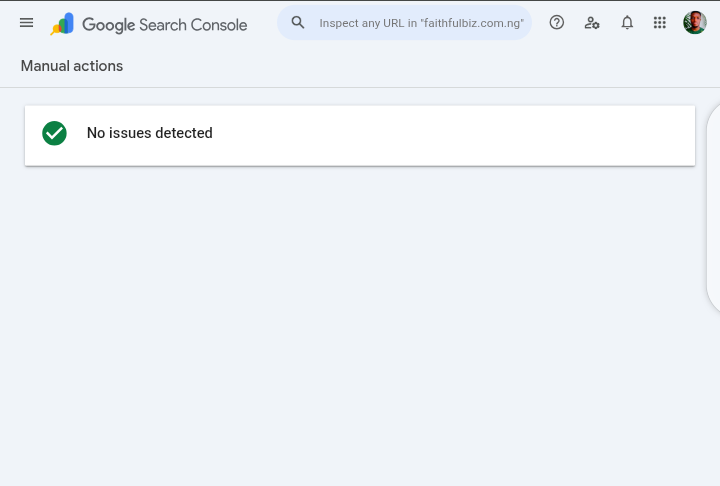
In my case, this came back clean: “No issues detected.” That ruled out one entire category of explanation and let me stop guessing at penalties that didn’t exist.
Check What’s Actually Indexed, Not What You Published
Publishing a post and Google indexing it are two different events. Search Console’s Indexed Pages report shows what Google considers eligible to serve, which is not the same list as what’s live on your site.
If a meaningful share of your posts are sitting in “Crawled, not indexed” or “Discovered, not indexed,” Google itself has already made a quiet judgment before AdSense ever reviews you.
This check matters even more if you’ve ever unpublished content. Removing a post from your site doesn’t remove it from Google’s memory unless you also request removal through Search Console and set up proper redirects.
A site carrying dozens of ghost URLs from old, unpublished content can still be evaluated as if that content exists.
The Subdomain Blind Spot
This is the check almost nobody mentions, and it was the most useful one in my own audit. Google’s current AdSense policy no longer lets you approve a subdomain separately from your main domain.
Once your root domain is approved, every subdomain and subdirectory underneath it automatically serves ads too, with no extra review step.
The other side of that same policy is worth sitting with: if subdomains are folded into the same monetization unit as your main domain, they sit under the same technical umbrella Google evaluates.
If you run other projects on subdomains of your main site, whether a tool, a directory, or a separate blog, it’s worth opening each one and asking a blunt question: does every page here have real, original writing, or does some of it lean on pulled data, templates, or short repeated entries?
A prompt-template library with fifty near-identical entries, or a movie catalog page that’s mostly a pulled poster, rating, and synopsis, is a completely different kind of page than a written article, even when it lives on a subdomain you built yourself with real effort.
The line that matters isn’t who built the page. It’s how much original writing is actually on it.
What to Do About It
You don’t need to delete these projects or move them to new domains, which is often the first instinct and an expensive one.
A cleaner first step is applying a noindex tag to the thin, catalog-style pages specifically, while keeping the genuinely written pages, including any real blog content on those same subdomains, indexable.
This keeps the project alive while removing the exact pattern that quality systems are built to catch.
When Your Own Pages Compete With Each Other
If you’ve built up a decent archive, there’s a good chance you’ve covered the same topic more than once without realizing it, sometimes on the same domain, sometimes across a subdomain and your main blog.
Two articles both explaining the same tool’s parameters, or three posts all circling the same “why does this app keep logging me out” question, read as duplication even when each one is written well and independently.
Before publishing anything new, search your own site for the target keyword first. If something already covers it, the better move is almost always updating that existing post rather than adding a fourth version of the same answer.
Two Checks That Are Usually Fine
Two things get blamed constantly and are rarely the actual problem: robots.txt and ads.txt. It’s worth confirming both are correctly set up, since a broken one genuinely can block indexing or ad serving.
But if your sitemap is properly referenced, your important pages aren’t disallowed, and your ads.txt line matches your publisher ID, these checks will come back clean in minutes, and you can stop returning to them every time a new rejection arrives.
What Actually Changed After This Audit
Running through all of this didn’t hand over a single confirmed cause. What it did was replace a list of guesses with a short, specific list of real candidates worth acting on:
- Confirmed no manual action exists, so that explanation is closed
- Checked indexed-page count against total published posts to spot any quiet exclusion pattern
- Verified every previously unpublished post was properly removed from the index, not just switched to draft
- Applied noindex to catalog-style and template-library pages on subdomains under the main domain
- Identified and began consolidating topics covered more than once across the site
None of this required rewriting a single well-researched article. That’s the part worth sitting with if you’ve been rejected while genuinely putting in the work: the writing is very often not the thing that needs fixing.
If You’re Reading This Mid-Rejection
Run the Manual Actions check first, since it takes thirty seconds and either closes off a whole category of worry or points you straight at the real issue.
Then look sideways, not just inward, at anything else you’ve built under the same domain. For more on the myths that circulate around this exact rejection reason, our breakdown of AdSense approval myths versus what Google actually requires is a good next read.
You can also see Search Console’s own explanation of manual actions and how they differ from algorithmic quality signals, and Google’s current AdSense program policies if you want to check your own site against the source document rather than a summary of it.



























Conversation (0)