
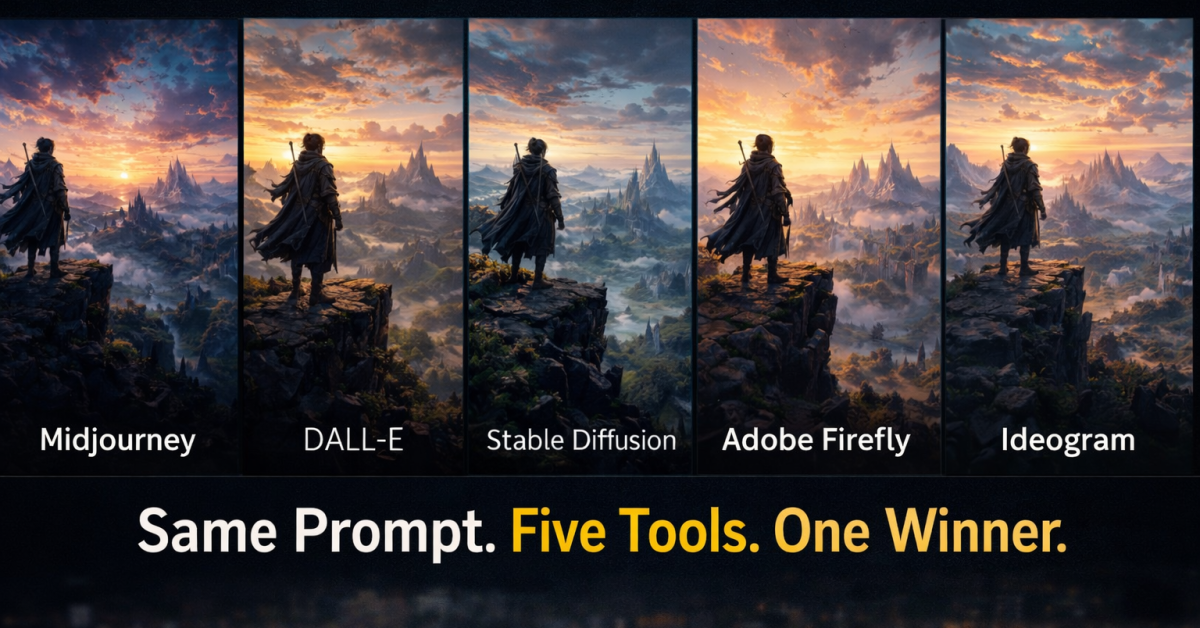
I spent several weeks running the same prompts through every major AI image generator in 2026, specifically to answer this question properly rather than from theory.
Here is what I found before we go any further: the question “which AI image generator is best” does not have a single correct answer. Not because the tools are equal — they are not — but because they are genuinely optimised for different things. Choosing the wrong one for your specific use case costs money, time, and creative quality simultaneously. Choosing the right one changes what you can produce, how fast, and at what cost.
In 2026, there are five tools worth serious consideration. Midjourney, ChatGPT’s GPT-4o image generation, Adobe Firefly, Stable Diffusion, and Ideogram. Each has a genuine domain where it is the strongest option. Each has a domain where it consistently disappoints. This guide covers all of it — honestly, with the specific details that make the difference between a tool recommendation you can actually act on and one that just tells you what each tool is without helping you choose.
This post is the final piece of the Midjourney content cluster on FaithfulBiz. If you are arriving here first, the complete beginner’s guide to Midjourney gives you the full foundation before you read a comparison. If you already know Midjourney and are deciding whether to add or switch to something else, you are in exactly the right place.
The Honest Framework for Choosing an AI Image Generator
Before comparing tools, the most useful thing is to establish what you are actually optimising for. The hierarchy of priorities determines which tool wins for your specific situation — and different people have genuinely different hierarchies depending on their work.
Quick takeaway
If you want beautiful images, choose Midjourney.If you want precise instructions and text, choose GPT-4o.If legal safety matters most, choose Firefly.
All You Should Know
- If aesthetic quality and visual impact are your primary priority — your work needs to look beautiful, distinctive, and professionally impressive — Midjourney is consistently the strongest option in 2026 and has been since it launched. Its visual intelligence, compositional sense, and ability to produce cinematically rendered images that feel artistically considered rather than technically generated is unmatched by any competitor at comparable price points.
- If prompt accuracy and following instructions precisely are your primary priority — you need the image to match your description exactly, including text within the image — GPT-4o image generation is currently the strongest option. It follows complex, detailed prompts with a precision that Midjourney’s aesthetic interpretation sometimes works against.
- If commercial copyright safety is your primary concern — you are producing work for enterprise clients, legal environments, or publications that require demonstrable IP clearance — Adobe Firefly is the only tool trained exclusively on licensed content, making it the safest commercial choice regardless of its quality ceiling.
- Also If cost is your primary constraint and you are comfortable with technical setup — you need unlimited generation at no ongoing subscription cost — Stable Diffusion running locally on your own hardware is the only genuinely free option at scale, though it requires significantly more technical knowledge than any other tool in this comparison.
- And If text within images is your primary requirement — you need readable text in posters, signs, social graphics, or any image where typography is part of the design — Ideogram is currently the only tool that reliably produces legible text as part of an AI-generated image, which is a specific capability none of the other tools match consistently.
AI Image Generator Comparison at a Glance
| Tool | Best For | Starting Price | Main Weakness |
|---|---|---|---|
| Midjourney | Artistic and cinematic visuals | $10/month | Poor text rendering |
| GPT-4o | Prompt accuracy and text | Free / $20 Plus | Less distinctive visuals |
| Adobe Firefly | Commercial safety | $4.99/month | Lower image quality ceiling |
| Stable Diffusion | Unlimited generation | Free locally | Technical setup |
| Ideogram | Text inside images | Free / $8 month | Less artistic quality |
| Flux 1.1 Pro | Photorealism | Pay per image | Still evolving |
Midjourney — Still the Quality Standard, But Not Without Limitations
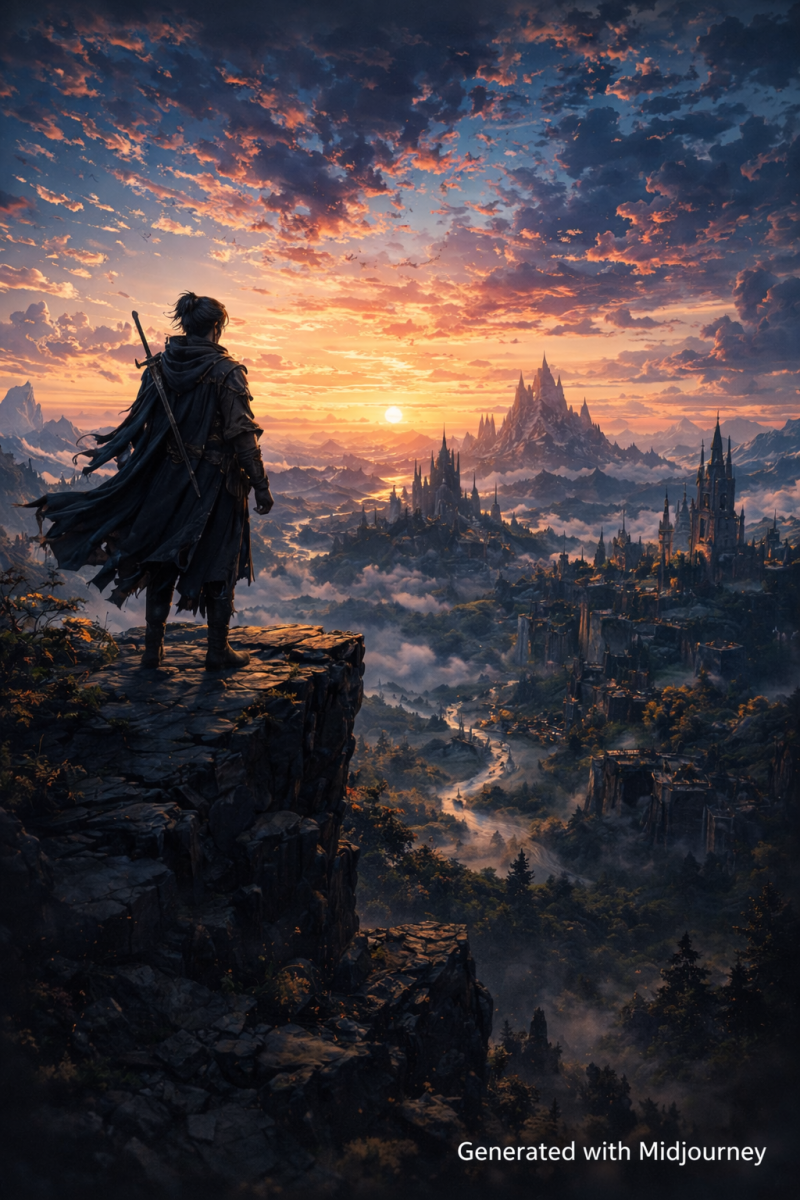
Midjourney V8.1, the latest generation model as of May 2026, remains the benchmark for artistic and commercial image quality. The aesthetic intelligence that has distinguished it since V4 — the sense of composition, the quality of light, the visual coherence of complex scenes — has only deepened with each version. Testing consistently places Midjourney at the top or near the top for output that needs to look visually impressive rather than merely technically correct.
What has changed most significantly in V8 is speed. V8.1 generates standard images four to five times faster than earlier versions, making the workflow of rapid iteration — generating, assessing, refining, and regenerating — significantly more practical within a single working session. The addition of native 2K resolution through the –hd flag means production-quality output is now a single generation rather than a two-step process.
Where Midjourney Wins Clearly
Artistic and cinematic photography is Midjourney’s clearest domain of superiority. Portraits, landscapes, concept art, product photography with strong aesthetic ambition, fashion editorial imagery, and any work where the final output needs to feel visually striking rather than merely technically accurate — Midjourney produces results in these categories that are consistently ahead of every competitor tested in 2026.
Style consistency across a series of images, particularly using the –sref style reference parameter and character reference –cref parameter, is stronger in Midjourney than in any other tool. For brand content, editorial series, and any project requiring multiple images to feel visually coherent, Midjourney’s reference system is the most reliable option available.
Where Midjourney Falls Short
Text rendering is Midjourney’s most persistent and significant weakness. If your image needs readable text — a sign, a poster headline, a product label, a social graphic with copy — Midjourney will almost always produce distorted, garbled, or unreadable results. This is not a parameter issue or a prompt issue. It is an architectural limitation of how the model generates images, and it has not been resolved even in V8.1.
There is no free tier. Midjourney removed its trial in 2023 and has not reinstated it. At $10 per month for the entry level Basic plan, it is the most expensive option in this comparison that requires a subscription before generating a single image.
Prompt adherence for very specific, complex instructions is less reliable than GPT-4o. When your brief requires specific, literal execution — “three people standing in front of a red building with a sign that says Open” — Midjourney’s aesthetic interpretation tendency works against you. It will produce something beautiful that is probably not quite what you specified.
ChatGPT GPT-4o Image Generation — The Most Significant 2026 Update
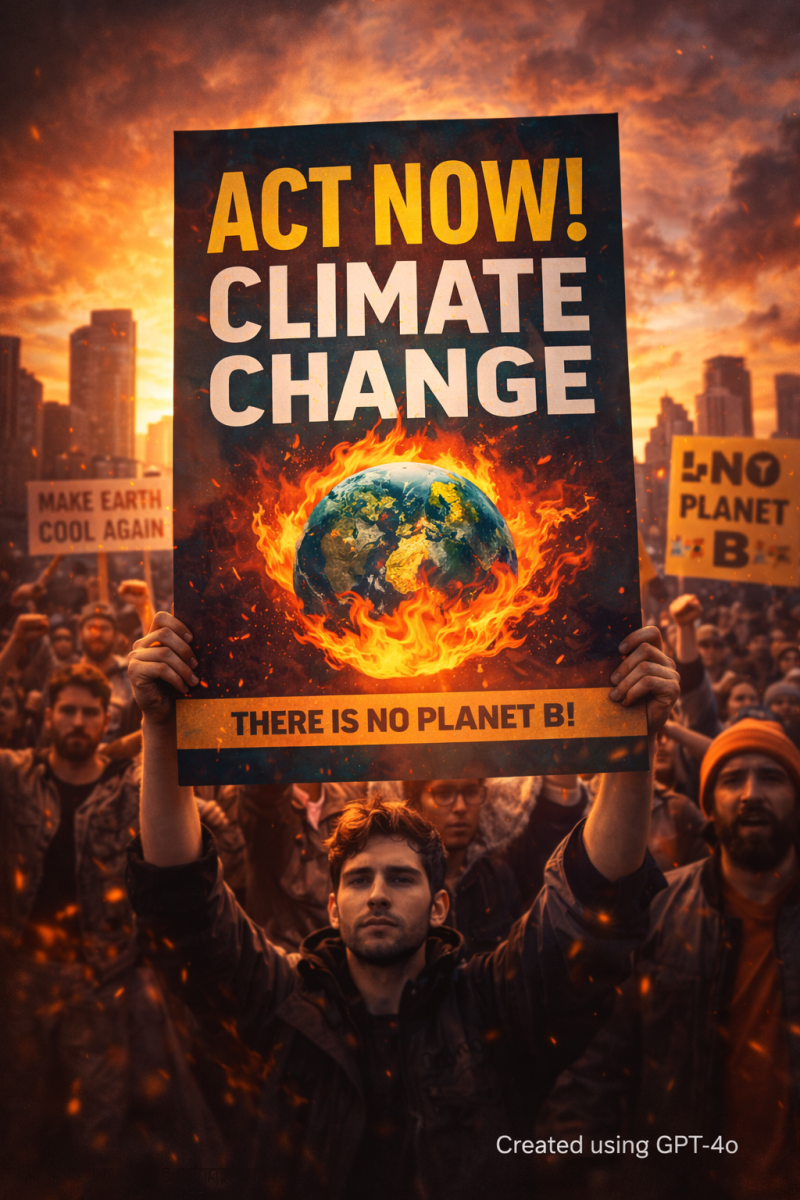
The most significant change in the AI image generation landscape in 2026 is one that many comparison guides have not fully updated for: GPT-4o’s image generation capability replaced DALL-E 3 as OpenAI’s primary image model in March 2026, and the quality difference is substantial.
GPT-4o image generation is not a modest upgrade from DALL-E 3. Multiple March 2026 benchmarks — including tests showing GPT-4o winning head-to-head quality comparisons with Midjourney V6 on photorealistic output — mark it as a genuine step change in what is available from an OpenAI-integrated tool. The prompt adherence that made DALL-E 3 useful is retained and improved. Text rendering, which was already DALL-E 3’s strongest point versus Midjourney, is now even more reliable. And the integration with ChatGPT means the entire generation workflow is conversational — you can describe what you want, see the result, and ask for specific adjustments in natural language without learning parameter syntax.
Where GPT-4o Image Generation Wins
Prompt accuracy is the clearest advantage. If you describe a scene in detail and need Midjourney to follow it precisely, Midjourney’s aesthetic interpretation frequently overrides specific instructions. GPT-4o follows complex prompts with significantly higher fidelity — the output matches the description more literally, which is exactly what you need for specific commercial briefs, UI mockup concepts, or any work where the image needs to represent something particular rather than something beautiful.
Text within images is reliably accurate on GPT-4o — the same architectural advantage that DALL-E 3 had, now extended to the more capable GPT-4o base. For social media graphics with readable copy, poster designs, product mockups with text, and any image where typography is part of the design, GPT-4o is the correct tool.
Accessibility is a significant practical advantage. GPT-4o image generation is accessible to free ChatGPT users with limits and to all ChatGPT Plus subscribers at $20 per month — a plan most AI users are already paying for. For anyone who uses ChatGPT regularly, GPT-4o image generation costs nothing additional beyond an existing subscription.
Where GPT-4o Falls Short
Aesthetic quality, while significantly improved over DALL-E 3, still trails Midjourney V8.1 for the types of visually ambitious output that creative professionals demand. GPT-4o produces images that look competent and often genuinely good. Midjourney produces images that look distinctive and visually impressive in a way that consistently marks the difference between technically correct and artistically considered.
Generation speed on the free and standard tier is slower than Midjourney, and the daily limits on free accounts make it impractical for high-volume production work. For occasional or moderate use, GPT-4o’s accessible pricing makes the speed trade-off acceptable. For professional workflows where generation volume and speed matter, Midjourney’s dedicated infrastructure produces faster results at scale.
Adobe Firefly — The Only Fully Copyright-Safe Option
Adobe Firefly occupies a unique position in this comparison that makes it relevant in ways its output quality alone would not justify. It is the only AI image generator trained exclusively on licensed content — Adobe Stock images, openly licensed content, and public domain material. The commercial rights implications of this training data make Firefly categorically different from every other tool in this list from a legal risk perspective.
When a marketing team at a major corporation, a legal firm, or a media organisation uses AI-generated images commercially, the question of training data provenance matters in a way it typically does not for individual creators. Midjourney, DALL-E, and Stable Diffusion have all faced and continue to face litigation related to training data copyright questions. Adobe Firefly was designed from the beginning to sidestep those questions entirely. For enterprise commercial use where legal defensibility is non-negotiable, Firefly is the only currently available tool that provides that assurance.
Where Adobe Firefly Wins
Generative Fill, integrated directly into Photoshop, is arguably the most practically useful AI creative feature available to professional designers in 2026. The ability to select a region of an existing image and fill it with AI-generated content that matches the surrounding context — removing objects, extending backgrounds, replacing elements — is a workflow capability that Midjourney and GPT-4o cannot replicate. For designers who are editing and compositing existing images rather than generating from scratch, Firefly’s Photoshop integration is uniquely valuable.
Commercial licensing clarity is Firefly’s defining advantage. For any creative professional whose clients require demonstrable IP clearance on delivered assets, Firefly is the correct tool regardless of the quality comparison. The pricing starts at $4.99 per month for 25 generative credits, and it is included in all Adobe Creative Cloud subscriptions — making it zero additional cost for anyone already paying for Photoshop or Illustrator.
Where Adobe Firefly Falls Short
Raw generation quality for complex photorealistic scenes, human faces, and outdoor environments consistently trails Midjourney and GPT-4o. Firefly is described by multiple 2026 reviewers as functioning best as a compositing and retouching assistant — where it integrates beautifully with existing work in Photoshop — rather than as a standalone image creation engine starting from a blank canvas. If you need to create genuinely impressive standalone images, Firefly’s quality ceiling is below Midjourney’s by a meaningful margin.
The credit-based pricing model for the standalone subscription creates friction for high-volume users. At 25 credits for $4.99, serious production work requires either a Creative Cloud subscription or careful credit management. For users not already in Adobe’s ecosystem, the entry point is less convenient than Midjourney’s flat subscription or ChatGPT’s integrated access.
Stable Diffusion — Maximum Freedom for Technical Users
Stable Diffusion is fundamentally different from every other tool in this comparison in one critical way: it is open source and runs locally on your own hardware. You download the model, run it on your computer’s GPU, and generate unlimited images at zero ongoing cost. No subscription. No API limits. And No usage monitoring. And No content restrictions beyond what you choose to implement yourself.
Stable Diffusion 3.5, the current version, has significantly improved output quality compared to earlier releases. Multiple 2026 benchmarks place it as competitive with DALL-E 3 on general image quality — not at Midjourney’s aesthetic ceiling, but genuinely capable of producing professional-quality output for a wide range of use cases. Text rendering has improved, though it still trails DALL-E and GPT-4o for reliable legibility.
Where Stable Diffusion Wins
Cost at scale is Stable Diffusion’s defining advantage. For any creator or developer who generates large volumes of images regularly — thousands per month rather than hundreds — the unlimited local generation model makes economic sense in a way that no subscription tool does at that volume. The hardware cost is a one-time capital expense rather than a recurring subscription, and the marginal cost of each additional image after setup is essentially zero.
Customisation and fine-tuning capabilities are unmatched. Because the model is open source, technically proficient users can fine-tune it on specific datasets — training the model to produce images in a specific visual style, with a specific character, or with domain-specific knowledge that the base model does not have. This capability for custom model training is unique to open-source tools and is the reason Stable Diffusion remains the preferred option for AI researchers, game developers with specific visual requirements, and technically sophisticated creators building proprietary workflows.
Where Stable Diffusion Falls Short
Setup complexity is the primary barrier. Getting Stable Diffusion running locally requires a GPU with sufficient VRAM, technical knowledge of installation and configuration, and comfort with command-line or third-party interfaces like AUTOMATIC1111 or ComfyUI. For a designer or content creator who wants to generate images rather than configure software, this investment is difficult to justify when Midjourney provides superior output quality with a ten-minute setup process.
Default output quality without fine-tuning and without carefully selected checkpoint models trails Midjourney noticeably. The base Stable Diffusion output has improved but getting consistently professional results requires knowledge of which community-developed models, LoRAs, and settings produce the output you need — a knowledge base that takes time to develop and is not required to the same degree with any commercial tool.
Reality check
Many creators do not use one AI tool anymore. They use multiple tools together because each solves a different problem.
Ideogram — The Text Rendering Specialist
Ideogram 2.0 entered 2026 as the tool that solved the problem every other AI image generator had failed to crack consistently: generating images with legible, well-rendered text. If you need a poster with readable headline copy, a mockup with accurate product labelling, a social graphic where the text is actually part of the image rather than added afterward in Canva — Ideogram is currently the only tool that produces reliable results.
The overall image quality of Ideogram 2.0 is significantly better than V1, making it competitive for general use cases beyond text-specific work. Its pricing is genuinely accessible — a free tier that provides ten slow-generation images per day, a paid tier at $8 per month for priority generation, and an unlimited tier at $20 per month.
Where Ideogram Wins
Text rendering within images is Ideogram’s defining capability and the reason to choose it over every other tool for specific use cases. Posters, signs, labels, typographic designs, social graphics with integrated copy, and any image where readable text is a core element of the composition — Ideogram produces results here that Midjourney and Stable Diffusion simply cannot match reliably. GPT-4o is the only competitor that approaches Ideogram’s text accuracy, and Ideogram’s free tier makes it accessible without any subscription commitment for occasional text-heavy image needs.
Where Ideogram Falls Short
Artistic quality for images without text requirements does not reach Midjourney’s ceiling. Ideogram is a strong general image generator, but it is not the right tool for work that demands the kind of aesthetic intelligence and compositional sophistication that Midjourney’s training and architecture produce. For non-text-critical work, the quality advantage of Midjourney justifies its higher price point over Ideogram’s more accessible subscription.
Flux 1.1 Pro — The Emerging Open-Source Contender
Flux 1.1 Pro deserves mention as the most significant new entrant to the AI image generation market in the past twelve months. Developed by Black Forest Labs, Flux offers a quality level that multiple 2026 benchmarks place competitively with Midjourney V6 and in some categories ahead of it — particularly for photorealistic human subjects and complex scene coherence.
Unlike Stable Diffusion, Flux 1.1 Pro is available through a pay-per-image API at approximately $0.06 per image for the Pro Ultra tier. For users who generate fewer than 150 images per month, per-image pricing at this rate is more cost-effective than any monthly subscription. Smaller Flux models are available for free through open-source releases, making the tool accessible at different price points depending on quality requirements and volume.
Flux is the tool to watch most closely in the second half of 2026. Its quality trajectory, its open-weight model releases, and its pricing model make it a genuine challenger to Midjourney’s position in ways that DALL-E and Firefly have not been for different reasons. For photographers, realistic portraiture specialists, and creators who prioritise photorealistic human subjects over artistic stylisation, Flux 1.1 Pro is worth serious evaluation alongside Midjourney.
The Head-to-Head: What to Actually Use for Each Task
Rather than a summary of features, the most practical thing is a direct recommendation for each specific creative situation based on 2026 testing across all five tools.
- For photorealistic portrait and lifestyle photography where the output needs to look like professional editorial work, use Midjourney with –style raw and –s 0 to 150. No other tool consistently matches it for this output category.
- For images that need text — posters, social graphics, product labels, typographic compositions — use Ideogram 2.0 for anything where text is the primary design element, or GPT-4o when text is one element within a more complex photorealistic scene.
- For concept art, cinematic environments, and visually ambitious creative work where aesthetic impact is the primary goal, use Midjourney at –s 400 to 700. The artistic intelligence it brings to these categories has no equivalent at comparable pricing.
- For enterprise commercial work requiring demonstrable IP clearance, use Adobe Firefly. No other tool provides the same legal defensibility regardless of output quality comparisons.
- For social media content where you want a conversational workflow — describe, see, adjust in natural language — and where accessible pricing through an existing ChatGPT subscription matters, use GPT-4o image generation. The quality is genuinely competitive and the workflow requires no new tool onboarding for existing ChatGPT users.
- For high-volume generation, research, or work requiring custom model fine-tuning, use Stable Diffusion or Flux 1.1 Pro depending on your technical confidence and volume requirements. Both provide capabilities that no subscription commercial tool currently matches on cost and customisation simultaneously.
The Pricing Reality in Plain Terms
- Midjourney Basic costs $10 per month for approximately 200 fast generations. Standard costs $30 per month for 15 hours of fast generation plus unlimited relaxed generation. Pro costs $60 per month for stealth mode and 30 fast hours. No free tier exists.
- ChatGPT Plus costs $20 per month and includes GPT-4o image generation alongside all other ChatGPT capabilities. For users who would pay for ChatGPT anyway, the image generation is effectively free. Free ChatGPT users get limited image generation access with daily caps.
- Adobe Firefly starts at $4.99 per month for 25 generative credits standalone, or is included in all Creative Cloud subscriptions. For anyone already paying for Creative Cloud, it costs nothing additional.
- Stable Diffusion is free to use locally but requires hardware investment — a GPU with at least 6GB VRAM for usable results, and 8GB to 12GB for consistently good output. One-time hardware cost rather than recurring subscription, but a real cost nonetheless for anyone without existing suitable hardware.
- Ideogram offers a free tier with 10 slow daily images, $8 per month for priority generation, and $20 per month for unlimited. The most accessible paid entry point of any tool in this comparison for users who want priority generation without committing to Midjourney’s subscription.
- Flux 1.1 Pro charges approximately $0.06 per image at the premium tier. For users generating fewer than 150 images per month, this per-image model is more economical than any monthly subscription. Above that volume, a monthly subscription tool becomes more cost-effective.
The Honest Verdict
There is no single best AI image generator in 2026, and anyone who tells you otherwise is either oversimplifying or has not tested them seriously across different use cases. What exists is a set of tools that are genuinely best for specific situations, and choosing correctly among them is the most impactful decision you can make before spending any money on subscriptions.
Midjourney is the right default choice for creative professionals, content creators, bloggers, and business owners who need visually impressive images and are willing to learn its prompt and parameter system. The quality ceiling is higher than every competitor, the style reference and character reference systems are the best available, and V8.1’s speed improvements make the workflow practical for serious production use. The absence of a free tier and the weakness on text rendering are real limitations worth knowing, but neither undermines the core case for Midjourney as the quality benchmark.
Other Image Generators
GPT-4o image generation is the right choice for ChatGPT users who need occasional high-quality images without a separate subscription, for anyone who needs text rendered accurately within images as a secondary priority to text-specific work, and for beginners who want a conversational, accessible interface without learning parameter syntax.
Adobe Firefly is the right choice for enterprise users, agency creative teams, and any professional context where commercial IP clearance is a non-negotiable requirement.
Ideogram is the right choice for any work where readable text within the image is a primary design requirement.
Stable Diffusion and Flux 1.1 Pro are the right choices for technically proficient users who need unlimited generation, custom model training, or the lowest possible cost per image at volume.
The most sophisticated approach — used by many professional creators in 2026 — is a stack rather than a single tool. Midjourney for quality-first generation. GPT-4o for text-critical images within a ChatGPT workflow. Firefly’s Generative Fill for compositing and retouching within Photoshop. Ideogram when text accuracy is non-negotiable. Each tool doing what it does best rather than one tool doing everything adequately.
The AI image generation market
If you are building your Midjourney skills and want to go deeper on what the tool can actually do before deciding how it fits into your workflow, the complete Midjourney prompts guide is the most practical starting point. If you want to understand every parameter that controls how Midjourney generates images, the Midjourney parameters guide covers every setting in detail. And if you are thinking about how to turn these skills into actual income, the guide on making money with Midjourney covers the honest reality of what works and what does not in 2026. For the full foundation on what Midjourney is and how it works before any of this makes sense, the complete beginner’s guide is where to start.
The AI image generation market is moving faster than almost any other technology category. The right tool today may be different from the right tool in six months. What will not change is the framework for evaluating it — quality, prompt accuracy, commercial rights, cost, and the specific creative problem you are trying to solve. Apply that framework consistently and you will always make the right choice regardless of which new tool enters the market next.








Join the discussion Tap to open the comment form +