

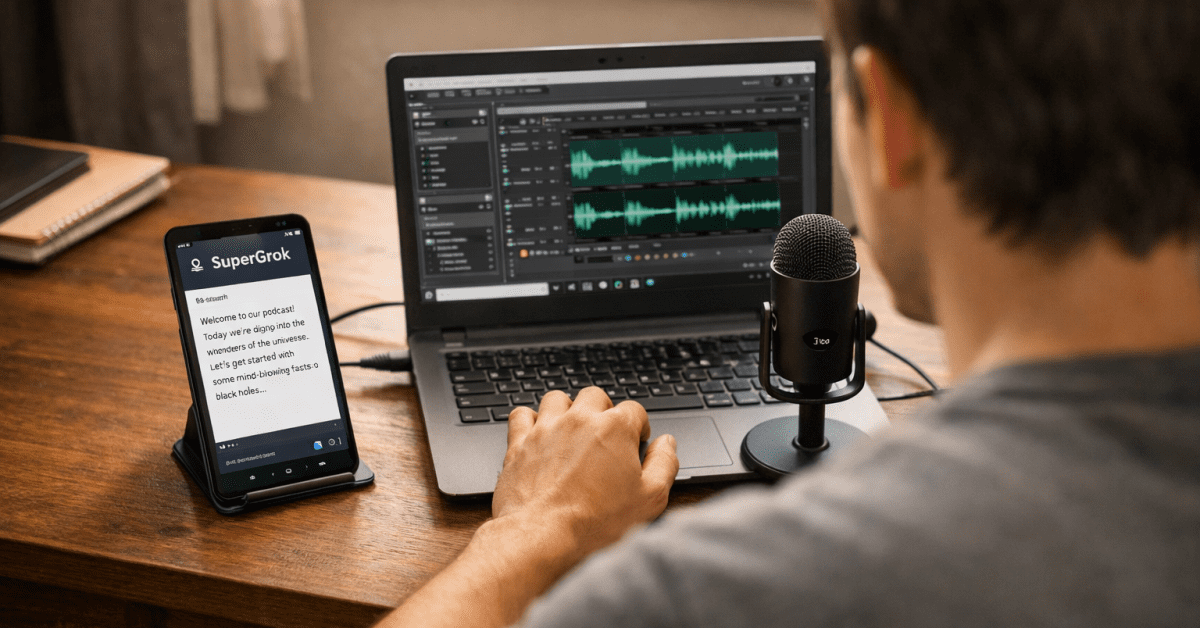
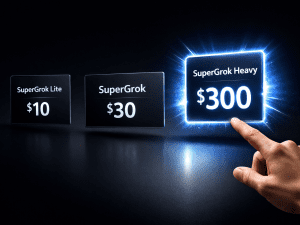
The post about SuperGrok Heavy and the ElevenLabs workflow gets shared a lot. And almost every time it does, the same comment appears — some version of “this looks incredible but I can’t afford $30 or $300 a month right now.” That is an honest reaction and it deserves an honest answer.
SuperGrok Lite at $10 a month exists precisely for this situation — but before you spend even that $10, you need to understand exactly what you are getting, where its real limitations are, and how to structure a workflow around those limitations rather than fighting them.
This is the budget blueprint that takes you from zero to a working side hustle without spending more than you can realistically justify before you have made a single dollar.
The Truth About SuperGrok Lite That Most Reviews Skip
The first thing you need to know — and the thing most coverage of SuperGrok Lite glosses over — is that Lite does not run on the same model as the $30 SuperGrok plan. SuperGrok Lite runs on Grok 3.5.
The standard $30 SuperGrok plan runs on Grok 4 Flagship. These are genuinely different models with different capability levels. Grok 3.5 is capable and useful. It is not Grok 4. That distinction matters for how you set expectations before you pay anything.
What Lite does give you is real access to Grok Imagine for AI image and short video generation, 2x longer chat sessions than the free tier, one AI agent, and a daily allowance of image and video generations.
The video generation is capped at 6-second clips at 480p resolution — a quality level that one reviewer described as “the sort of resolution people remember from YouTube videos around 2009.” That description is harsh but honest.
For social media content viewed on a phone at normal scroll speed, 480p is workable. For anything you plan to deliver to a paying client as a professional product, it is not.
SuperGrok Lite also launched on March 25, 2026 — which means it is new enough that the community of people who have used it seriously for side hustle workflows is still small.
The information available about its exact daily generation limits is inconsistent across sources. The safest approach is to treat Lite as a testing and ideation tool first, not a production tool.
Understanding where it genuinely fits is the difference between building a workflow that works around its constraints and spending $10 a month on something that frustrates you every time you hit a wall. The full SuperGrok pricing breakdown gives you the complete picture of where each tier sits before you commit.
What SuperGrok Lite Is Actually Good At
Once you understand what Lite cannot do at the $30 level, what it can do becomes clearer and more useful. Grok 3.5 is strong for text-based work — research, scripting, idea generation, brainstorming, and structured writing.
The real-time X integration that makes Grok uniquely valuable for trend research is present on Lite. You can still ask Grok to surface what people are talking about in your niche right now, identify gaps in existing content, and write scripts built around those real-time insights.
That capability alone makes the $10 worth considering if you are serious about building something.
Image generation on Lite is genuinely useful even with the limitations. Hundreds of images per day with daily resets gives you enough visual assets for thumbnails, social media graphics, digital product covers, and basic creative work.
The constraint is video — not images. If your initial side hustle relies primarily on images rather than video, Lite covers that part of the workflow without the restrictions that hurt video-focused creators.
This is why choosing the right initial hustle for your budget level matters more than trying to force a full video workflow through a tool that was not designed for it.
The Cheapest Path to Grok Access: X Premium at $8
Before spending $10 on SuperGrok Lite, one option worth knowing about is X Premium at $8 per month. X Premium is primarily a social platform subscription — verified checkmark, reduced ads, creator monetisation tools — but it bundles Grok access inside the X app.
The Grok access on X Premium sits between the free tier and SuperGrok Lite in terms of limits. If you already use X regularly and would benefit from the platform perks, X Premium at $8 gives you meaningful Grok access as a side benefit at a lower price than Lite.
If you do not care about X as a social platform and purely want Grok, SuperGrok Lite at $10 is the cleaner choice — it is the standalone Grok subscription without the platform extras you may never use.
The Side Hustles That Actually Work at This Budget Level
Not every side hustle makes sense at the $10 per month budget level. The key is matching the hustle to what Lite actually does well rather than trying to replicate the full $30 workflow at half the cost. Here are the three income streams that genuinely work within Lite’s constraints.
Digital Products: Ebooks, Prompt Packs, and Notion Templates
This is the strongest fit for SuperGrok Lite because it relies almost entirely on text generation and image creation — the two things Lite handles well without hitting frustrating limits.
Use Grok 3.5 to research your audience’s most pressing problems, write ebook content or prompt pack collections, and generate product cover images and mockups. Compile everything in Canva — free — and sell on Gumroad, Payhip, or directly through WhatsApp.
Realistic pricing for digital products targeting Nigerian and African audiences is ₦2,000 to ₦10,000 per product. Ten to twenty sales a month generates ₦50,000 to ₦200,000 in additional income without any ongoing production overhead beyond your monthly Lite subscription.
The barrier to starting is genuinely low — a working product concept, a Gumroad account, and consistent promotion.
Short-Form Social Media Content
This is where the 6-second video limitation becomes a feature rather than a bug if you approach it correctly. Instead of trying to produce full YouTube Shorts from Lite’s clips, generate eight to fifteen 6-second clips on a single visual theme and chain them in CapCut with transitions, captions, and background music.
What you end up with is a 45 to 90 second Reel or TikTok built entirely from your own AI-generated assets. The 480p source quality gets upscaled by both CapCut and the platforms themselves on export — the final viewer experience is better than the raw clip quality suggests.
This approach works particularly well for motivational content, aesthetic lifestyle content, and concept-driven storytelling where the individual clip length matters less than the assembled sequence.
Freelance Thumbnail and Asset Creation
The image generation on Lite is strong enough for client-facing work — thumbnails, social media graphics, product mockups, and simple creative assets. On Fiverr, basic thumbnail packages sell for $5 to $15 per set.
Ten orders a month at $10 each covers your Lite subscription three times over before you have touched any of the income for yourself.
The pitch to clients is simple: fast turnaround on custom AI-generated visuals at a price point that makes traditional graphic design look expensive.
Your production cost is time plus $10 a month. Your revenue is whatever the market will pay. That gap is your margin.
The Free Audio Strategy: ElevenLabs 10,000 Characters Per Month
If you are bootstrapping at the $10 level, the ElevenLabs free tier is your audio solution — but only if you use it strategically rather than wastefully.
The free tier gives you 10,000 characters per month. An optimised 50-second YouTube Short or TikTok script runs approximately 130 to 150 words — around 700 to 800 characters.
That means ElevenLabs free tier generates studio-quality human narration for 12 to 14 complete Shorts every single month without spending anything. That is a full month of short-form content at three posts per week with room to spare.
The critical constraint is the commercial rights restriction on the free plan. Before you monetise any content produced with free tier ElevenLabs audio, upgrade to the Starter plan at $5 per month to unlock commercial usage rights. At $5, your total monthly production budget becomes $15 — SuperGrok Lite plus ElevenLabs Starter — and you have a legitimate, commercially usable production stack.
Start your ElevenLabs free account here and test the voice quality before committing. The full picture of what ElevenLabs offers at each tier — including the passive voice income model that costs nothing to maintain after setup — is covered in the complete ElevenLabs income guide.
The Complete Free Tool Stack That Fills the Gaps
SuperGrok Lite handles research and scripting. ElevenLabs free tier handles narration for short-form content. The remaining gaps — additional image generation, video editing, product design, and backup AI assistance — are covered by tools that cost nothing.
For additional image generation beyond Lite’s daily allowance, Leonardo.ai and SeaArt both offer generous free daily generation credits at quality levels that match or exceed what Lite produces at 480p.
For video editing, CapCut’s free tier handles everything from clip assembly to auto-captions to music overlay — it is the same tool professional faceless creators use on the $30 workflow, just without the paid features that matter less at this production scale.
And For product design and thumbnail creation, Canva free covers all but the most advanced design needs. For backup scripting when Lite’s limits are exhausted for the day, ChatGPT free tier and Gemini free both provide strong text generation that complements Grok 3.5’s output.
The total monthly cost for this complete stack is $10 for SuperGrok Lite plus $5 for ElevenLabs Starter once you are ready to monetise audio content. Everything else is free.
That $15 total is less than a meal at most mid-range restaurants — a comparison worth keeping in mind when the subscription feels like a stretch. The tools covered in the best AI tools that actually save you time show exactly what free tiers are capable of when you know which ones to prioritise.
The Budget Workflow Step by Step
Here is how the complete $10 to $15 workflow runs in practice from idea to published content.
Open SuperGrok Lite and use Grok’s real-time search to identify a trending topic or question in your chosen niche.
Ask Grok 3.5 to write a tight 45 to 60 second script — specify your tone, your audience, your hook in the first five seconds, and a clear call to action at the end. Short scripts are Lite’s sweet spot. You are not fighting the model’s limits when you keep the output focused and specific.
Paste the script into ElevenLabs free tier. Select a community voice that matches your content’s emotional tone — filter by Narrative or Conversational for most niches.
Export the audio at the highest quality the free tier allows. Generate your visual assets through Grok Imagine — use the script sections as prompts for each clip, always specifying 9:16 aspect ratio and your lighting and mood preferences. Supplement with Leonardo.ai or Pexels on days when you have hit Lite’s daily generation limits.
Import everything into CapCut. Audio goes in first as the timeline anchor. Chain your clips over the matching narration sections. Apply a slow zoom or pan to every static image to maintain movement and viewer attention.
Turn on auto-captions. Add background music from the YouTube Audio Library at low volume. Export at 1080p. The full process for a single Short takes 30 to 45 minutes at this level — longer than the $30 workflow because you are assembling more pieces manually, but absolutely achievable as a daily or every-other-day habit.
When to Upgrade and How to Fund It
The most important rule for anyone starting at the budget level is the bootstrapper’s rule: never spend premium tool money before you have a proven business model.
The $30 SuperGrok plan and the full ElevenLabs Creator tier at $22 are genuinely more capable tools — but they are investments that make sense after you have validated that your workflow produces content that performs and that your hustle has a real revenue path.
Upgrading before that validation is paying for capacity you have not yet earned the right to need.
The signal to upgrade from Lite to SuperGrok Standard is hitting the daily generation limits consistently and those limits slowing down work that is already generating income.
If you are hitting limits but not generating income yet, the problem is not your tool tier — it is your business model or your content quality. Fix those first.
The signal to upgrade ElevenLabs is when your short-form content workflow has proven it works and you want to produce longer content or need more monthly characters than the free and Starter tiers provide.
Fund both upgrades from the income the budget workflow has already generated — not from your personal savings. That discipline is what separates people who build sustainable side hustles from people who accumulate tool subscriptions that never pay for themselves.
The full SuperGrok and ElevenLabs production blueprint is the workflow you are building toward — use the budget route to validate your niche and build your skills before investing in the complete stack.
The Mindset That Makes This Work
The creators who succeed at the budget level are not the ones who spend the least. They are the ones who extract the most value from what they have before asking for more. SuperGrok Lite at $10 is a real tool with real capabilities and real limitations.
The limitations are not reasons to wait for a better budget — they are constraints that force creative problem-solving and teach you exactly what the workflow requires before you scale it up.
Every successful creator using the $30 or $300 workflow started somewhere smaller. The budget does not determine the outcome — the consistency and the quality of thinking you bring to the workflow does. Start with what you have. Build something that works at this level.
Let the income from that work fund the next level of tools. That sequence is not a compromise — it is the only version of this journey that actually compounds over time. The skills that survive the AI era are built through exactly this kind of disciplined, iterative execution — not by waiting for the perfect setup before you begin.








Every day is a new beginning