

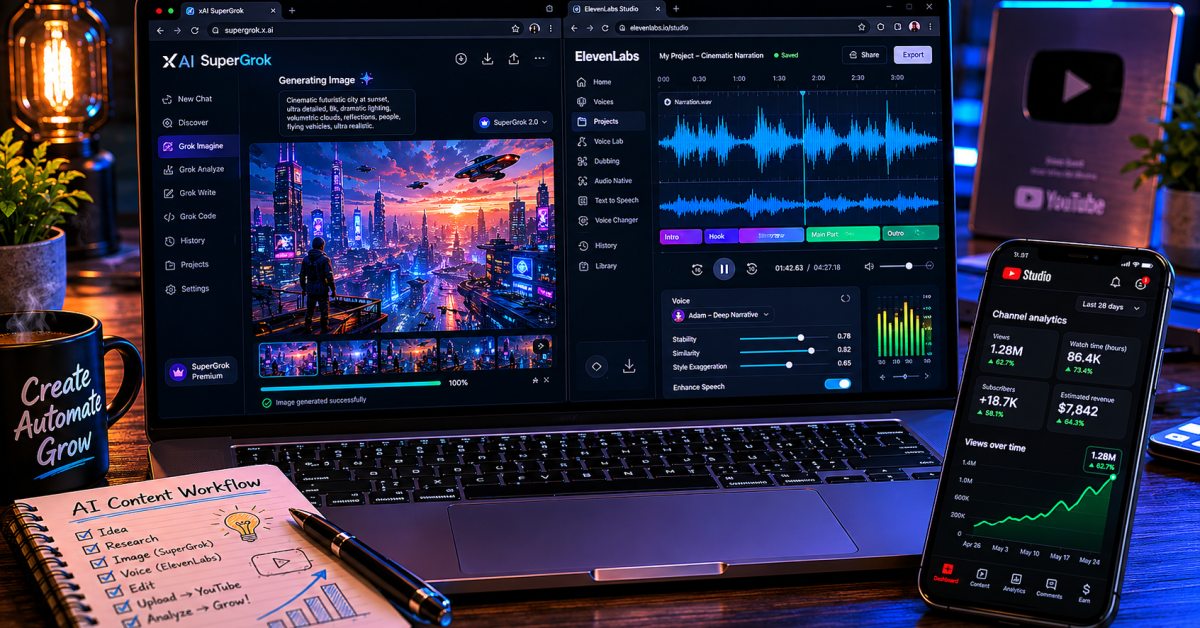
One creator spent $11 on ElevenLabs’ Creator plan, posted four videos and eleven Shorts, and hit 6,000 subscribers and 8 million views in three months. No camera. No microphone. And No editing team. Just a workflow.
That result is not typical — but it is real, and it points to something that more people need to understand about how faceless YouTube channels actually work in 2026. The technology is not the hard part anymore.
The workflow is. Get the workflow right and a single person with a laptop and two tools can produce content that competes with channels that spent years building their production infrastructure. This is the exact SuperGrok and ElevenLabs blueprint that makes that possible — every step, every setting, every decision explained the way someone who has actually done it would explain it.
Quick Blueprint Summary: The Two-Tool Stack
To survive modern platform compliance checks, successful faceless production must separate research from narrative delivery:
- The Core Advantage: Single-tool automated content pipelines trigger platform filters. Splitting production ensures customized variety.
- Visual Core (SuperGrok): Utilize the $30 Standard plan for native real-time deep research data alongside targeted 9:16 or 16:9 Grok Imagine asset prompt generation.
- Audio Engine (ElevenLabs): Run custom-configured community narrative profiles at 60% Stability and 75% Clarity to entirely bypass “inauthentic content” detection nets.
- The Reality Metric: Treat the pipeline as an architectural sequence. Long-term digital asset momentum uniformly aggregates around video 60 to 80.
Why Two Tools Beat One Tool Every Time
Most people who try to build a faceless channel make the same mistake — they pick one AI tool and try to force it to do everything.
The result is a channel where the visuals are decent but the voice sounds robotic, or where the voice sounds great but the visuals are generic stock footage that looks identical to every other channel in the niche. YouTube’s algorithm and YouTube’s monetization team both notice when a channel feels templated.
The “inauthentic content” enforcement YouTube rolled out in 2026 specifically targets channels built on recycled clips, templated structures, and unattributed scripts. The major January 2026 enforcement sweep took down several massive channels that had been running generic AI-over-stock loops — channels with hundreds of thousands of subscribers that disappeared overnight because their entire production model was built on the exact workflow most beginner tutorials still teach. One-tool channels fall into that trap naturally because the output has no variation.
The two-tool approach solves this. SuperGrok handles research, scripting, and custom visual generation through Grok Imagine.
ElevenLabs handles the voiceover with a Mean Opinion Score of 4.5 out of 5 — the highest documented realism in the AI voice category right now. Each tool does what it is genuinely best at.
The combination produces content that sounds human, looks original, and passes both the algorithm and the monetization checks that generic AI content fails. Before diving into the workflow, make sure you have the SuperGrok plan sorted — the full SuperGrok pricing breakdown tells you exactly which tier makes sense for where you are right now.
What This Costs and What You Actually Need to Start
The first month of running this workflow costs between $35 and $52 depending on which ElevenLabs tier you choose.
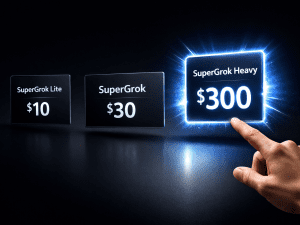
SuperGrok at $30 per month is the right starting plan — it gives you access to Grok 4, unlimited DeepSearch for real-time research, Grok Imagine for image and video generation, and enough daily generations to maintain a consistent publishing schedule.
The free and Lite tiers will slow you down too quickly for a real workflow. SuperGrok Heavy at $300 is not necessary at this stage — the honest ROI analysis explains exactly when that upgrade makes sense.
For ElevenLabs, the Creator plan at $22 per month is the recommended starting point. It gives you 100,000 characters per month — enough for approximately 75 to 100 short videos — plus commercial usage rights, professional voice cloning, and 192 kbps audio output that meets YouTube’s quality standards.
When Making a Choice
If you want to test first, the Starter plan at $5 per month gives you 30,000 characters and commercial rights. That is enough for 20 to 25 short videos — a full month of content for a new channel that is publishing three times a week.
Start your ElevenLabs account here and use the free tier to test voices before committing to a paid plan. The full breakdown of what ElevenLabs offers and how to earn from it is covered in the complete ElevenLabs income guide.
Beyond the two paid tools, you need CapCut on your phone or desktop — free — for editing. Royalty-free music from the YouTube Audio Library — also free. And a consistent publishing schedule.
The realistic timeline to YouTube Partner Program qualification at three videos per week is three to six months. Consistent income typically follows around video 60 to 80.
That is the honest expectation that most “faceless YouTube” content skips over — and the reason knowing it upfront saves you from quitting at week six when things are still building.
Step One: Pick a Niche That Actually Pays
Niche selection is the single biggest factor in your channel’s revenue — not your production quality, not your posting frequency, not even your subscriber count.
The same 100,000 views generate very different income depending on what your channel covers. Finance and business channels attract high-spending advertisers and earn $15 to $45 CPM.
Entertainment channels earn $2 to $4 CPM. That means a finance channel with 50,000 monthly views can out-earn an entertainment channel with 200,000 monthly views. Pick your niche before you open any tools.
The highest-performing niches for faceless AI-assisted channels in 2026 are financial literacy and side hustle content, stoic philosophy and motivational storytelling, true crime documentaries, AI tools and tech explainers, history documentaries, and success story breakdowns.
Use SuperGrok’s DeepSearch to validate your niche before committing. Ask Grok to analyze current trending topics in your chosen area, find what questions people are actively searching for, and identify angles that existing channels have not fully covered.
That research takes few minutes and tells you more than any keyword tool because Grok is pulling from live X conversations and current web data — not cached search volume from three months ago.
Before you finalise your niche, search YouTube for it. If you find existing faceless channels with 50,000 or more subscribers in that space, that is your proof of concept — the niche works and there is an audience.
If you cannot find any faceless channels succeeding in the niche, that is a warning sign, not an opportunity. Validate that the demand exists before you invest months of production into it.
Step Two: Research and Write Your Script With SuperGrok
Open SuperGrok and use DeepSearch to research your chosen topic first. Because Grok pulls live data from X and the web, you surface trending angles and current conversations that tools working from static training data simply cannot access.
Ask Grok what people are saying about your topic right now, what specific questions are showing up in your niche community, and what the most common gaps are in existing content. That research gives you a script angle that is fresh rather than a repeat of the same video that already exists in your niche.
Then ask Grok to write the script itself. Be specific with your instructions. A prompt like “Write a 90-second YouTube Short script about why most people never build real savings. Open with a surprising statistic in the first five seconds.
Use conversational language with no financial jargon. End with a single actionable step the viewer can take today” produces a usable first draft that needs light editing rather than a rewrite. The more specific your direction, the less editing the output requires.
Review what comes back for pacing — the first 30 seconds of any video are the most critical for retention, and a hook that does not land in those first 30 seconds will not recover in the remaining content regardless of how good the rest is.
For long-form videos, write the script in sections rather than asking for the full piece at once. Ask Grok for the hook and first section, review it, then continue section by section.
This gives you quality control at every stage and means you catch structural problems before they get locked into a completed script. Save every script that performs well in a Google Doc or Notion folder — your best-performing prompts and scripts are assets you will reuse and adapt repeatedly.
Step Three: Generate Your Voiceover With ElevenLabs
This step is where most faceless channels either win or lose their monetization chances. YouTube’s quality systems flag robotic, generic text-to-speech audio. Channels that use default AI voices without customisation get demonetised or fail to qualify for the Partner Program entirely.
ElevenLabs at 4.5 out of 5 on the Mean Opinion Score scale outperforming open-source voice alternatives that average 4.1, produces the most human-sounding AI voice available. But only when you configure it correctly.
Go to the ElevenLabs Voice Library and filter by your content’s emotional tone — Narrative, Deep, or Suspenseful for story-driven content; Professional or Conversational for educational content.
Look for community voices with high ratings but lower usage numbers. A voice that thousands of other channels are using will make your channel sound identical to theirs. A less-used but high-quality voice keeps your channel’s audio identity distinct.
Once you have selected your voice, adjust the Stability slider to around 60 percent and Clarity plus Similarity to around 75 percent. This introduces the subtle natural inflections and breathing variations that make AI voice sound human without making it unstable or inconsistent across long pieces.
Do not paste an entire script into ElevenLabs at once. Use the Projects tool to generate your audio in two-minute chunks.
This gives you precise control over emotional emphasis in specific sections — the tension building in a true crime segment, the energy spike at the key point of a motivational piece, the calm authority in a finance explainer.
Generate chapter by chapter, listen to each section before moving to the next, and regenerate any section where the pacing or tone misses the mark.
The ElevenLabs Creator plan at $22 per month supports approximately 10 to 12 medium-length videos — matching a twice-weekly publishing schedule with room to spare for Shorts on top of that.
Step Four: Generate Your Visuals With Grok Imagine
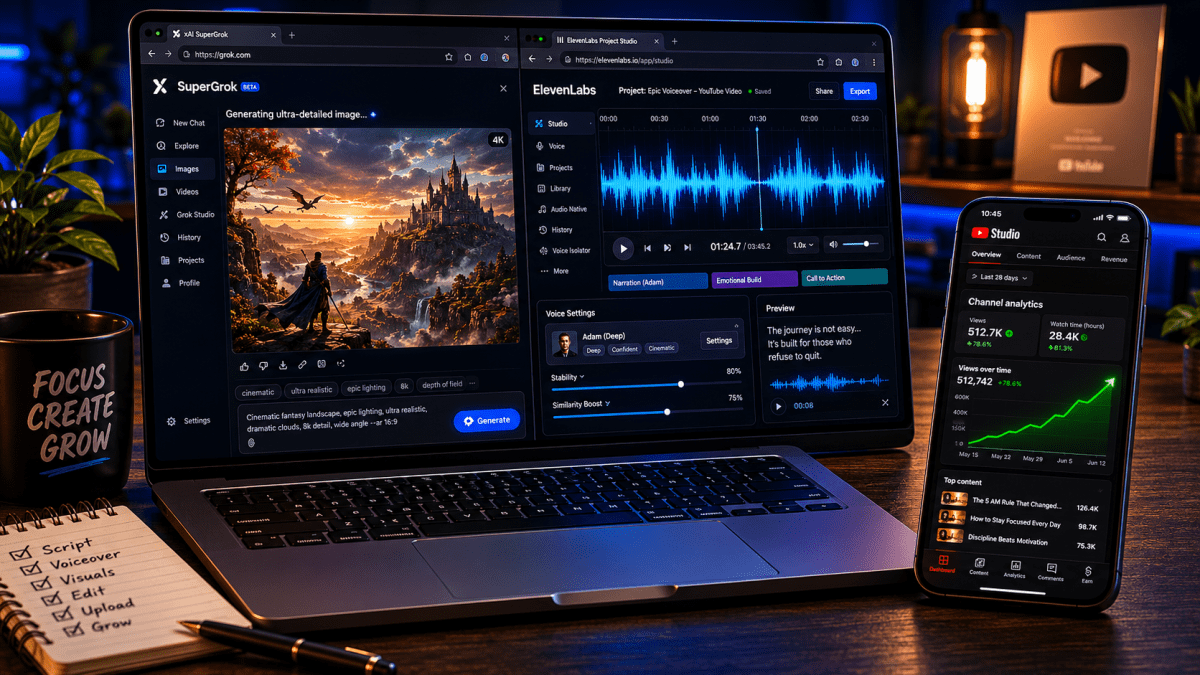
While your ElevenLabs audio is generating, open SuperGrok and start building your visual assets. The standard $30 SuperGrok plan natively runs Grok 4 Flagship paired with advanced Grok Imagine parameters — giving you crisp image prompt comprehension and 30-second video stories right out of the box without needing to upgrade to Heavy.
This is the stage that justifies the SuperGrok subscription for content creators — instead of searching stock footage libraries for generic clips that every other channel in your niche is also using, you generate custom cinematic images and short video clips specific to your script’s content.
The most important thing to understand about Grok Imagine prompts is that specificity directly determines quality. “A city at night” produces something generic. “Cinematic wide shot of a young professional walking through a rain-slicked city street at 11pm, neon reflections on wet pavement, dramatic side lighting, melancholy mood, 9:16 vertical aspect ratio” produces something usable on first generation.
Always specify your aspect ratio — 9:16 for Shorts and vertical content, 16:9 for long-form videos. Always include your lighting style, mood, and camera angle.
Why The Details Matters
These three details alone dramatically improve how close your first generation lands to what you actually need, which saves you generation credits and time.
For a standard Short, you need six to twelve visual clips. For a long-form video, thirty to forty images or short clips cover a full production. Take each section of your script, feed it back to Grok, and ask it to write an optimised image generation prompt for that section’s content.
Then run those prompts through Grok Imagine. This two-step approach — script section to prompt to image — produces visuals that are genuinely matched to your narration rather than loosely thematic stock footage that the viewer’s eye notices does not quite fit the words.
If you hit SuperGrok’s daily generation limits, batch your prompts during off-peak hours or use the Ken Burns effect — a slow zoom or pan applied in CapCut — on static images to create the illusion of video movement without requiring additional clip generations.
Step Five: Assemble and Edit in CapCut
Import your ElevenLabs audio as the primary track in CapCut. This is your timeline anchor — every visual decision flows from the audio, not the other way around. Lay your Grok Imagine visuals over the matching sections of narration, applying a slow zoom or pan to every static image.
Movement keeps viewer attention in a way that a static image sitting on screen for five seconds does not. This is not a stylistic choice — it is a retention choice, and retention is what determines whether the algorithm distributes your video or buries it.
Add royalty-free background music from the YouTube Audio Library at 15 to 20 percent volume — present enough to fill the sonic space but low enough that the voiceover remains the dominant audio element.
Turn on CapCut’s auto-captioning feature and apply bold, high-contrast text overlays. Over 70 percent of mobile viewers start videos with the sound off. Captions keep them from scrolling away before the audio pulls them in. Export at 1080p minimum.
A complete Short from prompt to finished file takes 20 to 40 minutes once you have the workflow established. A long-form 8 to 10 minute video takes two to three hours. Both numbers drop as you repeat the process and develop instincts for what each step requires.
Step Six: Optimise Your Channel for Search and Discovery
The channel setup decisions you make in the first week determine whether your content gets found or sits unseen. Use SuperGrok to generate ten potential channel names in your niche — pick one that is specific enough to signal your topic clearly but broad enough to cover the range of content you plan to create. “Lagos Stoic” is specific but limiting. “Mindset Moves” works across motivation, finance, and self-improvement content without requiring a rebrand as your content evolves.
For every video, ask Grok to generate ten title variations and choose the one that best combines search intent with emotional curiosity.
Your title needs to work for two different audiences simultaneously — the YouTube search algorithm, which ranks based on keyword relevance, and the human viewer scanning their feed, who clicks based on emotional reaction.
The best titles do both. Write keyword-rich descriptions for every video — at least 200 words — that naturally include the terms your target viewer would search for. Use Grok to generate thumbnails through Imagine: bold, high-contrast, with readable text at thumbnail size and a visual that clearly signals the video’s emotional tone at a glance.
The thumbnail and title together determine your click-through rate, and click-through rate is one of the strongest signals YouTube uses to decide how broadly to distribute your content.
The YouTube Policy Detail That Most Guides Skip
In 2026, YouTube renamed its “repetitious content” policy to “inauthentic content” — and broadened enforcement to include channels built on recycled clips, templated structures, and unattributed external scripts.
This is exactly the workflow most beginner faceless YouTube tutorials teach. If your channel looks templated — same visual style, same script structure, same voice on every video with no variation — it gets flagged.
The two-tool workflow protects you from this because the custom Grok Imagine visuals are original to your channel and the ElevenLabs voice is configured specifically for your content. That combination produces genuine variation that templated one-tool channels cannot replicate.
Stylised AI animation is also worth knowing about — YouTube’s current policy explicitly exempts stylised AI animation from the “altered or synthetic content” disclosure requirement.
A channel using animated AI visuals from Grok Imagine sidesteps that disclosure requirement entirely, while a channel using stock footage plus generic text-to-speech does not. That distinction matters for monetization compliance.
Build your workflow around original AI-generated visuals from the start and you are positioned correctly under the 2026 policy — not scrambling to fix a compliance issue after your first monetization application gets rejected.
This connects to the broader understanding of what actually works when making money with AI — the creators who succeed are the ones who understand the rules of the platforms they build on, not just the tools they use to create content.
What Separates Channels That Scale From Channels That Stall
The consistent income from faceless channels typically follows around video 60 to 80. That is a real number from real data — not a motivational estimate.
It means most creators who quit at video 20 or 30 because growth feels slow were six weeks away from the inflection point where the algorithm starts treating their channel as an established property rather than a new experiment.
The workflow described in this post is fast enough to reach video 60 in under four months at three videos per week. That timeline is entirely manageable.
The barrier is not the tools, the cost, or even the niche. It is showing up consistently for long enough that the compound effect of an established channel starts working in your favour.
Track your analytics weekly. The data tells you which videos the algorithm is distributing and which it is not — and that information directly shapes what you create next.
A video with strong click-through rate but low watch time means your hook is working but your content is not delivering on its promise.
A video with low click-through rate but high watch time means your content is excellent but your title and thumbnail are not selling it. Both problems have different solutions.
SuperGrok can help you diagnose and fix both — ask it to analyse your best and worst performing video concepts and identify the pattern differences.
That feedback loop is what serious creators use to improve systematically rather than guessing. Building the skills that survive the AI era means learning to interpret data and adapt — not just learning to use tools. The tools are the easy part. Consistency and strategic iteration are what build the asset.










Join the discussion Tap to open the comment form +