


A friend messaged me last month asking which AI to use. She had tried both. She liked both. And she was confused because every comparison she read online either crowned one as the undisputed winner or told her to “just try both” without explaining why. I told her what I am going to tell you now the answer is not which one is better.
The answer is which one is better for the specific thing you are trying to do. Claude Pro vs ChatGPT Plus is one of the most searched AI questions of 2026, and the honest truth is that both are genuinely excellent tools. The difference between them is not quality. It is character. And once you understand the character of each, the decision becomes obvious.
Quick Takeaway: The 10-Second Verdict
If you are choosing where to spend your $20 a month in 2026, the decision comes down to depth vs. breadth:
- Choose Claude Pro if: Your primary work is writing, coding accuracy, or deep analysis of long documents. It produces drafts that sound remarkably human and holds entire reports in memory without losing detail.
- Choose ChatGPT Plus if: You need an all-in-one execution engine. It dominates for native image generation (DALL-E), live voice conversations, real-time web research, and deep third-party app integrations.
The Pro Move: Don’t force one tool to do everything. Use the free tiers of both side-by-side to route your specific tasks before committing to a premium subscription.
Claude Pro vs ChatGPT Plus: They Are More Similar Than Most Comparisons Admit
Before getting into where they differ, here is something most comparison posts skip over: Claude and ChatGPT are, in 2026, closer in raw capability than they have ever been. The Chatbot Arena rankings put Claude Opus 4.6 and GPT-5 in a statistical dead heat for general tasks.
The separation only shows up in specific categories — Claude leads on hard prompts, coding, and long-document analysis. ChatGPT leads on multimodal features and ecosystem breadth. For most everyday tasks — answering questions, writing short content, summarising information, brainstorming ideas — either tool produces results that most people would find equally useful.
That convergence is actually the most useful piece of context for this comparison. If both tools are excellent at general tasks, the decision comes down to where your specific work sits — and that is where the differences between Claude and ChatGPT become real and meaningful. Understanding the full landscape of all three major AI tools also helps, which is why the complete ChatGPT vs Claude vs Gemini comparison is worth reading alongside this one if you have not already.
Claude Pro vs ChatGPT Plus: What are they good at?
What Claude Does Better
Writing That Sounds Human
This is Claude’s clearest advantage and the one that matters most for bloggers, content creators, and freelancers. Claude produces writing that sounds like a thoughtful person wrote it — not a machine generating plausible sentences.
It follows detailed style instructions with unusual precision, maintains your tone across a long piece without drifting, and produces first drafts that need significantly less editing than what ChatGPT typically generates for the same task.
In blind writing tests conducted via platforms like the Chatbot Arena, where users voted without knowing which AI produced which output, Claude won more rounds consistently. For anyone whose livelihood depends on the quality of written content, that gap shows up every single day.
Handling Long, Complex Documents
Claude Opus 4.6 features a massive 1 million token context window — more than double GPT-5’s approximately 400K tokens. In practical terms this means Claude can hold an entire long report, a full manuscript, or a large collection of reference documents in memory simultaneously and work with all of it at once without losing detail. Independent testing by Artificial Analysis in early 2026 found Claude scored 89.2% on long-document retrieval accuracy compared to GPT-4o’s 83.7% when tested on documents exceeding 80K tokens.
The argument that Claude wins on long documents is even stronger than most comparison posts acknowledge — a 1 million token window changes what is possible at scale. For anyone doing research, analysis, or editing work with large documents, that capacity and accuracy advantage translates directly into fewer missed details and more reliable outputs.
Coding Accuracy
A 30-day independent test by Ryz Labs found Claude reached approximately 95 percent functional accuracy on coding tasks, compared with approximately 85 percent for ChatGPT. Claude Opus 4.6 scores 80.8% on SWE-bench Verified and 91.3% on GPQA Diamond — the highest PhD-level reasoning benchmark score of any model tested. For developers, 70% of those surveyed prefer Claude for coding tasks.
For non-developers who occasionally need small technical fixes on a WordPress site, a Shopify store, or a simple script, Claude’s higher accuracy means fewer rounds of back-and-forth to get something that actually works.
Honesty About Limitations
Claude tells you when it does not know something instead of producing a confident-sounding answer that turns out to be wrong. This is a design principle built into Claude by Anthropic from the beginning and it has real practical value — it means you can trust Claude’s confident answers more because you know it will flag uncertainty rather than paper over it.
For anyone using AI for research, fact-based content, or decisions that have real consequences, this honesty is worth more than most benchmark scores. It is also one of the core reasons people who switch from ChatGPT to Claude tend to stay.
What ChatGPT Does Better
Features and Versatility
ChatGPT is the most feature-rich AI platform available in 2026 and it is not particularly close. Image generation through DALL-E, voice conversations, web browsing, code execution in a sandbox, Custom GPTs, plugins, and deep integrations with third-party tools — ChatGPT covers more ground out of the box than Claude does.
If your workflow involves a mix of text, images, voice, and data analysis all in one place, ChatGPT is the stronger all-in-one option. Claude does fewer things. The things it does, it does exceptionally well. But if breadth of capability is your priority, ChatGPT is the honest answer.
Ecosystem and Integrations
ChatGPT has been available longer, has a larger user base, and is more deeply embedded in third-party tools and workflows. The GPT Store gives access to thousands of specialised Custom GPTs built by other users for specific tasks. Integrations with Zapier, Microsoft 365, and dozens of other platforms are more mature and widely available than Claude’s equivalent connections.
For teams and organisations already operating inside a Microsoft ecosystem or using automation tools built around ChatGPT, switching to Claude requires rebuilding those connections. For individuals starting fresh with no existing integrations, this matters less.
Multi-Tool Execution Speed During Live Research
Both Claude and ChatGPT now offer web search capabilities — Claude natively integrates web search through Claude Opus 4.6 Search, while ChatGPT has had web browsing on paid plans for longer. Where ChatGPT holds a genuine edge is in multi-tool execution speed during live research sessions. ChatGPT can simultaneously browse the web, run code, generate images, and process data in a single workflow without switching contexts.
For tasks that combine live data retrieval with code execution or image generation in the same session, ChatGPT’s multi-tool orchestration is faster and more seamlessly integrated. For straightforward web search on its own, the gap between the two tools is narrower than it used to be.
The Pricing: Same Cost, Different Value
Both Claude Pro and ChatGPT Plus cost $20 a month. At first glance that makes them equivalent. When you look at what each plan actually delivers for that money, the picture is more nuanced.
ChatGPT Plus at $20 gives you GPT-5 access, image generation, voice mode, web browsing, and the full feature set that makes ChatGPT the most versatile option.
The usage limits on ChatGPT Plus have been a consistent complaint from heavy users — OpenAI’s rolling window system can feel restrictive for people doing intensive daily work. Claude Pro at $20 gives you Claude Sonnet and Opus access, Google Workspace integration, Extended Thinking mode, and the Projects feature that creates persistent workspaces for your ongoing work.
Usage limits on Pro vary by model — Sonnet runs at approximately five times the free plan’s allowance, while Opus usage scales differently based on the complexity and length of your sessions. For people whose primary use is writing, analysis, and content creation,
Claude Pro delivers better output quality per session for the same price. For people who need the broadest feature set, ChatGPT Plus covers more ground for the same cost. The full breakdown of what Claude’s plans actually include is covered in detail in the Claude Free vs Pro vs Max comparison.
Head to Head: Real Tasks, Real Results
Writing a Blog Post
Claude wins. The output sounds more human, follows tone instructions more precisely, and requires less editing before it is ready to publish. ChatGPT produces competent drafts but they drift toward formulaic structure faster in longer pieces. For bloggers and content creators, this is the most important category and Claude’s advantage here is consistent and noticeable.
Researching a Topic
For tasks combining live research with code execution or image generation in one workflow, ChatGPT’s multi-tool execution wins. For pure web search on evergreen topics, both tools now perform comparably.
And For deep analysis of stable subjects and long documents, Claude’s 1 million token context window and higher retrieval accuracy give it a clear edge. The smartest workflow for research-heavy content remains using ChatGPT for fast multi-tool live research sessions and then bringing that material into Claude to write the actual piece.
Generating Images
ChatGPT wins completely. Claude does not generate images natively. If image creation is part of your regular workflow, ChatGPT is the only option between the two. For AI image generation specifically, Midjourney is still the strongest dedicated tool — the full Midjourney vs other AI image generators comparison covers exactly where each tool fits.
Coding and Technical Work
Claude wins on accuracy. ChatGPT wins on ecosystem — it connects to GitHub Copilot and VS Code more natively, and its code execution sandbox lets you run and test code directly inside the conversation.
For developers who work across tools, ChatGPT’s integrations matter. For someone who occasionally needs technical help and cares most about getting the right answer with fewer iterations, Claude’s accuracy advantage makes it the more efficient choice.
Analysing a Long Document
Claude wins decisively on both capacity and accuracy. The 1 million token context window means it can hold entire books, large research collections, or extensive project files in memory at once — far beyond what GPT-5’s approximately 400K tokens can manage simultaneously.
The higher retrieval accuracy means it is less likely to miss details when answering questions about a long or complex file. For contract review, research synthesis, editing a long report, or working with any document over 50 pages, Claude is the more reliable and more capable tool by a significant margin.
Claude Pro vs ChatGPT Plus: What Real Users Are Saying in 2026
The pattern from real user comparisons is consistent enough to be useful. People who work primarily with text — writers, bloggers, analysts, researchers, content creators — tend to prefer Claude and stay there once they have experienced the writing quality difference.
People who want an all-in-one tool that handles text, images, voice, and data analysis in one place tend to prefer ChatGPT because no single Claude feature matches its breadth. And People doing serious coding work increasingly lean toward Claude but appreciate ChatGPT’s integrations with their existing development environment.
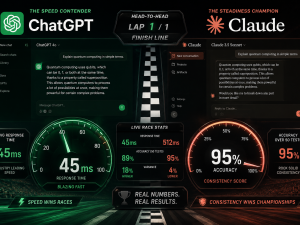
The most honest summary from people who use both regularly is this: Claude is a thinking partner that goes deep. ChatGPT is an execution engine that goes broad. The best approach for most people who work with AI daily is to use both — Claude for depth, refinement, and careful writing; ChatGPT for speed, tools, and multimodal tasks.
That is not a cop-out answer. It is how serious AI users actually work, and it reflects the genuine reality that no single tool dominates every use case in 2026. Understanding everything Claude can actually do helps you understand exactly where it fits in that workflow.
Who Should Choose Claude
Choose Claude if writing quality is central to your work and you need content that sounds genuinely human with minimal editing. Choose Claude if you regularly work with long documents and need to reference massive amounts of material accurately — Claude’s 1 million token context window handles document volumes that would overwhelm any other consumer AI tool. And Choose Claude if you do serious coding work and care more about accuracy than about ecosystem integrations.
Choose Claude if you want an AI that is honest about what it does not know rather than one that sounds confident about everything. Or Choose Claude if you are a blogger, content creator, or freelancer whose income depends on producing written work that stands out — this is where Claude’s advantage is most consistent and most practically valuable. The complete Claude AI beginner’s guide walks you through everything you need to get started properly.
Who Should Choose ChatGPT
Choose ChatGPT if you need image generation as a regular part of your workflow — Claude has no native equivalent and this is not a minor gap. Choose ChatGPT if you want voice conversations with your AI assistant. And Choose ChatGPT if your work requires combining live web research with code execution or image generation in the same workflow session.
Choose ChatGPT if you are already embedded in a Microsoft or OpenAI ecosystem with integrations that work and workflows you do not want to rebuild. Choose ChatGPT if you want one tool that does a decent job at everything without switching between platforms for different task types. And Choose ChatGPT if you are a casual user who wants the broadest feature set for everyday tasks and multimodal work.
The Smartest Move in 2026
The people getting the most out of AI right now are not loyal to one tool. They have figured out what each tool does best and they route their work accordingly. Claude handles the writing, the analysis, the long documents, and the deep reasoning.
ChatGPT handles the images, the voice, the multi-tool live research, and the quick multimodal tasks. Gemini handles the Google Workspace integration and the current information needs. That three-tool approach sounds like overkill until you try it and realise you are producing better work in less time than you were when you were forcing one tool to do everything.
Start with the free plans of both Claude and ChatGPT. Use each one for real work — not test prompts — for two weeks. You will know which one earns the $20 upgrade first based on where you actually feel the limits. That experience is worth more than every comparison article you will ever read. The skills that matter in this era are not about picking the right tool — they are about understanding how to direct any tool toward results that matter. That is what separates people who find AI genuinely transformative from people who use it occasionally and wonder why it never quite delivers. The skills that survive the AI era are built on that kind of intentional, strategic use — and it starts with knowing which tool to reach for and why.


















Join the discussion Tap to open the comment form +