
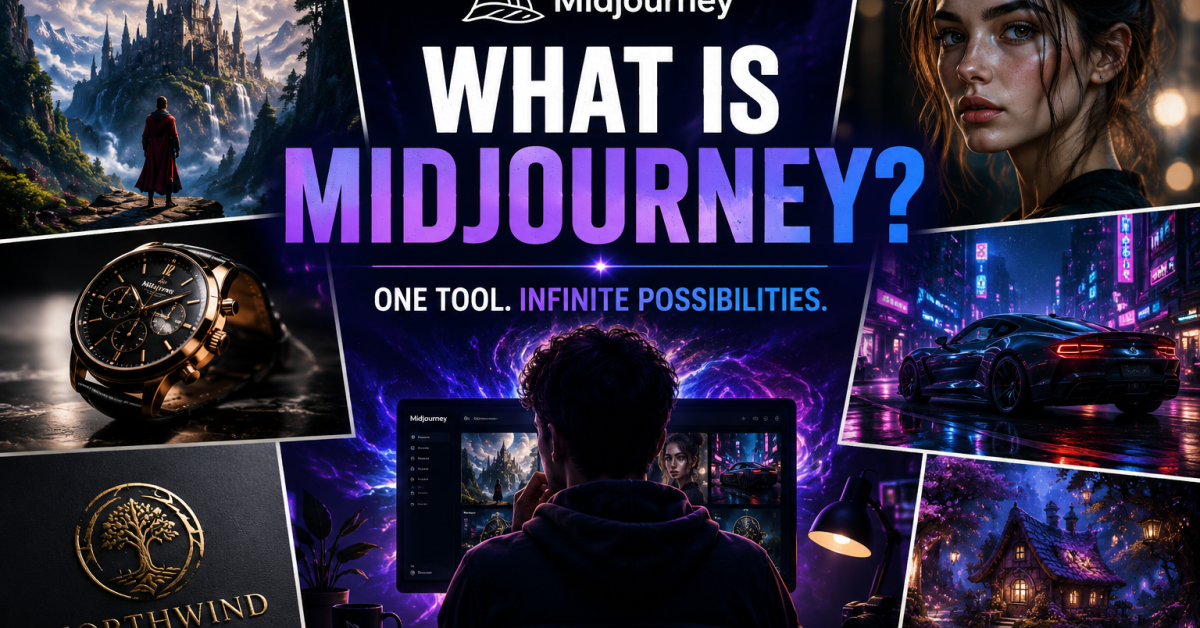
There is a moment that happens to almost everyone who tries Midjourney for the first time. You type a description, hit enter, and thirty seconds later you are staring at an image that should not have been possible to create without a professional photographer, a design team, and several thousand dollars in equipment and software.
Then you realise you typed those words on your phone.
Midjourney is one of the most significant creative tools to emerge in the AI era — not because it is complicated, but because it is extraordinary. It turns text descriptions into visual art that ranges from photorealistic photography to cinematic concept art to detailed illustration, and it does this for anyone willing to learn how to write a decent prompt.
But here is what most beginner guides skip over. Midjourney has a learning curve that is almost entirely invisible until you hit it. The interface is unusual. The pricing has changed significantly in 2026. The model versions matter more than most tutorials admit. And the difference between someone who produces consistently impressive results and someone who produces blurry, generic images comes down to understanding a handful of principles that are rarely explained properly in one place.
This guide covers everything you need to know about what Midjourney is, how it actually works, what it costs, which version to use, how to get started today, and where to go deeper once the basics are solid. Everything here is current as of 2026.
What Is Midjourney?
Midjourney is an AI image generation tool built by Midjourney Inc., an independent research lab based in San Francisco. It was founded by David Holz, who previously co-founded Leap Motion, and it operates as a self-funded company with no external venture capital — an unusual structure for a company that has become one of the most widely used AI creative tools in the world.
The product itself is a generative AI model that creates images from text descriptions called prompts. You write what you want to see — in plain English or any language the model supports — and Midjourney generates four visual interpretations of your description within seconds. You can then refine, upscale, vary, or regenerate any of the results.
What makes Midjourney different from other AI image generators is consistently described the same way by people who have tried several alternatives: the aesthetic quality. Midjourney has a distinctive visual intelligence — a tendency toward images that feel artistically composed, cinematically lit, and generally more beautiful than technically correct. It produces results that look like they belong in a design portfolio rather than a technology demonstration. That quality is why it became the dominant tool for creative professionals, content creators, marketers, and serious hobbyists despite the existence of strong alternatives.
How Many People Use Midjourney?
Midjourney’s user base grew from approximately 1 million users in mid-2022 to over 19 million registered users by late 2024, with continued growth through 2025 and 2026 as the web interface expanded its accessibility beyond Discord. The platform generates tens of millions of images daily across its global user base — a scale that has made Midjourney’s training dataset and aesthetic preferences genuinely influential in how AI image generation has developed across the entire field.
How Does Midjourney Actually Work?
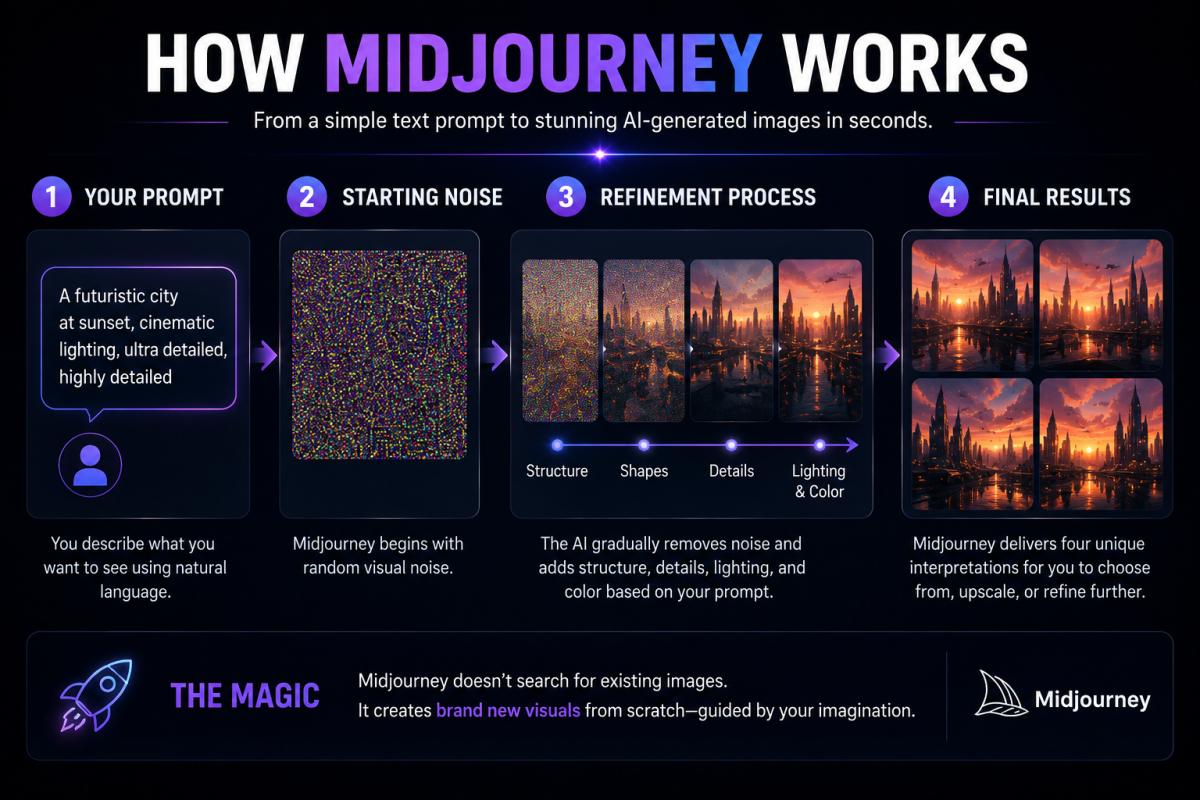
Midjourney is a diffusion model — a specific type of AI architecture that learns to generate images by training on billions of image-text pairs. The training process teaches the model to understand relationships between language and visual content at an extraordinarily detailed level. When you submit a prompt, the model does not search for an existing image or stitch together pieces of training data. It generates an entirely new image from noise, guided by its understanding of what your words describe.
The process of generating an image from your prompt goes through several stages that you can actually observe in the interface. Midjourney starts with visual noise and progressively refines it into coherent structure, then detail, then the final output. The four variations it produces are not identical attempts at the same interpretation — they represent genuinely different compositional and stylistic explorations of the same prompt, which is why experienced users learn to generate multiple batches rather than committing to the first result.
Where Does Midjourney Run?
In its original form, Midjourney operated exclusively through Discord — a messaging platform primarily associated with gaming and online communities. Users would join the Midjourney Discord server, use specific bot commands in designated channels, and receive their generated images as Discord messages. This unusual interface was simultaneously a barrier to accessibility and a social advantage, because the public channels allowed users to see each other’s prompts and outputs, creating a community of shared learning that accelerated everyone’s skill development.
In 2024 and 2025, Midjourney significantly expanded its web interface at midjourney.com, making the tool accessible through a standard browser without requiring Discord at all. As of 2026, most new users start directly on the web interface, though the Discord community remains active and is still the fastest place to get answers to specific technical questions from experienced users.
Midjourney Versions: Which One Should You Use?
Midjourney has released multiple model versions since launch, and understanding which version to use — and when to switch — is more important than most beginner guides acknowledge. Different versions have genuinely different aesthetic qualities, strengths, and weaknesses, and a prompt that works beautifully on one version may produce mediocre results on another.
V6.1 — The Current Default (2026)
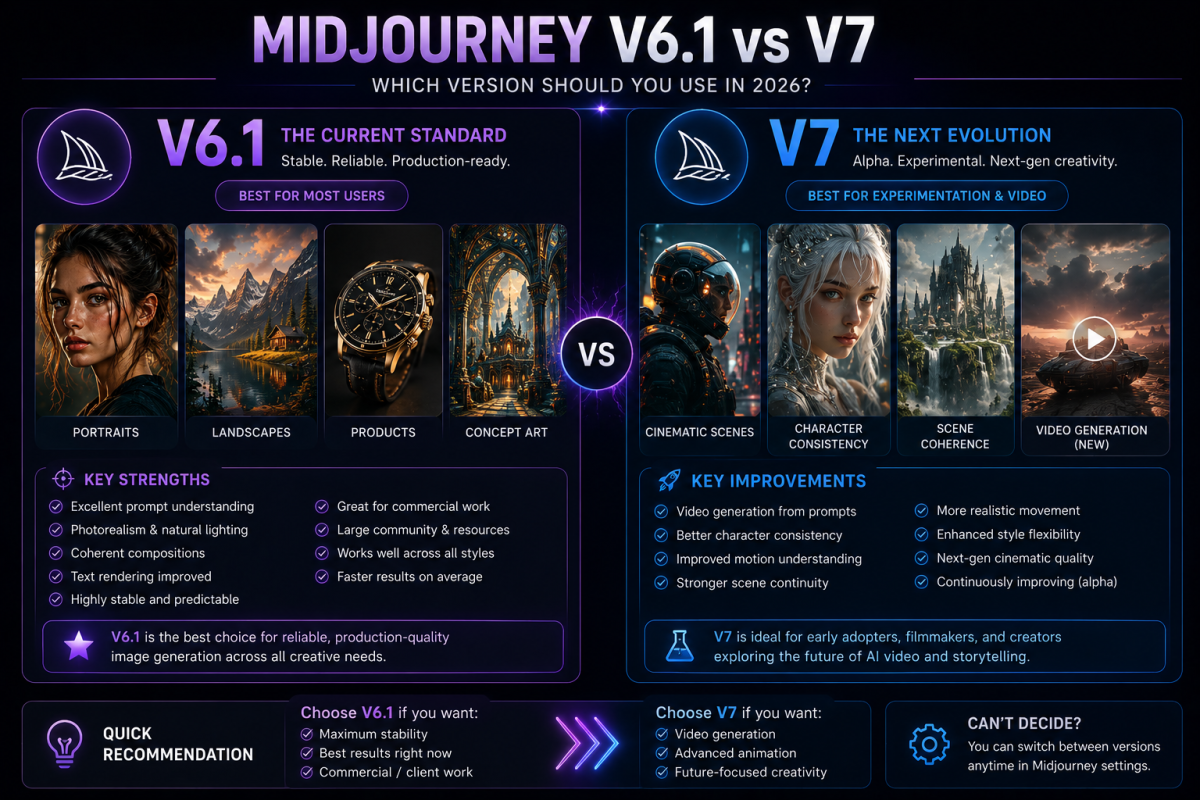
V6.1 is the current default model for all Midjourney users as of early 2026. It represents a significant step forward from V6 in terms of prompt understanding, image coherence, and fine detail rendering. V6.1 understands natural language prompts significantly better than earlier versions — you can write descriptive sentences rather than keyword lists and get better results. It handles complex scenes, accurate human anatomy, text within images, and photorealistic rendering with considerably more reliability than any previous version.
For most users, most of the time, V6.1 is the right version to use. It is stable, well-documented, and the version that the largest volume of community knowledge, tutorials, and prompt libraries is built around.
V7 — The Alpha Model
V7 entered alpha testing in 2026 and introduced video generation capabilities alongside significant improvements to character consistency and scene coherence. Also V7 can generate short video clips from text prompts — a capability that was entirely absent from previous versions and represents a significant expansion of what Midjourney can produce.
And again V7 is available to all subscribers but carries the usual caveats of alpha software — it behaves differently from V6.1 in ways that are not always predictable, and prompts optimised for V6.1 may not translate directly. For experimental work and video generation, V7 is worth exploring. For reliable, production-quality image generation, V6.1 remains the more consistent choice until V7 reaches its stable release.
Niji Mode — For Anime and Illustration
Niji mode is a specialised model within Midjourney developed in collaboration with Spellbrush, optimised specifically for anime, manga, and Japanese illustration aesthetics. If your creative work involves anime-style character art, stylised illustration, or manga-influenced design, Niji mode produces significantly better results than the standard model. Access it by adding –niji 6 to your prompt parameters.
Midjourney Pricing: What Does It Actually Cost in 2026?
Midjourney is a subscription service with no meaningful free tier as of 2026. The company removed its free trial in 2023 due to abuse and has maintained a paid-only model since. Understanding the pricing tiers helps you choose the right plan for your actual usage rather than overpaying for capacity you will not use or hitting limits that interrupt your workflow.
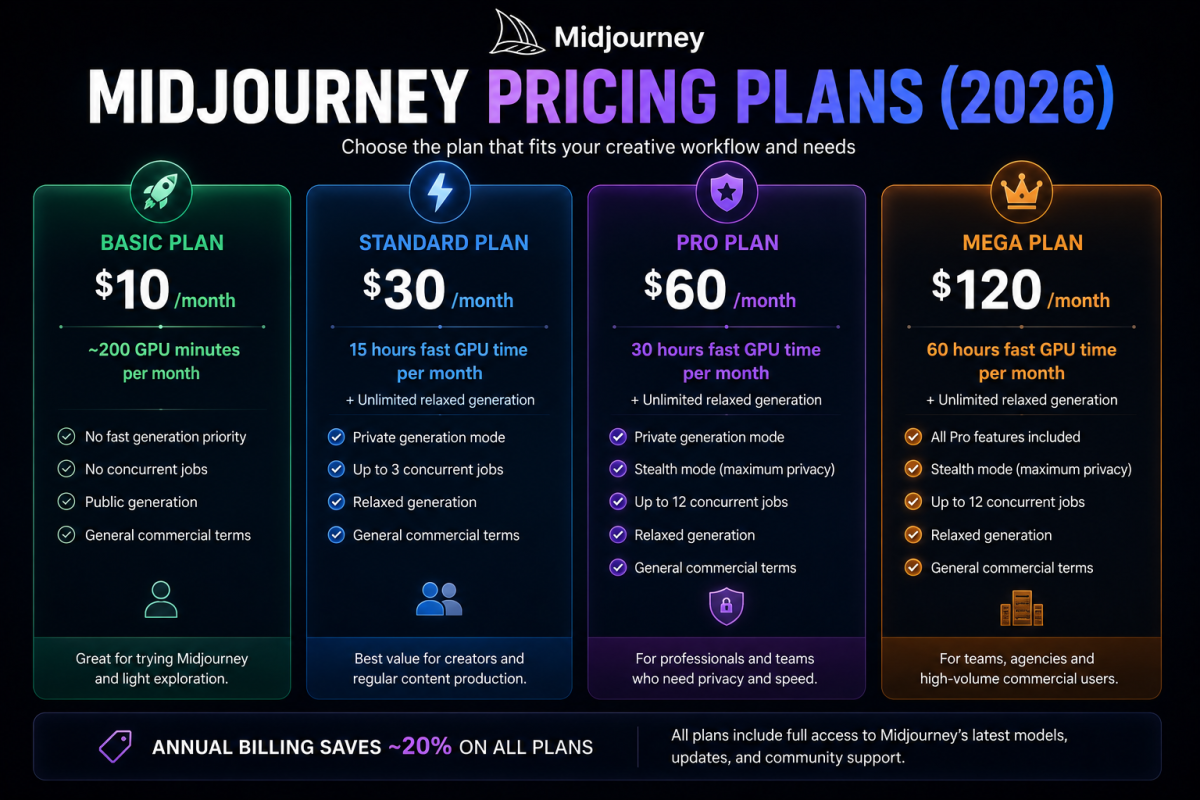
Basic Plan — $10 per Month
The Basic Plan gives you approximately 200 GPU minutes per month for image generation — roughly 200 standard image batches depending on the model version and parameters used. There is no fast generation priority on this tier, and you cannot run concurrent generation jobs. For someone starting out and wanting to explore the tool without a significant financial commitment, the Basic Plan is a sensible starting point. However, 200 generations per month is less than it sounds once you are using the tool seriously for content creation, where a single project might require 20 to 30 generation attempts to achieve the right result.
Standard Plan — $30 per Month
The Standard Plan is the most popular tier for regular users. It includes 15 hours of fast GPU time per month — approximately 900 standard image batches — plus unlimited relaxed generation that runs at lower priority when Midjourney’s servers are not busy. The relaxed tier is significantly slower, often taking five to ten minutes per batch rather than thirty to sixty seconds, but it provides a practical safety net for high-volume months without additional cost. The Standard Plan also enables private generation mode, keeping your images out of the public gallery.
Pro Plan — $60 per Month
The Pro Plan expands fast GPU time to 30 hours per month and includes stealth mode — a stricter form of privacy that ensures your images and prompts are not accessible even to Midjourney staff. For professional designers, agencies, or content creators who need consistent high-volume output with full client confidentiality, the Pro Plan is worth the premium. It also enables twelve concurrent generation jobs versus three on the Standard Plan, which significantly accelerates production workflows.
Mega Plan — $120 per Month
The Mega Plan is designed for teams and heavy commercial users — 60 hours of fast GPU time per month, all Pro features included. For individual users, the Pro Plan covers most realistic usage scenarios. The Mega Plan makes most sense for agencies or creators running Midjourney as a core production tool at high daily volume.
Annual billing reduces all plan prices by approximately 20 percent, which is worth considering once you have established your actual monthly usage pattern on a month-to-month basis.
What Can You Actually Create With Midjourney?
The answer to this question keeps expanding as the model improves, but understanding the categories where Midjourney genuinely excels — versus where other tools might serve you better — saves significant time and creative frustration.
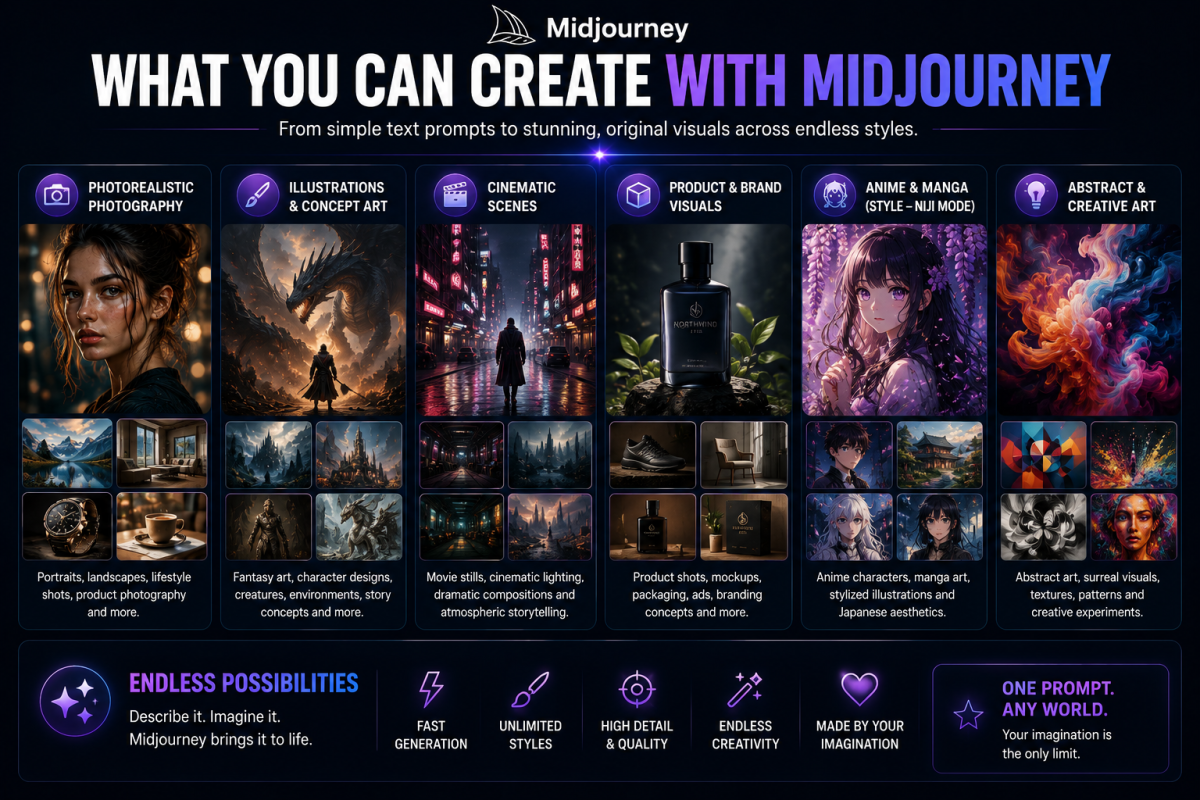
Photorealistic Photography
Midjourney V6.1 and V7 produce photorealistic images that are indistinguishable from actual photography in many cases. Product shots, portrait photography, architectural photography, landscape photography, food photography, and lifestyle imagery are all categories where Midjourney produces output at a quality level that would require professional equipment and expertise to achieve through traditional means. For content creators, bloggers, and small businesses that cannot afford professional photography for every piece of content, this represents a genuinely transformative practical capability.
Concept Art and Illustration
Concept art for games, film, and media — environments, characters, props, vehicles, creatures — is one of Midjourney’s strongest categories. The model has been extensively trained on professional concept art and produces output that is immediately usable as reference material for creative projects. Illustration styles ranging from children’s books to editorial graphics to technical diagrams all fall within Midjourney’s range, with output quality that varies by specificity of prompt and complexity of the illustration requirement.
Branding and Marketing Assets
Logo concepts, brand identity exploration, advertising imagery, social media content, and marketing campaign visuals are practical commercial applications that a large portion of Midjourney’s paying user base relies on. The tool is particularly effective for exploration and ideation phases — generating multiple visual directions for a brand quickly and cheaply before committing to refinement. It is less effective for final production assets that require precise typography, exact colour hex values, or pixel-perfect technical specifications, where design tools like Figma or Adobe remain superior.
Video Generation (V7)
V7’s video generation capability is early but significant. Short text-to-video clips open up motion graphics, social media video content, and animated concept visualization as new categories for Midjourney users. The quality and control of the video generation is still developing, but the trajectory is clear — Midjourney is moving toward being a comprehensive visual creation tool rather than a static image generator.
How to Get Started With Midjourney Today
Getting started with Midjourney is genuinely straightforward once you understand the two routes available and choose the one that fits your workflow.
Route One: The Web Interface
Go to midjourney.com and sign in with your Google account or create an account with your email address. Choose a subscription plan and complete the payment. You will land in the web interface — a clean, image-focused layout with a prompt bar at the bottom, your generated images filling the central panel, and generation settings accessible from the sidebar.
Type your prompt in the prompt bar at the bottom of the screen and press enter. Midjourney will generate four image variations within thirty to sixty seconds on the fast tier. From there you can upscale any of the four images to a higher resolution version, create variations that explore different interpretations of a result you liked, or refine the prompt and regenerate entirely.
Route Two: Discord
Go to discord.com and create a free Discord account if you do not already have one. Join the Midjourney Discord server through the invite link at midjourney.com. Once inside, navigate to any of the newbie channels and type /imagine followed by your prompt to generate your first image. The Discord interface gives you access to the full Midjourney community, the ability to browse millions of public prompts and their outputs, and the same generation capabilities as the web interface with a different visual layout.
Most beginners find the web interface easier to start with. The Discord community becomes more valuable once you are using the tool regularly and want to learn from how other users are approaching specific creative challenges.
Who Is Midjourney Actually For?
The honest answer is that the range of people who genuinely benefit from Midjourney is wider than the creative professional framing most coverage gives it. Understanding where it adds real value for your specific situation is more useful than a generic list of target audiences.
Content creators and bloggers use Midjourney to produce custom imagery for their content without the recurring cost of stock photography subscriptions or the inconsistency of free stock photo libraries. A blog post illustrated with custom AI-generated images that match the specific topic and tone performs visually better than generic stock photos — and the images are unique, which avoids the awkward recognition problem that comes with widely licensed stock images appearing on multiple sites simultaneously.
Business Owners
Freelancers and entrepreneurs use it for rapid client concept development — producing five different visual directions for a project in an hour rather than five days, compressing the exploration phase of creative work dramatically. The ability to show a client something visual very early in a project changes the quality of creative feedback and reduces the risk of significant rework late in a project.
Small and medium business owners use it for marketing materials, social media content, product visualizations, and brand identity exploration — capabilities that previously required either expensive agency relationships or time-consuming DIY work with tools that had steep learning curves.
Students and educators use it for presentations, educational materials, project visualizations, and creative assignments in ways that would have been impossible without either design training or access to professional design tools.
If you are building a blog or online business and want to understand how AI image generation fits into the broader toolkit of skills worth developing in 2026, this guide on skills that will survive and grow with AI gives you the clearest framework for where visual AI skills fit in the current landscape.
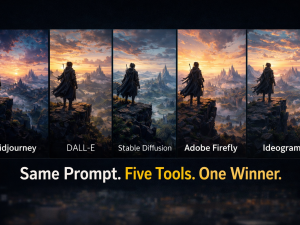
Midjourney vs Other AI Image Generators
Midjourney is not the only AI image generator worth knowing about, and being honest about where alternatives are stronger makes you a more effective user of the overall AI image generation ecosystem rather than a single-tool loyalist.
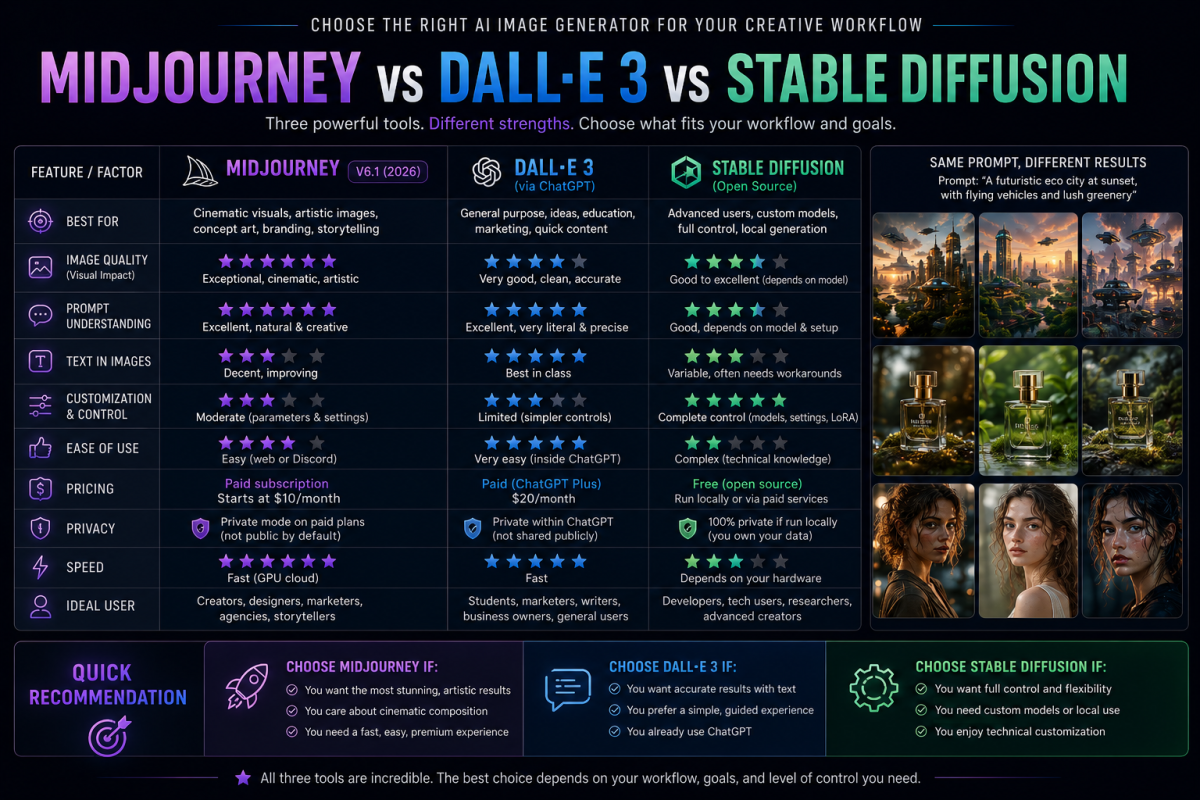
DALL-E 3, integrated directly into ChatGPT, is significantly more accessible for casual or occasional users because it requires no additional subscription if you are already using ChatGPT. It follows instructions more literally than Midjourney and handles text within images more accurately. Where it consistently falls short is aesthetic quality — DALL-E 3 outputs often look generically correct rather than visually striking. For content that needs to look beautiful rather than just accurate, Midjourney is the stronger choice.
Stable Diffusion is a free, open-source alternative that runs locally on your own hardware. It requires significantly more technical setup than either Midjourney or DALL-E, and the default output quality without additional customisation is lower. However, for users with the technical confidence to configure it, Stable Diffusion offers unlimited generation at no ongoing cost, complete privacy, and the ability to fine-tune the model on specific visual styles. It is the right choice for users with specific technical needs who are willing to invest in the setup.
Adobe Firefly Integration
Adobe Firefly integrates directly into Adobe’s Creative Suite and is specifically trained on licensed Adobe Stock content, making it the safest option from a commercial licensing perspective. For professional designers who are already in Adobe’s ecosystem, Firefly’s integration is a meaningful convenience advantage. Its aesthetic quality is solid but generally below Midjourney’s ceiling for the types of visually ambitious outputs that creative professionals demand.
Midjourney is only one part of the rapidly growing AI creator ecosystem. Writers, marketers, designers, researchers, and content creators are increasingly combining multiple AI tools into complete production workflows
The practical recommendation for most users is Midjourney as the primary tool for quality-focused image generation, with DALL-E 3 as a convenient supplementary option for quick text-integrated images within a ChatGPT workflow. A dedicated comparison of these tools — including current pricing, output quality benchmarks, and specific use case recommendations — is covered in the detailed comparison guide in this cluster.
The Midjourney Learning Curve: What to Expect
Most people who try Midjourney and do not continue do so within the first hour. The initial results from vague, unstructured prompts are disappointing enough to suggest the tool is not as impressive as the examples they saw online — which is entirely backward from the truth. The impressive examples they saw online were produced by people who had learned how to communicate with the model effectively. The tool’s capability does not change. Your ability to direct it does.
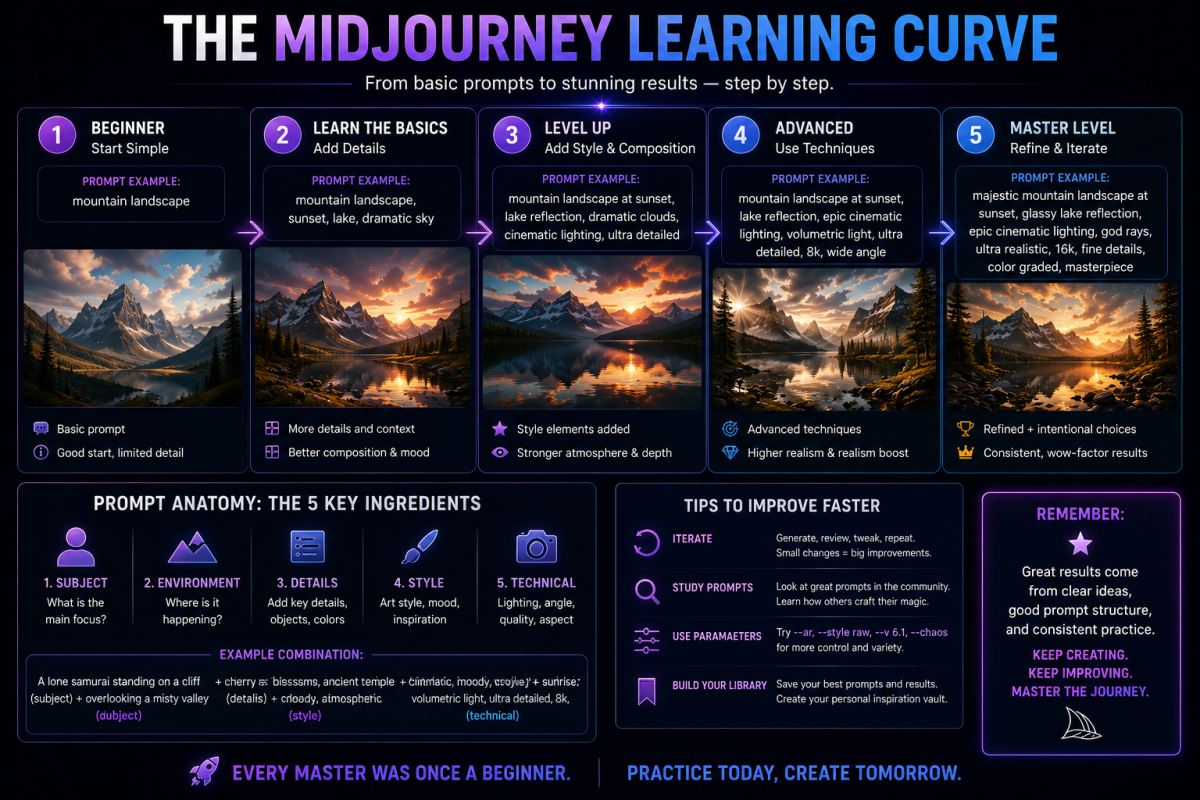
The learning curve for Midjourney is not steep in terms of technical complexity. There is no coding, no complex interface, no hardware requirement beyond a browser. The learning curve is about vocabulary and structure — learning to describe visual concepts in ways that give the model enough specific information to match your intention rather than filling the gaps with its own defaults.
The Comfortable Baseline Competency
Most users report reaching a comfortable baseline competency — producing consistently usable results for their primary use case — within two to four weeks of regular use. Reaching advanced proficiency, where you can reliably produce highly specific results across diverse visual categories, typically takes two to three months of deliberate practice combined with study of what experienced users are producing and how they are prompting for it.
The fastest path to proficiency is learning prompt structure properly from the beginning rather than experimenting randomly. Understanding why a prompt works — the role of each element in directing Midjourney’s output — accelerates learning far more than copy-pasting prompts and hoping for similar results. This complete guide to Midjourney prompts covers the full anatomy of an effective prompt with real examples you can start using immediately — it is the most practical next step after understanding what Midjourney is and how it works.
Is Midjourney Worth It?
The honest answer depends entirely on what you are going to use it for and how seriously you are going to engage with the learning curve.
For someone who is going to generate twenty images, be disappointed that they do not look like the portfolio examples they saw, and then never open the tool again — Midjourney is not worth $10 per month. The tool requires genuine investment in learning how to use it before it delivers on its potential.
For someone who is going to spend two weeks learning prompt structure, produce custom imagery for their blog or social media, explore visual concepts for their business, or develop a marketable creative skill in an area where demand is growing quickly — Midjourney at $10 to $30 per month is one of the highest-value subscriptions available to anyone working in content, design, or digital business in 2026.
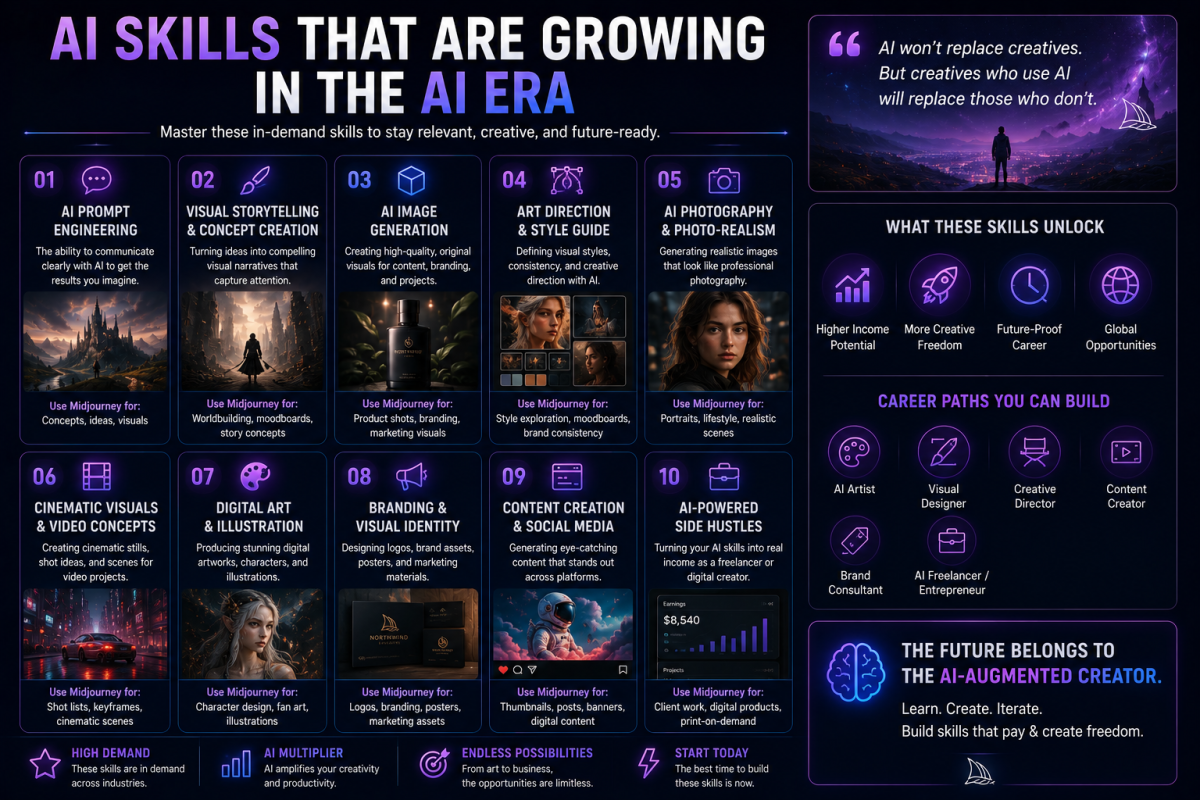
The market for AI image generation skills is real and growing. Businesses need custom visual content. Freelancers who can produce high-quality AI-generated imagery alongside other creative services command higher rates than those who cannot. Content creators whose work is visually distinctive stand out in crowded publishing environments. The skill compounds over time in ways that justify the early investment in learning it properly.
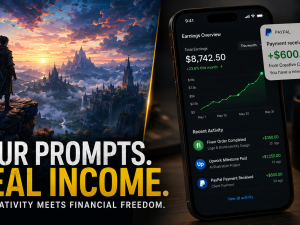
If you are thinking seriously about how to turn Midjourney skills into income — not just using it for your own content but building it into a service that clients pay for — the guide on making money with Midjourney in this cluster covers the most realistic and proven paths in detail, including which specific services have the strongest current market demand.
Where to Go From Here
This guide is the foundation of everything else in this Midjourney content cluster. Each post in the cluster goes significantly deeper on a specific aspect of using Midjourney effectively.
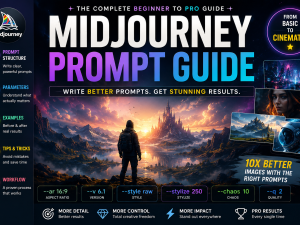
If you want to start generating images immediately and get dramatically better results than a beginner experimenting without guidance, the prompts guide is where to go next. It covers the full anatomy of an effective prompt, every parameter worth knowing, and twelve ready-to-use copy-paste prompts across different visual categories. Read the complete Midjourney prompts guide here.
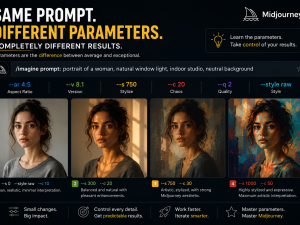
If you want to understand every parameter — what –ar, –s, –q, –chaos, –no, –cref, and –sref actually do and how to use them for precise creative control — the parameters guide covers every setting in detail with specific recommended values for different output types.
If you want to understand how to build actual income from Midjourney skills — which services have market demand, how to price creative AI work, and how to position yourself as a skilled AI image creator rather than just someone who uses the tool — the make money with Midjourney guide covers the most realistic and practical paths available right now.
Choosing The Right Tool
And If you are trying to decide whether Midjourney is the right tool for your specific needs versus DALL-E, Stable Diffusion, or Adobe Firefly, the comparison guide does a detailed, honest head-to-head across every meaningful dimension — quality, price, accessibility, commercial licensing, and use-case suitability.
Midjourney is genuinely one of the most impressive creative tools available to anyone working online in 2026. The barrier to entry is a subscription and a willingness to learn how to communicate effectively with the model. Everything after that is practice, experimentation, and the satisfying experience of watching your prompts produce results that would not have been possible for most people without a professional creative team just three years ago.
Start with the prompts guide. Bookmark this page as your reference. Come back to the cluster as you progress. The tool rewards consistent engagement more than any other single factor in developing real proficiency with it.














Join the discussion Tap to open the comment form +