


Every week, another creator discovers that the AI video tools everyone is recommending come with a catch buried in the fine print.
You sign up, generate one clip, and then a watermark appears, the credits run out, or a popup tells you that commercial use requires a paid plan.
If you have been searching for free AI video tools, this post is not going to hand you another generic list of apps. It is going to give you a zero-budget system — a working workflow built on tools that are genuinely free, with honest details about exactly where the limits are and how to operate within them from day one.
The AI video market crossed $847 million in 2026 and is still growing at nearly 19% annually according to Fortune Business Insights.
What that number means for the everyday creator is that demand for video content has never been higher, production costs have never been lower, and the tools to compete with professional studios are now accessible to someone with nothing more than a laptop and a free account.
The gap between knowing that and actually building something with it is exactly what this post closes.
Why Most “Free AI Video” Articles Are Setting You Up to Fail
The problem with how free AI video tools are covered online is that almost every article is written from a reviewer’s perspective, not a builder’s perspective.
A reviewer tests the tool, describes the features, and moves on. A builder asks a completely different set of questions: Can I use this commercially without paying? What happens when the credits run out? Will this video pass a monetization review on YouTube or TikTok?
Those are the questions that determine whether a tool is actually useful for someone trying to earn income, and most articles do not answer them honestly.
When you build from a reviewer’s list, you end up in a situation where you have generated a beautiful clip, tried to post it for monetization, and then discovered that the free tier output is watermarked or restricted to personal use only.
Kling AI, for example, states clearly in its Terms of Paid Service that commercial use is a membership-only feature. The free tier’s 66 daily credits produce watermarked output that cannot legally be used in ads, client deliverables, or monetized content.
That is not a small detail — it is the entire business model decision, and most articles skip past it in a single sentence.
This system is built around that reality. You will learn which tools are genuinely free for commercial use, which ones require a small paid upgrade before they become business-viable, and how to structure your workflow so that you are building something real from the first day rather than discovering walls after three weeks of work.
The Three Tools That Make This System Work
This is not a list of every AI video tool available in 2026. This is the specific stack that makes a zero-budget video content business viable right now, based on real testing of each platform.
Each tool covers a different part of the production process, and together they create a complete workflow from script to published content without requiring a paid subscription to start.
Google Veo 3.1 via AI Studio (The Commercial-Safe Free Tier)
Google Veo 3.1 accessed through Google AI Studio is the single most important tool in this stack for anyone building toward monetization. It is the only major AI video generator in 2026 that produces watermark-free output with no commercial use restriction on the free tier.
You log in with a Google account, navigate to AI Studio, select the video generation option, and start generating. There is no credit card requirement and no paid plan required to access the output commercially.
The tradeoff is generation speed. A 10-second Veo 3.1 clip typically takes between two and four minutes to render, which is significantly slower than Kling or Dreamina.
The output quality, however, is the highest of any free tier available — cinematic lighting, accurate physics, and multi-object scene handling that consistently outperforms competitors. For a creator who needs clean, professional footage for YouTube or brand content, Veo 3.1 is where you start building your commercial library.
The practical workflow is to use Veo 3.1 for your hero clips — the visuals that will appear in monetized content or client deliverables. Write a highly specific prompt that includes camera direction, subject behavior, lighting mood, and scene context.
A prompt that simply says “a person walking in a city” will produce generic output. A prompt structured with intentional direction produces footage worth using.
Veo 3.1 Prompt Formula:
[Camera movement] + [Subject and action] + [Environment and lighting] + [Mood or tone] + [Audio cue if relevant]Example: “Slow tracking shot following a young woman in a white blazer walking through a sunlit open-plan office, morning light through floor-to-ceiling windows, confident and purposeful, light ambient keyboard sounds in the background.”
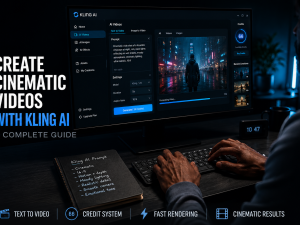
Kling AI 3.0 (The Daily Credit Grind)
Kling AI, developed by Chinese tech company Kuaishou, holds the number one ELO benchmark score among all AI video models in 2026 at 1,243 — ahead of Runway, Pika, and every other commercial competitor.
It reached $240 million in annual recurring revenue with over 60 million creators on the platform, and the reason for that growth is straightforward: it produces the most realistic human motion of any generator available, and it gives every registered user 66 free daily credits that reset at midnight.
Here is what those 66 credits actually buy you. A five-second Standard-mode clip costs approximately 20 credits, which means you can generate roughly three Standard clips per day on the free tier.
Professional mode at the same duration costs around 35 credits, dropping your daily allowance to fewer than two clips.
The credits do not roll over — whatever you do not use by midnight is gone. This makes daily login and intentional generation essential, not optional.
The commercial use limitation on Kling’s free tier is real and must be understood before you build a workflow around it.
Free tier output carries a Kling watermark and is restricted to personal, non-commercial use per the platform’s official terms.
Chosing The Kling AI Standard Plan
The Standard plan at $6.99 per month unlocks commercial rights and removes the watermark, making it the cheapest commercial video generation subscription in the market by a significant margin.
Runway charges $15 per month for a comparable entry tier. Pika charges $28 per month for commercial access.
The smart way to use Kling’s free tier is for testing and iteration — not final output. Use the daily credits to test prompts, refine character references, and nail down the motion and framing you want.
Once you know exactly what you are generating, upgrading to the $6.99 Standard plan for one month to produce your commercial batch is a far more efficient use of budget than paying monthly from day one.
Dreamina with Seedance 2.0 (The Consistency Engine)
Dreamina is ByteDance’s international creative platform and the access point for Seedance 2.0, the AI video model that powers a significant portion of what you see on TikTok and CapCut in 2026.
Seedance 2.0 launched globally in February 2026 and immediately drew attention from the creator community for one specific capability: character consistency across multiple clips.
Faces, outfits, and even small text elements stay visually stable from scene to scene, which solves the biggest practical problem any creator faces when trying to build a serialized or branded video series.
The free tier on Dreamina gives you 225 daily tokens shared across all tools on the platform — image generation, video generation, editing, and avatar tools all draw from the same pool.
In real-world usage, that translates to roughly one to two short video clips per day depending on resolution and duration settings.
This is not enough for high-volume production, but it is enough to build a consistent brand look, test character references, and develop the visual identity of a channel before spending money.
What makes Dreamina genuinely powerful for a zero-budget creator is the multimodal input system. You can upload up to nine reference images, three short video clips, and three audio files simultaneously, then describe in plain language what you want the AI to replicate.
This means you can feed it a reference video showing a specific camera movement and ask it to apply that movement to your character in a different scene.
That level of creative control is what separates Dreamina from tools that only accept a text prompt and return whatever they decide.
Dreamina Reference Workflow:
1. Upload your character reference image (clear face, consistent outfit)
2. Upload a short clip showing the camera movement or motion style you want replicated
3. Write your prompt in this structure: “Maintain the character from the reference image. Apply the camera movement from the reference clip. Scene: [your scene description]. Mood: [your tone]. Duration: [5 or 10 seconds].”
How to Structure a Zero-Budget Video Content Business
Having three tools is not a business. A system is what turns those tools into income, and the system starts with a decision about format.
There are three formats that work consistently for AI video creators in 2026, and they each have a different path to revenue. Choosing the wrong one for your situation is the most common mistake new creators make, so this decision deserves more attention than most guides give it.
Format One: Faceless YouTube Channel
A faceless YouTube channel built on AI video content is the highest-ceiling format in this system, but also the slowest to monetize.
YouTube’s Partner Program requires 1,000 subscribers and 4,000 watch hours before ad revenue begins, and the platform’s July 2025 content policy update specifically targets mass-produced AI content that provides no original value.
The channels that are succeeding in 2026 are the ones that use AI for visual production while adding genuine human perspective through narration, commentary, or educational framing.
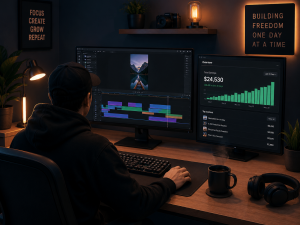
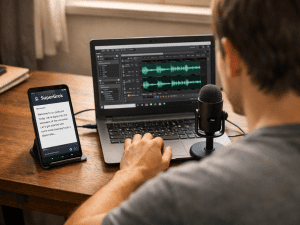
The practical setup is to use Veo 3.1 for your B-roll and scene footage, Dreamina for any character or brand mascot that appears consistently across videos, and a tool like ElevenLabs for voiceover narration.
You script the content yourself, generate the visuals with AI, layer the narration over the footage, and publish. The AI handles production. Your thinking, research, and framing is what makes the content valuable enough to rank and retain viewers.
High-RPM niches that work well with this format include AI tools tutorials, personal finance, and business productivity — categories where viewers are specifically looking for information and where ad revenue runs between $10 and $35 per thousand views compared to $1 to $4 in entertainment content.
If you want to see how a full AI tools content strategy is built, the approach we use on this site for our complete guide to ChatGPT is a useful reference for structuring educational AI content that holds audience attention.
Format Two: Short-Form Social Content
TikTok, YouTube Shorts, and Instagram Reels offer the fastest path from first post to first payment, but the monetization structure is different from long-form.
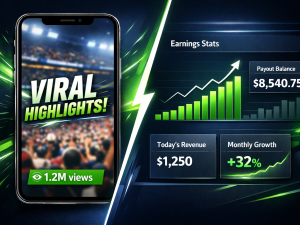
TikTok’s Creator Rewards Program pays based on views and engagement, and several ambient content creators — channels posting daily AI-generated nature scenes, relaxation visuals, and fantasy imagery — have documented reaching between $800 and $1,400 per month using entirely free AI tools after building audiences of 80,000 to 150,000 followers.
Those numbers are real but they are not typical, and they typically require four to six months of daily posting before meaningful income appears.
The advantage of short-form is that the production loop is fast. A 15-second clip generated in Veo 3.1 or Dreamina, trimmed in CapCut, captioned automatically, and posted takes less than 20 minutes once you have your workflow established.
The volume game is more forgiving at this format length, meaning you can post two to three times daily without burning through credits faster than they replenish.
The key is picking a visual niche that has consistent search demand on the platform and sticking to it long enough for the algorithm to understand what your channel is about.
Format Three: Client Video Services
Selling AI-generated video production as a service to small businesses is the fastest path to cash in this entire system.
Small businesses desperately need product videos, social media clips, explainer content, and promotional material, but most cannot afford a traditional video production agency.
A single creator using Kling AI, Dreamina, and Veo 3.1 can turn around a batch of five short marketing videos in 24 hours — something a traditional agency would quote two weeks and several thousand dollars for.
The pricing benchmark for AI-assisted video services in 2026 runs from $50 to $200 for a one-minute explainer, $75 to $300 for a product promotional video, and $150 to $500 for multilingual content with AI voiceover.
You do not need a large audience to start this path — you need one client, a portfolio of sample videos generated during your practice period, and the ability to deliver consistently.
Platforms like Fiverr and Upwork have active demand for this service type, and the competition is still thin enough that a well-positioned gig with quality samples will attract buyers.
The Commercial Use Warning Nobody Puts in Their Title
Before you post a single AI-generated video for commercial purposes, you need to understand the platform rules that will determine whether your content stays up and whether your account stays monetized.
This is the section most “free AI video tools” articles skip entirely, and it is the section that protects your work from getting flagged or demonetized after you have already invested weeks of effort.
On Kling AI, free tier output is watermarked and restricted to non-commercial personal use per the official Terms of Paid Service.
Using watermarked Kling output in a monetized video, a client deliverable, or a paid advertisement is a terms violation. The $6.99 Standard plan is the entry point for commercial rights removal.
On Dreamina, the free tier also produces watermarked output. Paid plans unlock watermark removal, higher resolution, and 60fps frame rates — the Basic plan at $15 per month is the entry point. Google Veo 3.1 via AI Studio is the only tool in this stack that is commercially free from the start.
YouTube’s 2025 policy update requires creators to disclose AI-generated content using the platform’s built-in label in the video details section.
Failing to disclose AI-generated realistic visuals can result in content removal and channel strikes. TikTok has a similar disclosure requirement for AI-generated content.
This transparency requirement is not a barrier — it is a standard that, when followed correctly, actually builds audience trust because modern viewers appreciate creators who are upfront about their process.
Your Day-One to Day-Thirty Action Plan
The difference between a creator who reads this post and starts something and one who reads it and stays stuck is almost always the absence of a specific first action.
This section removes that excuse. Each phase below is designed for someone starting with no budget, no audience, and no prior experience with AI video tools.
Days 1 to 7: Build Your Practice Library
Create free accounts on Google AI Studio, Kling AI, and Dreamina. Do not spend any money during this phase. Your only goal is to generate 20 to 30 clips across the three platforms using the prompt frameworks in this post, identify which tool produces the best output for your chosen niche, and develop a character or visual style that you will use consistently.
Use Kling’s 66 daily credits for testing different motion styles. Use Dreamina’s daily tokens to develop character consistency. And Use Veo 3.1 for your strongest hero clips since that output is commercially clean from day one.
Days 8 to 14: Build Your First Five Pieces of Content
Take the strongest clips from your practice week and assemble your first five pieces of content. If you are going the YouTube route, script and narrate five short educational videos using your Veo 3.1 footage as the visual layer.
If you are going the short-form route, edit your best clips in CapCut and schedule them across TikTok, YouTube Shorts, and Reels.
And If you are going the client service route, package your best five clips into a portfolio and create a Fiverr gig with clear pricing and a 24-hour delivery promise.
Days 15 to 30: Decide on Your Upgrade Path
After two weeks of real production, you will know which tool you are using most and which format is generating the most response.
At this point, a strategic $6.99 Kling Standard subscription for one month to produce a clean commercial batch is a reasonable investment if your client service or YouTube monetization path is showing traction.
The goal is not to spend money to start — it is to let your free tier results tell you where the money will be returned before you spend it.
This is exactly the thinking that separates a creator building a business from one collecting subscriptions they do not need.
For a deeper look at how to build income streams around AI tools specifically, our breakdown of ElevenLabs income streams covers a complementary audio layer that pairs well with the video system described here.
AI voiceover is the production element that transforms a silent AI clip into a complete piece of monetizable content, and understanding both sides of that workflow gives you a significant production advantage.
Why This Moment in AI Video Is Not Coming Back
OpenAI shut down Sora in March 2026, citing high computing costs and a strategic pivot toward enterprise tools.
That single decision pushed millions of creators who were using Sora for free directly toward Kling AI and Dreamina, accelerating the adoption curve on both platforms faster than either company had planned for.
Kling reached 60 million creators and $240 million in annual revenue within 19 months of its global launch — a growth rate that reflects how hungry the creator economy is for these tools right now.
The window where free tiers are generous enough to run a real workflow is not permanent. Hailuo AI launched in 2024 with unlimited free generation and reduced to three to five clips per day within six months.
Every major AI video platform follows the same playbook: launch with generous free access to build the user base, then tighten the limits once the audience is established.
Becoming A Creator
The creators who build their skills, their audience, and their service reputation during the generous phase are the ones who have leverage when the free tier eventually shrinks.
The AI video generation market growing at 18.8% annually means the demand for video content is not slowing down — it is accelerating. The question is not whether there is money in this space.
The question is whether you are building the skills and the body of work right now that will put you in front of that demand when it peaks. A blog post can tell you the tools. Only consistent daily production builds the muscle that turns those tools into income.
The system is in front of you. The tools are free. The only thing between you and the first output is the decision to open AI Studio, create a Kling account, and start generating. Everything else gets figured out in the process.
If you found this post useful, the next logical step is our breakdown of how to use ChatGPT effectively to write the scripts and prompts that power this entire video workflow — because the quality of your AI video output is almost always determined by the quality of the prompt you put in, and prompt writing is a skill worth building deliberately.










Join the discussion Tap to open the comment form +