

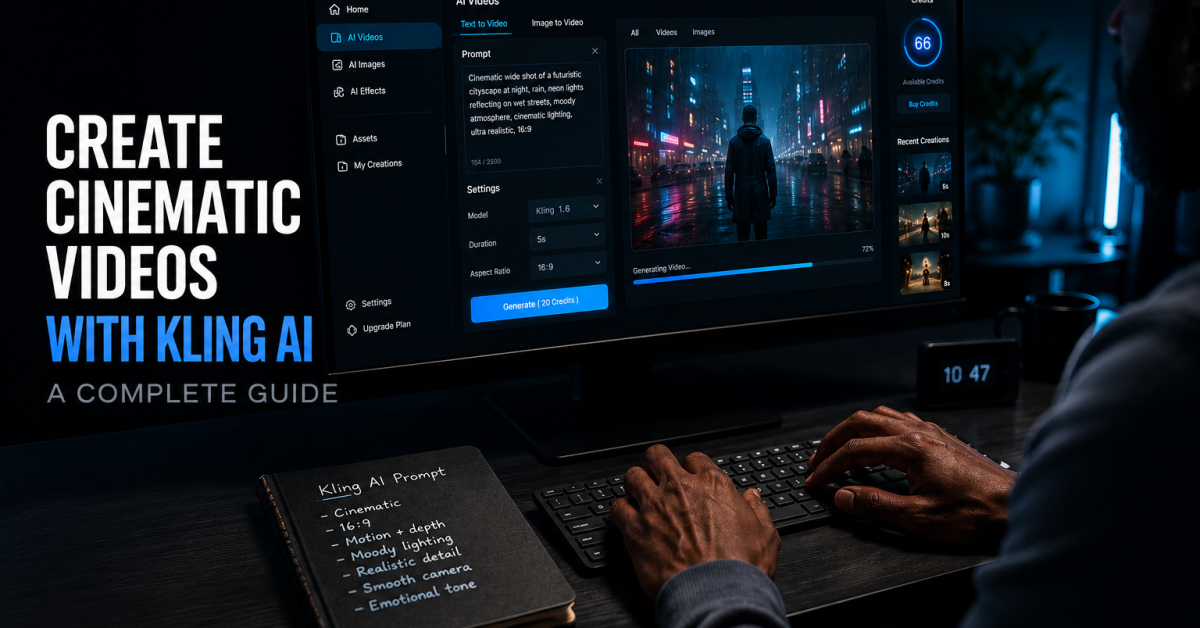
If you have been trying to figure out how to use Kling AI for free without hitting a wall after three clips, you are dealing with something most tutorials skip over entirely.
Kling AI gives every registered user 66 free daily credits, and that number sounds generous until you realize that a single five-second Professional mode clip eats 35 of them in one generation.
This post does not just tell you that the free tier exists — it tells you exactly how to work inside those 66 credits intelligently, where the real limits are, and at what point a $10 monthly upgrade becomes the smarter financial decision than stretching the free tier indefinitely.
Kling 3.0, released on February 5, 2026 by Chinese tech company Kuaishou, currently holds the number one ELO benchmark score among all AI video models.
It reached over 60 million creators and $240 million in annual recurring revenue by mid-2026 — faster growth than any AI video platform before it.
A significant portion of that growth came from the Sora shutdown in March 2026, which pushed millions of creators looking for a capable free alternative directly into Kling’s ecosystem.
Understanding how to maximize the free tier before spending money is not just smart budgeting — it is how serious creators approach every tool they intend to use long-term.
What 66 Free Daily Credits Actually Means in Practice
The 66 credits Kling assigns to every free account each day are not a fixed number of videos — they are a budget that gets spent differently depending on the settings you choose.
The mode, resolution, duration, and model version you select all determine how fast those 66 credits disappear, and most creators burn through them faster than expected because they are not tracking the math before they generate.
In Standard mode at 720p, a five-second clip costs between 10 and 20 credits depending on which version of Kling 3.0 you are using. That gives you roughly three to six clips per day at basic settings.
In Professional mode, the same five-second clip costs approximately 35 credits, which drops your daily allowance to one, maybe two clips if you are careful.
Extending a clip by an additional five seconds costs around 35 more credits on top of the original generation — a detail that catches creators off guard when they try to create longer content on the free tier.
There is one more thing the credit math does not account for: failed generations still consume credits on both the free and paid tiers.
If Kling generates a clip that does not match your prompt, or if a generation fails mid-process, those credits are gone. This makes prompt quality on the free tier not just a creative issue but a financial one.
A poorly written prompt that produces three unusable clips can wipe out your entire daily allowance before you have a single piece of output worth keeping.
The Image-First Workflow That Doubles Your Daily Output
The single most effective strategy for stretching free Kling credits is the image-first workflow, and it is one that most written guides do not explain clearly because it requires understanding how Kling’s credit system treats image generation differently from video generation.
On the free tier, Kling O1 image generation uses significantly fewer credits than video generation — in many cases approaching zero for standard resolution images. This creates a workflow that experienced free tier users have quietly been using for months.
The process works like this. Instead of going directly to text-to-video and spending 10 to 35 credits on a generation that might not match your vision, you first generate several images from your prompt using Kling’s image mode.
Images give you a visual preview of how Kling is interpreting your scene, your lighting, your character, and your composition.
Once you find an image that looks exactly right, you animate that single image using Kling’s image-to-video feature.
Because you are starting from a controlled visual reference rather than a text description alone, the video output is far more likely to match your intent on the first try — which means fewer wasted generations and fewer burned credits.
Image-First Credit Workflow:
Step 1: Write your scene description in Kling’s image generator. Generate 4 to 6 image variations at no significant credit cost.
Step 2: Select the image that most closely matches the composition, lighting, and character look you want in your final video.
Step 3: Use that image as your reference input in the image-to-video tool. Write a short motion prompt describing only what should move in the scene.
Step 4: Generate once. Because your visual reference is already locked in, the motion layer is the only variable — dramatically reducing the chance of needing a retry.Example motion prompt: “Gentle camera push forward. Subject turns head slowly toward camera. Background bokeh stays soft. No sudden movement.”
The Credit Reset System and How to Plan Around It
Kling’s free credits reset every 24 hours on a fixed cycle tied to your account registration time, not to midnight in your local timezone.
This matters because creators who assume their credits reset at midnight often log in to generate and find their balance has not refreshed yet.
Checking your credit balance inside the dashboard before planning your daily session eliminates this confusion. The credits also do not roll over under any circumstances — 20 unused credits at the end of your cycle disappear entirely and cannot be carried into the next day.
The practical implication of this system is that daily login and intentional generation are not optional habits for a free tier creator — they are the foundation of the entire workflow.
A creator who logs in every day and uses all 66 credits consistently generates between 90 and 180 clips per month at no cost. A creator who logs in three times a week generates between 40 and 70 clips.
The difference between those two creators is not skill or talent — it is the discipline of treating the daily credit reset as the asset it actually is.
Queue time is the other variable that free tier creators need to plan around. During peak usage hours, Kling’s free tier queue extends significantly because paid users at Standard, Pro, and Premier tiers all receive priority processing.
In testing documented by Atlas Cloud in June 2026, free tier queue times exceeded 30 minutes during Tuesday afternoon peak hours, with one session reaching 47 minutes for a single five-second generation.
The practical workaround is to generate during off-peak hours — early morning or late at night in your local timezone — when the queue clears faster and your daily workflow does not get disrupted by long waits.
Referral Credits and the UGC Program Nobody Talks About
Kling’s official referral program is one of the least discussed free credit sources available to creators, and it provides a meaningful boost to the daily 66-credit allowance when used correctly.
Sharing your referral link with new users who register and generate their first clip typically earns bonus credits on both sides of the referral — the new user receives a one-time batch of trial credits on top of the standard daily allowance, and the referring creator earns additional credits added to their balance.
The specific credit amounts attached to referrals change with promotional periods, so checking the Promotions section inside your Kling dashboard gives you the most accurate current numbers.
Beyond the standard referral program, Kling runs a UGC creator program that offers substantially higher credit allocations to qualifying content creators who consistently produce and share Kling-generated content on social platforms.
Creators accepted into the program have reported access to effectively unlimited generation for the duration of their participation.
The qualification criteria include an existing audience, a track record of consistent posting, and content that showcases Kling’s capabilities in a way that benefits the platform.
If you are building a faceless channel or a social content workflow around AI video, applying for this program once you have a body of published work is worth the five minutes the application takes.
What the Free Tier Cannot Do (And Why That Matters for Business)
The limitations of Kling’s free tier are not marketing friction designed to annoy you into upgrading — they are the specific boundaries that determine whether any given business use case is viable on the free plan.
Understanding exactly where those walls are saves you from building a workflow on a foundation that will collapse the moment a client or platform asks for something the free tier cannot deliver.
Resolution is capped at 720p on the free tier. For YouTube content that competes on quality, for client videos that will be displayed on large screens, and for any content where visual sharpness is part of the professional presentation, 720p is noticeably softer than the 1080p and 4K output available on paid plans.
Clip duration on the free tier is limited to five to ten seconds per generation. Free tier output carries a Kling watermark on every single clip — this is non-negotiable and cannot be removed through any setting inside the platform on a free account.
The commercial use restriction is the most consequential limitation for anyone building toward income. Kling’s terms explicitly state that free tier output is restricted to personal, non-commercial use.
Using a watermarked or free-tier-generated Kling clip in a monetized YouTube video, a paid advertisement, or a client deliverable violates those terms.
This is not a technicality buried in the fine print — it is the central policy that determines whether your business workflow is legally clean. Our pillar post on free AI video tools to make money online covers the full commercial use landscape across all major platforms if you want the complete picture before committing to a production stack.
The Upgrade Decision: When $10 Per Month Makes Sense
The Standard plan at approximately $10 per month (or around $6.60 per month on the annual billing cycle) is the entry point where Kling transitions from a testing and practice tool into a viable business production tool.
At this tier, the watermark is removed, commercial use rights are granted, resolution increases to 1080p, and queue priority improves meaningfully over the free tier experience.
The 660 monthly credits included in the Standard plan translate to roughly 18 to 20 Professional mode clips per month — not a high volume, but enough for a creator producing one to two pieces of polished content per week.
The right moment to upgrade is not when you first sign up — it is when the free tier is consistently limiting work you are already doing.
What you have to do as a Creator
A creator who is hitting the 66 daily credit ceiling every single day because they have real prompts to test and real content to develop has demonstrated enough workflow discipline to justify the upgrade.
A creator who upgrades on day one and then generates sporadically has paid for access they are not using. The free tier’s job is to build your prompt skills, your visual style, and your production habits.
The paid tier’s job is to remove the restrictions once those foundations are solid.
For creators generating content for clients or running a social media production service, the math calculation is straightforward. If one client video generates $75 or more in income, a single deliverable covers the entire monthly Standard subscription.
A creator running even two to three client video projects per month at modest pricing is paying for the subscription with the first project and keeping everything else as margin.
The comparison that puts this in perspective: stock footage licensing for a comparable five to ten second cinematic clip runs between $50 and $200 per clip through traditional agencies. At $10 per month for 18 to 20 Professional mode clips, the cost per usable piece of content drops to below $1.
Kling 3.0 Features Available on the Free Tier
Not everything in Kling 3.0 is locked behind a paywall, and understanding what the free tier actually includes is as important as knowing its limits.
Kling 3.0 uses a Multi-modal Visual Language architecture, meaning it processes text, images, audio, and video references in one unified system — and the core of that multimodal capability is available to free accounts.
You can upload reference images, provide motion direction through text prompts, and access the standard Kling 3.0 video generation model without paying.
The Motion Brush tool, which gives creators manual control over specific elements in a scene, is one of Kling’s most distinctive features and separates it from competitors that only accept text prompts.
Motion Brush access on the free tier allows you to paint motion onto specific areas of a generated or uploaded image — telling the sky to move, the water to ripple, or a character’s hair to respond to wind while the rest of the frame stays still.
This level of directorial control is genuinely unusual at the free tier and makes Kling a more powerful creative tool than its credit limit alone suggests.
The Kling O3 model, which is the more advanced generation architecture released alongside 3.0, has some features that are limited or require credits beyond the standard daily free allocation.
For most practical free tier workflows, the standard Kling 3.0 V3 model is the one you will use consistently, and it is more than capable of producing output that demonstrates the platform’s quality to potential clients or builds a portfolio of work that justifies the upgrade conversation.
For a complementary approach to AI content production that pairs well with Kling’s video output, the breakdown of ElevenLabs income streams on this site covers how AI audio layers transform silent AI clips into monetizable content.
A Daily Session Structure for Free Tier Creators
The difference between a creator who extracts real value from Kling’s free tier and one who burns through 66 credits on unfocused experiments comes down to how they structure each daily session.
Random generation without a plan wastes the budget that the credit system forces you to work within. A structured daily session turns 66 credits into a consistent body of work over weeks and months.
Start each session by deciding what you are building before you open the platform. A faceless channel creator might decide that today’s session is entirely dedicated to generating establishing shots for one specific video topic.
A client services creator might use the session to test three different visual directions for an upcoming project brief. A social content creator might decide to generate five short motion clips for a single TikTok series. The decision comes before the login, not after.
Daily Free Tier Session Structure:
Minutes 1 to 5: Decide what you are building today. Write your prompts before opening Kling.
Minutes 6 to 15: Generate images from your prompts using Kling’s image mode to preview composition and lighting.
Minutes 16 to 35: Select the best image references and animate them using image-to-video. Budget 20 to 35 credits for this phase.
Minutes 36 to 45: Review output. Save what works, note what needs adjustment in tomorrow’s session.
Remaining credits: Use for one experimental generation testing a new style, motion, or scene you have not tried before.
End of session: Log your prompt language for successful clips in a running document. Your best prompts are your most valuable creative asset.
The running prompt document is not optional for a serious creator. Kling’s output quality is heavily dependent on prompt specificity, and the language that produces a great clip today will produce a great clip tomorrow, next week, and next month.
Creators who track their successful prompts build a reusable creative library. Creators who generate without tracking repeat the same trial and error indefinitely.
Why Kling’s Free Tier Exists and What That Means for You
Every major AI video platform that launched with a generous free tier has eventually tightened it. Hailuo AI launched in 2024 with effectively unlimited free generation and introduced per-day limits within six months of reaching significant user numbers.
Kling itself reduced the free daily allocation from 166 credits to 66 credits as the platform scaled. The current 66-credit free tier is more generous than anything else available in the AI video space in 2026, but it is not a permanent feature — it is a user acquisition strategy.
Kuaishou offers the free tier because the AI video market is intensely competitive right now, and free access is how platforms attract the creator base that generates the social proof, the tutorial content, and the word-of-mouth that drives paid conversions.
Understanding The Dynamics As a Creator
Understanding this dynamic gives you the right frame for how to use the free tier. You are not just using a free tool — you are in a window of generosity that exists because Kling needs creators like you to build on the platform and demonstrate its capabilities publicly. That window will narrow.
The creators who are best positioned when the free tier eventually tightens are not the ones who waited to start — they are the ones who used the generous period to build their prompt skills, their visual library, their audience, and their client base.
A creator who has 90 days of daily Kling practice and a body of published work is in a completely different position from one starting from zero when the platform eventually shifts its free access model. The free tier is an opportunity with a timer on it, and treating it like one changes how urgently you show up to use it every single day.
If you are ready to take the next step and understand how Kling’s closest competitor handles character consistency and multimodal production differently, the next post in this cluster breaks down Dreamina’s Seedance 2.0 free plan — the tool that solves the consistency problem Kling’s free tier cannot fully address on its own.












Join the discussion Tap to open the comment form +