

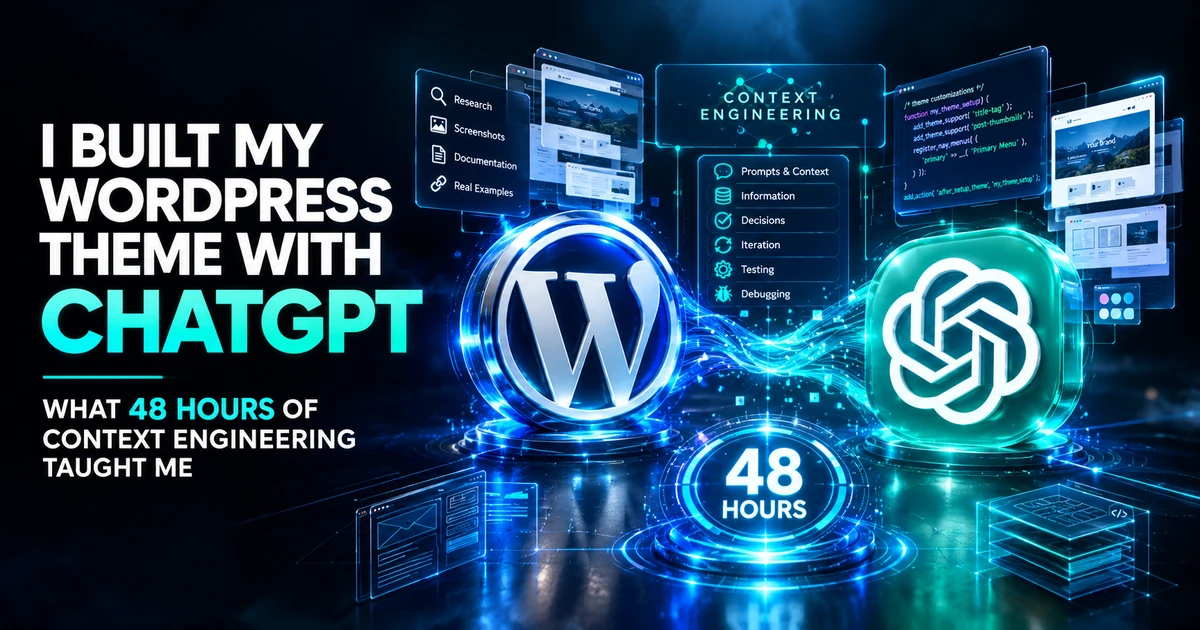
For roughly the last 48 hours, I stopped publishing articles on FaithfulBiz.
Not because I ran out of ideas.
I was busy rebuilding the website itself.
I had been working on a new WordPress theme for FaithfulBiz, and what started as an idea quickly became a much bigger project involving design decisions, layouts, functionality, responsive behaviour, debugging, testing and plenty of changes along the way.
And yes, ChatGPT helped me build it.
But there is an important detail that makes the story more interesting.
I didn’t build the theme by writing one massive prompt and waiting for ChatGPT to generate an entire website.

I explained what I wanted. I showed examples. I shared screenshots. I discussed ideas. I asked ChatGPT to research things when I needed more information. I looked at websites whose architecture I admired and explained what I liked about them.
We planned different parts of the project, built them in stages, tested them, found problems and went back to fix them.
After spending almost two days doing this, I came away with a lesson that I think is more useful than another article about writing the “perfect prompt”:
When you’re working with AI on a complicated project, the quality of the context you provide can matter just as much as the quality of the prompt itself.
That is what my 48-hour WordPress theme build taught me about context engineering.
I Didn’t Start With a Perfect Prompt
There is a common image of AI-assisted development that goes something like this:
You have an idea, write a very detailed prompt, send it to ChatGPT, and the AI produces the finished product.
That wasn’t my experience at all.
I knew broadly what I wanted FaithfulBiz to become, but I didn’t know every detail before the project started.
Some decisions became clearer after I saw an implementation. Some ideas changed. Some things looked good in theory but didn’t work the way I expected once they were actually on the website.
So instead of trying to describe the entire finished theme in one prompt, I treated the conversation as an ongoing development process.
I would explain an idea, discuss it, build that part, look at the result and then explain what needed to change.

That meant I wasn’t trying to predict every requirement at the beginning. I was progressively giving ChatGPT more information about the thing I was trying to build.
So What Is Context Engineering?
You’ve probably heard the term prompt engineering much more often than context engineering.
Prompt engineering is broadly about designing instructions that help an AI model produce the desired result.
Context engineering is a broader idea. Anthropic describes it as curating and maintaining the information available to a model during inference, including information beyond the prompt itself. The company presents it as a progression from prompt engineering for more complex, multi-step AI work. Anthropic’s explanation of context engineering goes into the technical details.
My own experience gave me a much simpler way of understanding the difference:
Prompt engineering is telling the AI what to do. Context engineering is giving it the information it needs to understand what it is doing, what has already happened, and what should happen next.
Those aren’t competing approaches.
I was still prompting ChatGPT throughout the entire theme build. The difference was that the prompts existed inside a much larger context: previous decisions, examples, screenshots, existing code, research, mistakes and feedback.
I Gave ChatGPT the Context Behind the Design
One of the things I quickly realised is that describing a website design entirely with words can be difficult.
I could say I wanted something clean, modern, editorial and easy to navigate.
But those words are subjective.
So I used examples.
When I found a website whose architecture or presentation had something I liked, I could show it and explain what specifically caught my attention.
I wasn’t simply saying:
“Make my website look like this.”
I was explaining the idea behind the reference.
Maybe I liked the way content was grouped. Maybe I liked the relationship between the headline, featured image and article list. Maybe I liked how the navigation worked on mobile. Maybe I liked the overall information hierarchy.
Then we could discuss how that idea might work for FaithfulBiz without simply copying another website.
That additional explanation was context.
Screenshots Became Part of the Conversation
Another major part of the process was using screenshots.
Sometimes I could see a problem immediately but didn’t know the technical terminology needed to describe it perfectly.
A screenshot helped bridge that gap.
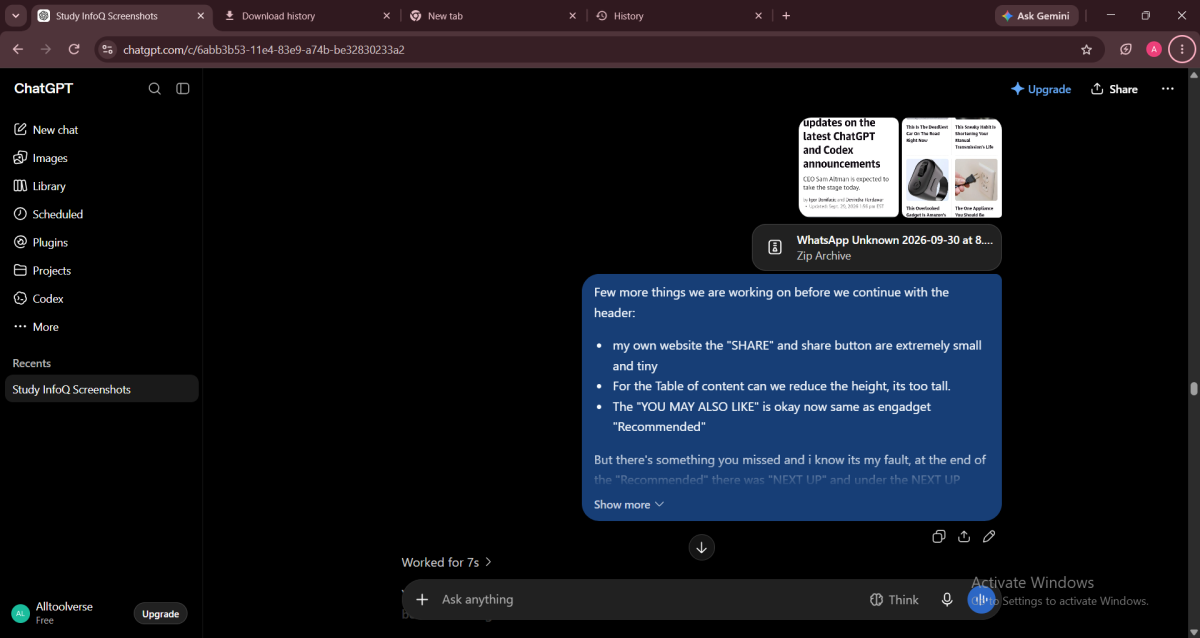
I could show ChatGPT what I was seeing and explain what I expected to happen.
That was particularly useful during the polishing stage, when the difference between “technically works” and “looks and behaves the way I want” became increasingly important.
And this made something clear to me: context isn’t necessarily another paragraph of instructions.
It can be an image, an example, a previous decision, an existing piece of code, a failed attempt, a reference website or an explanation of why something matters.
I Didn’t Build Everything at Once
This was probably one of the most important decisions I made.
I didn’t try to build every feature of the new theme simultaneously. We worked through the project in stages.
That allowed me to look at what had actually been built before deciding what should happen next. It also meant that when something wasn’t right, I could identify the problem more easily instead of trying to debug an enormous pile of changes made at the same time.
The process became something like:
- Explain the objective.
- Discuss the approach.
- Build the relevant part.
- Look at the result.
- Identify what isn’t right.
- Explain the problem.
- Make the change.
- Test again.
That cycle happened repeatedly, and as we progressed, more useful context existed about the project.
The Internet Also Became Part of the Context
I also didn’t rely entirely on what I already knew.
At different points, I asked ChatGPT to research relevant information, including ideas I encountered on Google and approaches used by websites I admired.
That was useful because sometimes the question wasn’t “write this code.”
The question was:
“What is the better way to approach this?”
Research could inform the decision, the decision could change the implementation, and the implementation could then produce another question.
In other words, the process wasn’t simply:
Prompt → code.
It was closer to:
Idea → research → discussion → decision → implementation → testing → feedback → revision.
That is much closer to how I would approach a complicated project with another person.
And Then Things Went Wrong
This is the part of AI-assisted development that I think deserves more attention.
Things went wrong.
There were mistakes. There were behaviours that weren’t what I wanted. There were things that worked in one situation but needed to be adjusted in another.
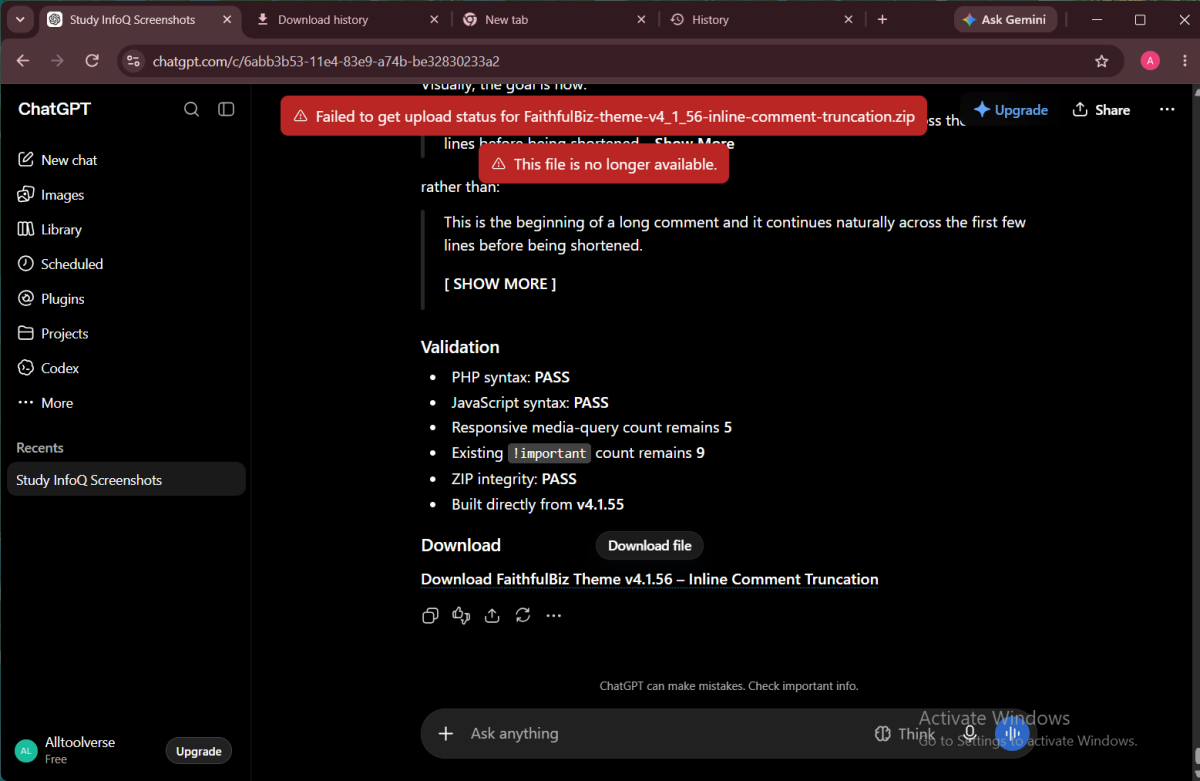
And there was a lot of debugging and polishing.
That didn’t mean the AI had failed.
It meant I was building an actual software project.
Real development involves iteration. You build something, test it, discover an edge case, change it, test again and sometimes discover that the change affects something else.
AI doesn’t eliminate that process. What it can do is make the process dramatically more conversational.
Debugging Became Part of the Context
When I found a problem, I didn’t always need to know exactly which line of code was responsible before asking for help.
I could explain what I was seeing, explain what I expected instead, and provide the relevant code or screenshot.
That was different from asking an isolated question like:
“How do I fix a sticky header in WordPress?”
The actual question had much more context:
“This is how the FaithfulBiz theme currently handles the header. This is what we previously decided about the mobile navigation. This is what is happening now. This is what I want instead. What needs to change without breaking the other behaviour?”
That is a much more constrained problem.
And that is where context became more valuable than simply trying to find a cleverer prompt.
AI Still Doesn’t Replace Judgment
This might be the most important part of the whole experiment.
ChatGPT helped me write and modify the theme, but it wasn’t making every final decision for me.
I had to decide what FaithfulBiz should look like. I had to decide which ideas were worth implementing. I had to notice when something didn’t look right. I had to test the result and tell ChatGPT when its implementation wasn’t what I wanted.
Sometimes I also had to rethink the original idea entirely.
That is why I wouldn’t describe the experience as simply “ChatGPT built my website.”
A more accurate description would be:
I built the theme with ChatGPT through an extended process of conversation, context, implementation, testing, debugging and refinement.
This Is Why I Think Context Engineering Matters
My experience made me think differently about how people approach AI.
When an AI response isn’t good enough, the first instinct is often to write a more complicated prompt.
Sometimes that’s exactly what you need.
But sometimes the problem isn’t the instruction. The problem is that the AI doesn’t know enough about the situation.
It may not know the decisions you’ve already made. It may not know why the existing implementation works the way it does. It may not have seen the example you’re thinking about. It may not know what you’ve already tried or which part of the result you dislike.
Giving it that information can be more useful than simply adding another twenty lines to the prompt.
My 48-Hour Lesson: Stop Looking for the Magic Prompt
After doing this for roughly 48 hours, I don’t think the future of AI-assisted development is going to be about everyone learning increasingly complicated magic prompts.
Good prompting will still matter. Clear instructions will still matter. Examples will still matter.
But for larger projects, I think another skill becomes increasingly important:
Knowing what information the AI needs in order to understand the problem you’re actually solving.
For me, that information included:
- the goal;
- the existing implementation;
- examples;
- screenshots;
- constraints;
- previous decisions;
- failed approaches;
- research;
- feedback;
- and the specific result I wanted next.
Put those pieces together and the AI has a much better chance of understanding the project.
What I Would Do Differently Next Time
Would I change anything if I had to build another large project with ChatGPT?
Absolutely.
First, I would establish the overall architecture earlier.
Second, I would keep a clearer record of major decisions so that temporary ideas don’t become confused with final requirements.
Third, I would test individual components earlier instead of allowing too many changes to accumulate before testing.
And finally, I would treat AI-generated code as something to inspect and test, not something to automatically trust simply because it looks convincing.
That last point matters whether you’re building a WordPress theme, an app or something much smaller.
My previous experiment using Claude to build three apps taught me something similar from a different direction: AI can take on surprisingly substantial development work, but the human still needs to define the objective, evaluate the output and steer the process. I used Claude to build 3 apps.
So, Did ChatGPT Build My WordPress Theme?
Yes.
But not in the way that sentence might suggest.
ChatGPT didn’t independently decide what FaithfulBiz should become.
I provided the vision, examples, feedback and decisions. I researched ideas, tested the results, found mistakes and asked for changes.
ChatGPT helped turn those decisions into a working implementation and helped me iterate much faster than I could have done alone.
That is why I don’t think the most interesting lesson from this project is “ChatGPT can build a WordPress theme.”
We already know AI can generate code.
The more interesting lesson is how you work with it when the project becomes too complicated for a single prompt.
For me, the answer was context.
Give ChatGPT the goal.
Give it the examples.
Give it the screenshots.
Give it the relevant research.
Explain the decisions.
Show it what went wrong.
Then keep iterating.
That is what I spent roughly 48 hours doing with the new FaithfulBiz theme.
And ironically, the biggest thing I learned while building a website with AI wasn’t another prompt.
It was how much better the conversation becomes when the AI actually understands the context.
Editor’s note: This article is based on my own experience rebuilding the FaithfulBiz WordPress theme in September 2026. The process involved planning, research, visual references, implementation, testing, debugging and repeated refinement with ChatGPT rather than relying on a single one-shot prompt.

























Conversation (0)