
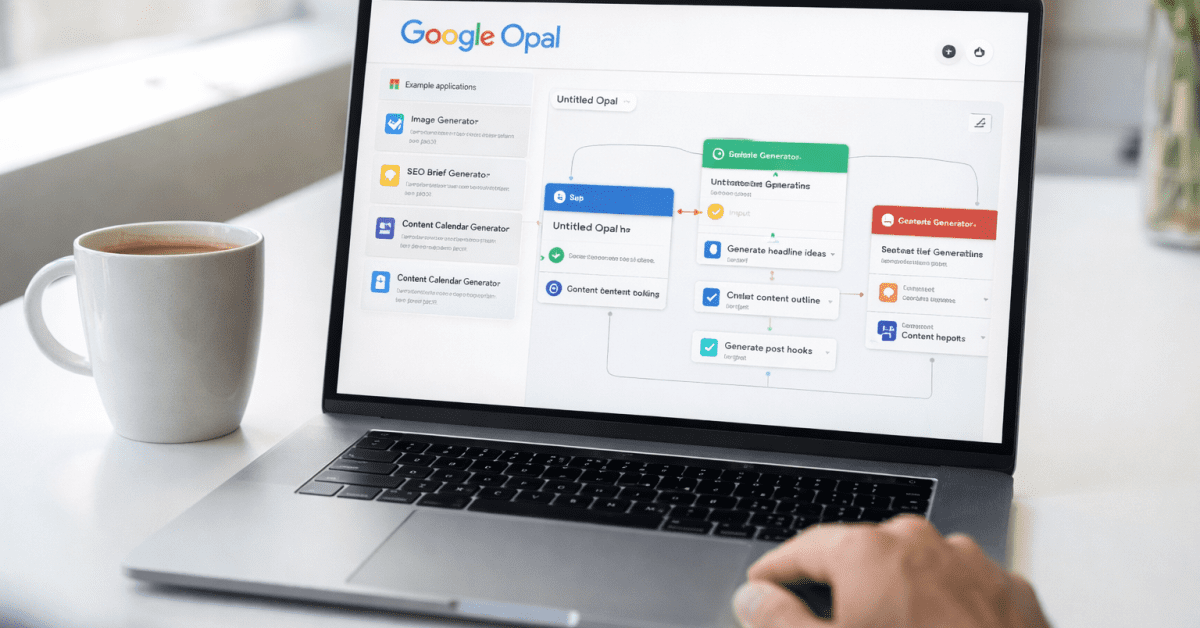
I typed eleven words into a text box and got a working app back in under four minutes. No code. No drag and drop.
And No watching tutorials. Just eleven words describing what I wanted the app to do, and Google Opal turned that description into a functional, shareable tool that anyone with a Google account could open and use.
That moment was genuinely surprising — not because AI building things from text is new, but because this actually worked the first time without any of the usual frustration that comes with “no-code” tools.
Google Opal is one of the most quietly significant free tools Google has released in years, and the vast majority of people who would benefit from it have no idea it exists yet.
This guide covers exactly what it is, how it works, what you can realistically build with it, and why the window to get ahead of everyone else on this tool is open right now.
What Is Google Opal?
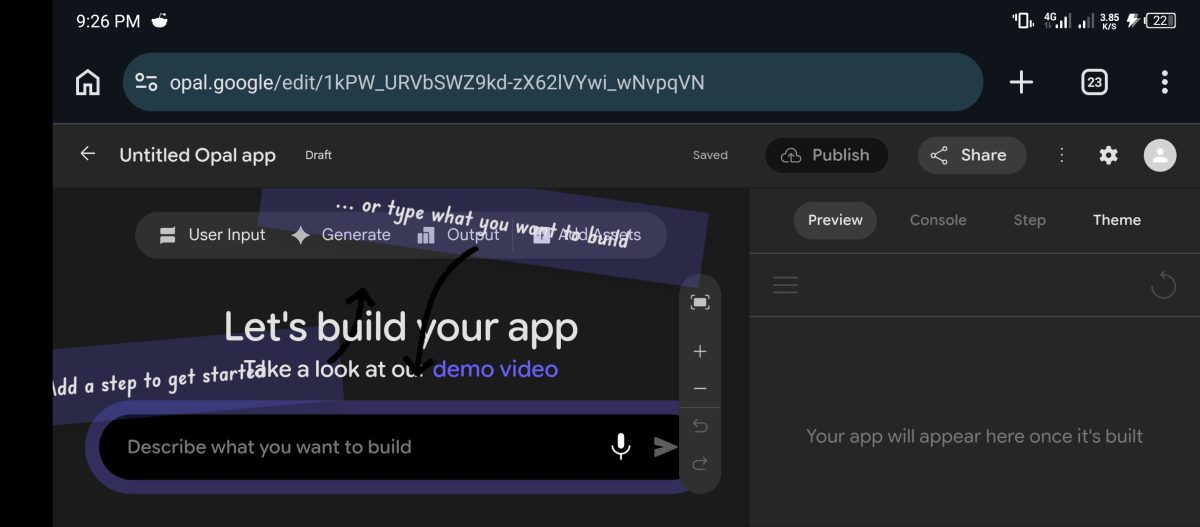
Google Opal is a free, no-code AI application builder developed by Google Labs that allows users to convert natural language text prompts into functional, cloud-hosted visual workflows and repeatable digital tools.
Unlike a standard AI chat interface that produces a one-time response, Opal produces a structured, reusable application with defined inputs, processing steps, and outputs that other people can use — repeatedly, independently, and without any technical knowledge.
You describe what you want to build in plain English — the same way you would explain it to a person — and Opal converts that description into a structured, visual workflow that runs as a real application.
Opal Is Not For Chat But An Actual Tool
Not a chat. Not a one-time response. An actual tool with defined inputs, processing steps, and outputs that you can share with anyone via a link, and that other people can use with their own Google accounts without needing to install anything.
The difference between Opal and a standard AI chat tool is important to understand. When you ask ChatGPT or Gemini to write something, you get a response.
When you build an Opal, you get a repeatable tool. Someone can open your Opal, type their specific input, and get a consistent structured output every time — without you being involved, without them knowing how you built it, and without any of the back-and-forth prompting that normal AI chats require.
That repeatability is what makes Opal genuinely useful for creators, freelancers, and small business owners rather than just an interesting experiment. It connects to the same principle behind how AI agents work — automated, structured intelligence that operates independently rather than reacting to a single prompt.
Google Opal launched in public beta in the United States in July 2025 and expanded to over 160 countries by November 2025. It is completely free right now — no credit card, no subscription, just a Google account.
The free status is because it is still in beta. Google has not announced pricing yet, which means everyone reading this is in the window where the tool costs nothing and the competition for the space it creates is still genuinely low.
What I Built With Google Opal in 4 Minutes
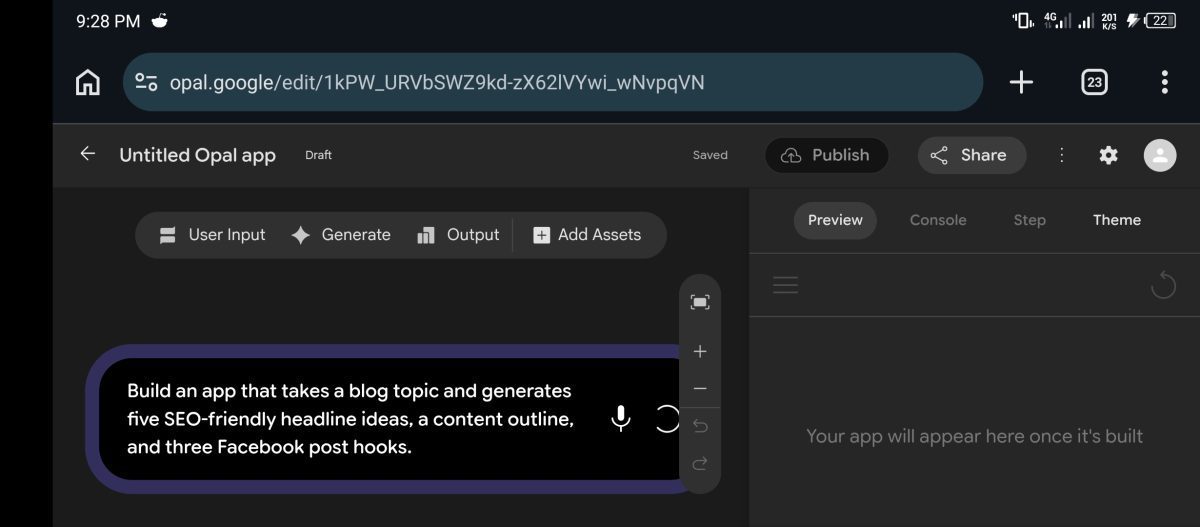
Before going any further, let me show you what convinced me this tool was worth paying attention to.
My first Opal wasn’t complicated.
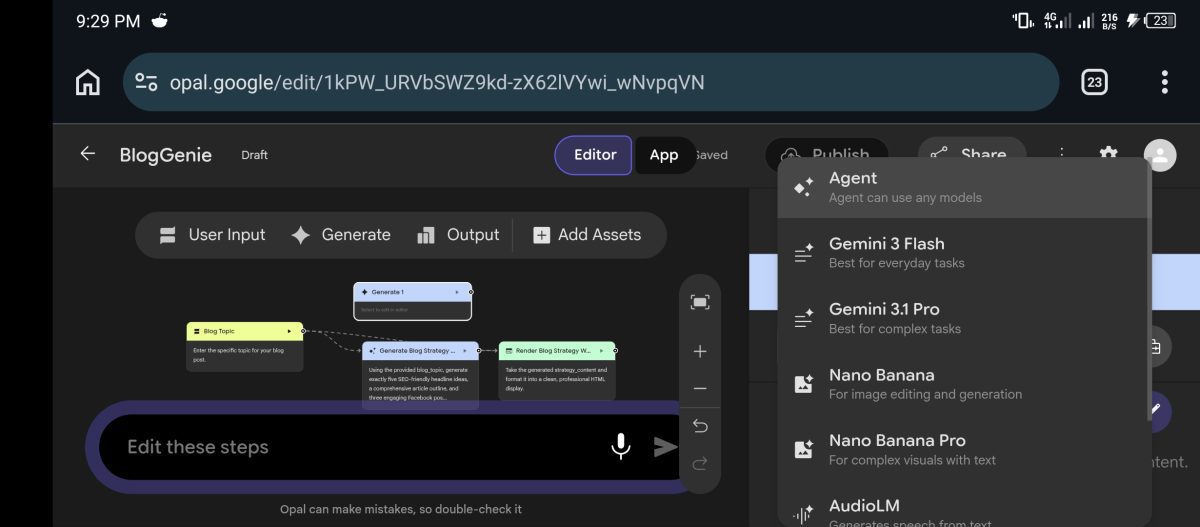
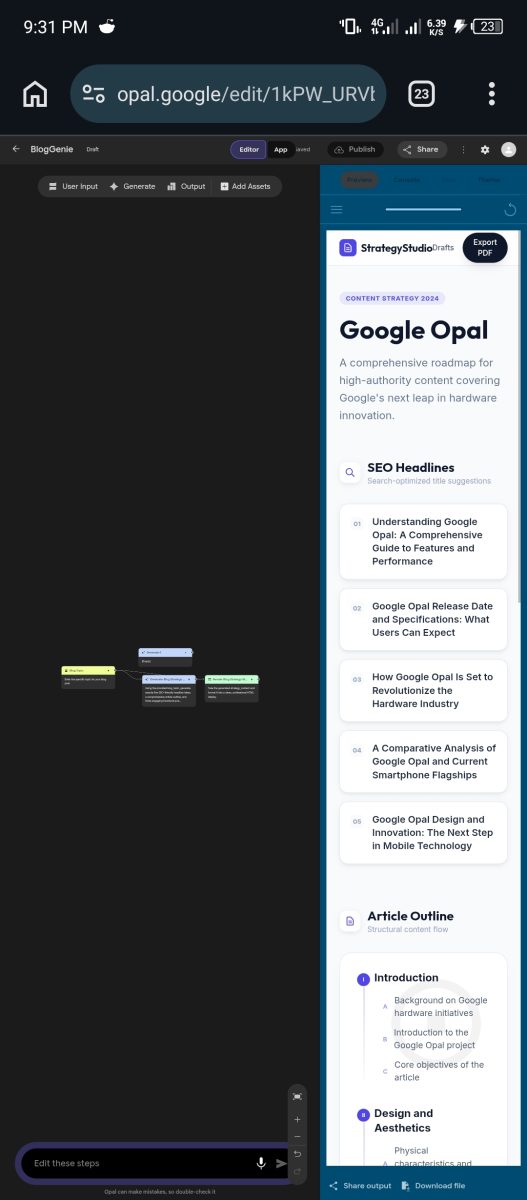
I typed:”Build an app that takes a blog topic and generates five SEO-friendly headline ideas, a content outline, and three Facebook post hooks.”That was it.Within a few minutes, Opal created a working tool with:
- An input field for the topic
- Processing steps powered by Gemini
- A clean output section
- A shareable link anyone could use
The next thing I built was a content calendar generator.
Then a blog brief generator.
Then a tool that turns a long article into Facebook posts and newsletter content.None required code. None required templates. And none took more than a few minutes to create.
The important thing isn’t that Opal can build apps.
The important thing is that it can build useful apps that solve real problems you already deal with every week.Once you understand that, the rest of this guide starts making a lot more sense.
How Google Opal Actually Works
Understanding the mechanics makes everything else in this guide easier to follow. Opal is powered by Gemini — specifically leveraging Gemini 1.5 Pro and Flash protocols alongside deep Google Workspace extensions — which gives it access to Google’s most capable AI models for text understanding, generation, and reasoning.
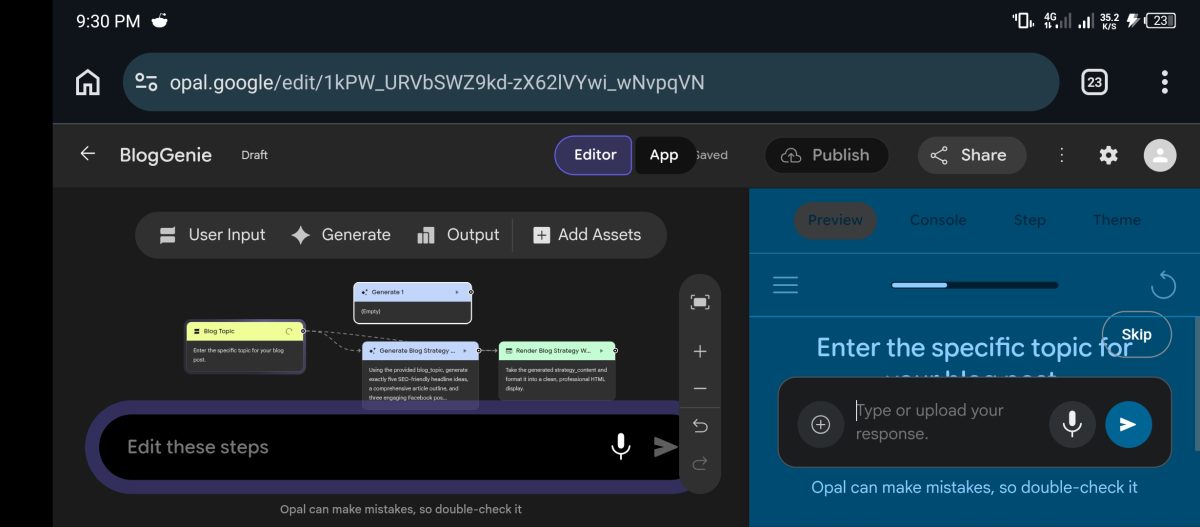
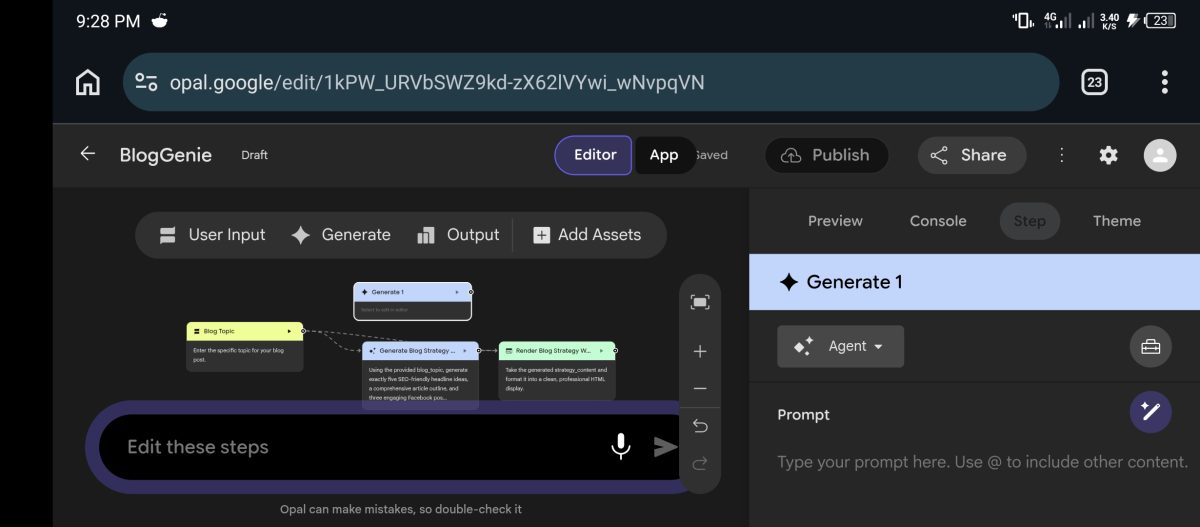
It uses a visual workflow system to chain together different steps into a complete application. When you describe what you want to build, Opal creates a sequence of connected blocks: an input block where users provide information, one or more processing blocks where Gemini performs operations on that information, and an output block where the result is delivered.
You can see this workflow visually, edit individual blocks, add steps, and test the whole thing in a preview window before publishing.
Building Apps With Natural Language
The natural language editor is where most people will spend most of their time. You type your app idea in plain English — “Build an app that takes a blog topic, researches current trends about it, and writes a 500-word draft with an SEO-friendly title” — and Opal builds the initial version.
You can then refine it by typing further instructions — “Add a step that generates three social media post ideas based on the draft” — and Opal updates the workflow accordingly.
The entire building process feels more like a conversation than a technical task, which is exactly what makes it accessible to people who have never built anything before.
In February 2026, Google Labs added the Agent Step to Opal — a significant upgrade that allows the AI to ask clarifying questions mid-workflow, make decisions based on user responses, and self-correct when initial outputs miss the mark.
This means Opals can now handle more complex, multi-step tasks that previously required the user to guide each stage manually.
The agent step keeps Opal simple for beginners while giving more advanced builders the ability to create genuinely sophisticated tools.
Understanding this agentic capability connects directly to the core AI concepts that matter for real-world use — tools that work intelligently without constant human input are the ones that save the most time.
What You Can Actually Build With Google Opal
This is the section that matters most for anyone reading this on FaithfulBiz. Not what Opal theoretically supports — what you can actually build that is genuinely useful for running a content business, a freelance operation, or a side hustle.
Content and Writing Tools
Opal is strongest for content workflows where Gemini can do the heavy lifting. You can build a blog post generator that takes a topic, researches current trends, and outputs a structured draft with headings and suggested title options.
You can build a social media content repurposer that takes a long article and produces a Twitter thread, an Instagram caption, and a LinkedIn post simultaneously.
And You can build an email newsletter generator that takes a list of your recent posts and writes a weekly digest in your brand voice. Each of these becomes a reusable tool — not a one-time prompt you have to recreate every session, but a structured app you open, fill in, and get consistent output from every time.
For bloggers and content creators, these tools alone make Opal worth the ten minutes it takes to learn. The approach of using AI for content writing becomes significantly more powerful when you can build dedicated tools rather than starting fresh with a new prompt every session.
Research and Analysis Tools
Opal can build lightweight research assistants that combine web lookups with structured summarization.
- A competitor analysis tool that takes a website URL and outputs a summary of that site’s positioning, content strategy, and apparent target audience.
- A keyword research assistant that takes a broad topic and returns related subtopics, suggested article titles, and a brief on search intent for each.
- And A product review summarizer that takes a product name and pulls together the key pros, cons, and use cases from available information.
These are tools that would otherwise require either manual research taking hours or a paid subscription to a specialist tool. Opal builds them for free in minutes.
Business and Productivity Tools
Small business owners and freelancers can build internal tools that save real time on repetitive tasks. A client proposal generator that takes a project brief and outputs a structured proposal draft.
- A meeting notes processor that takes raw meeting notes and extracts decisions, action items, owners, and deadlines in a clean format.
- An invoice description writer that takes a list of completed tasks and generates professional line-item descriptions.
- And A customer email response assistant that takes an inquiry and drafts a professional reply in your communication style.
These are tools that replace hours of manual writing and formatting with a workflow that delivers consistent, professional output in minutes.
Opal connects natively to Google Docs, Sheets, Gmail, and Drive through Workspace extensions — which means tools like these fit naturally into the workflows most small business owners are already running.
This is exactly the kind of practical AI application covered in the guide to how AI is transforming small businesses right now.
Freelance Service Tools
This is the most immediately monetisable use case for most people reading this. You can build tools that power freelance services and either use them for your own client work or sell access to them.
- A niche SEO audit tool for small business websites.
- A brand voice guide generator that takes a business description and outputs a complete brand tone and style guide.
- A content calendar builder that takes a business niche and a publishing frequency and returns a month of post ideas with angles and target keywords for each.
These are tools clients will pay for the output of even if they never see the Opal behind it.
You are not selling the tool — you are selling the result the tool produces, faster and more consistently than a manual process could.
The distinction between what actually works when making money with AI and what sounds good in theory is exactly this — tools that produce deliverables clients can use, built at a fraction of the time and cost of traditional production.
How to Get Started With Google Opal in Under 10 Minutes
Starting with Opal is genuinely as straightforward as it gets for any AI tool in 2026. Here is the exact path from zero to your first working app.
Go to opal.google in your browser and sign in with your Google account. No separate sign-up required — your existing Google account gets you in.
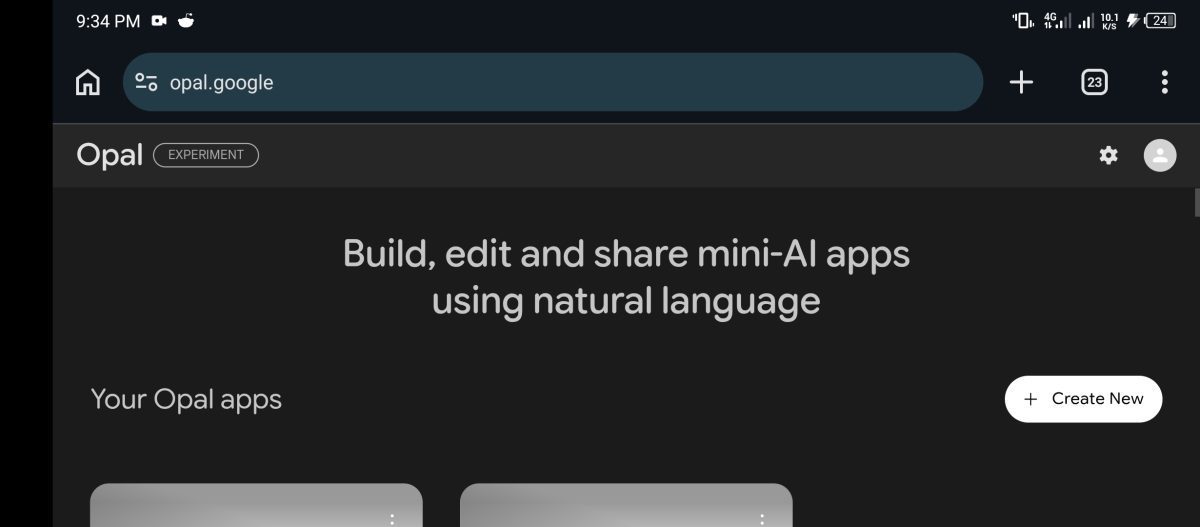
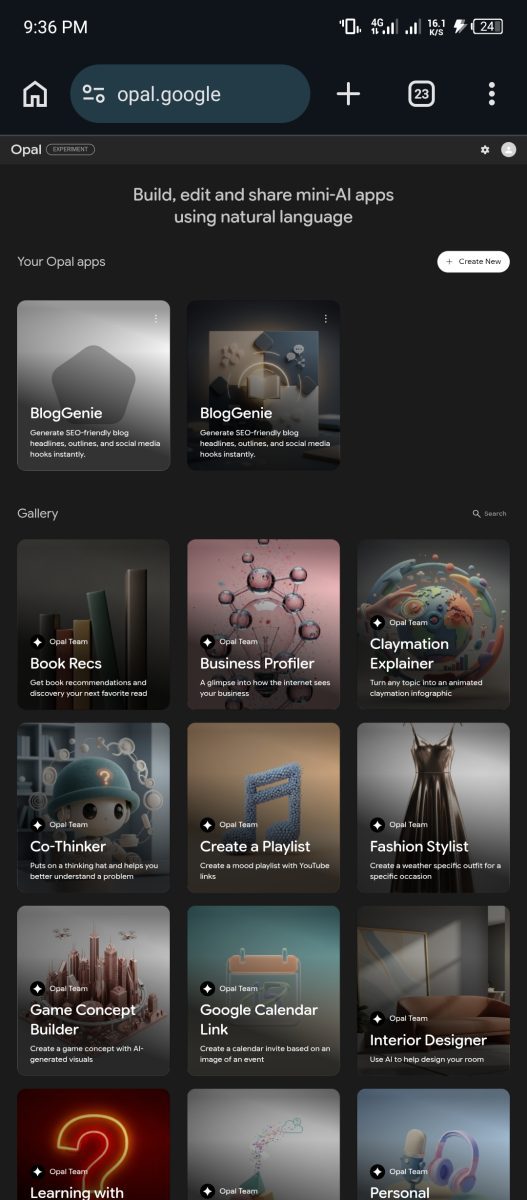
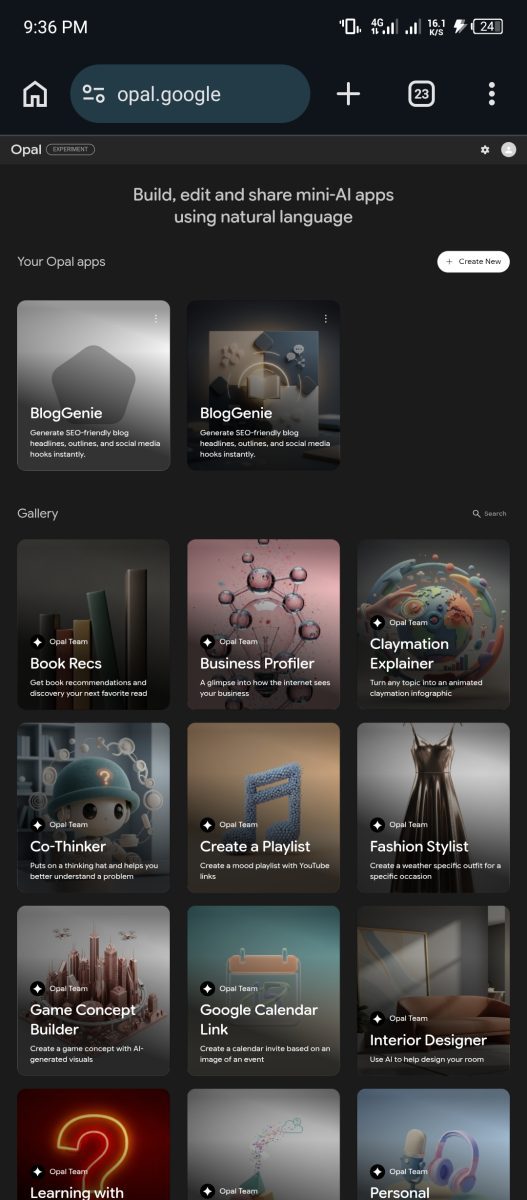
Once inside, you will see the Opal interface with a gallery of example apps on the left and a creation area in the center. Before building anything yourself, spend five minutes opening and running a few of the gallery examples.
This shows you what finished Opals feel like from a user’s perspective and gives you a concrete sense of the quality and structure to aim for.
When you are ready to build, click the Create New button and type your app description in the natural language editor at the bottom of the screen.
Know These While Using Opal
Be specific. “Build a blog post generator” produces a generic result. “Build an app that takes a blog topic and target audience as input, researches current trends related to the topic, and outputs a 600-word first draft with three headline options and five keyword suggestions” produces something immediately useful.
The more specific your description, the closer the first version lands to what you need.
Once Opal generates the initial workflow, test it in the Preview panel on the right side of the screen. Enter real inputs — the kind of content you would actually use this tool for — and evaluate the output honestly.
If something is off, type a refinement instruction in the natural language editor: “Add a step that adjusts the tone to sound more conversational and less formal” or “Include a step that generates three social media captions based on the draft.” Opal updates the workflow with each instruction.
Most users reach a working, genuinely useful tool within three to five refinement cycles. The whole process takes under ten minutes for anything straightforward and under thirty for something more complex.
When you are happy with the result, click Publish. Opal generates a unique shareable link. Anyone with a Google account can open that link and use your app.
You can share it privately with clients, post it publicly, or keep it for your own use. There is no hosting cost, no maintenance, and no additional setup required on your end.
Google Opal vs Other AI Tools: Where It Fits
The most common question from people who already use AI tools is where Opal fits relative to what they are already using.
The honest answer is that it occupies a specific niche that none of the existing tools fill in quite the same way.
Compared to ChatGPT and Claude, Opal produces tools rather than responses. If you use Claude to write blog posts, you are starting a new conversation each time and re-explaining your requirements.
An Opal blog post generator sits permanently, requires no re-explanation, and can be used by clients or team members who have never written a prompt in their life.
Other AI Tools
Claude is better for complex, nuanced writing tasks that require back-and-forth refinement. Opal is better for repeatable, structured tasks you do regularly and want to systematise.
The best AI tools that actually save time are the ones matched to the right type of task — and Opal’s strength is precisely in tasks that benefit from structure and repeatability.
Compared to automation tools like Zapier or Make, Opal is dramatically simpler to use but significantly more limited in depth.
Zapier connects thousands of apps with complex conditional logic and handles high-volume, production-grade workflows.
Opal builds AI-powered mini-apps in minutes with no technical knowledge required but has no persistent storage, no user authentication, and limited external API connections.
For someone who needs a quick, functional tool to handle a specific task — especially a writing, research, or analysis task — Opal is the faster and easier choice. For someone building a production business workflow that needs to run reliably at scale, Zapier or Make are more appropriate.
Compared to Google’s own NotebookLM and other Google AI tools, Opal fills a distinct creation role that the others do not. NotebookLM is for working with your existing documents — analysing, summarising, and querying content you upload.
Opal is for building tools that process inputs and produce outputs in a structured workflow. They complement each other rather than compete.
Google Opal vs Google AI Studio
A lot of people confuse Google Opal with Google AI Studio because both are Google AI products.
They are designed for completely different users.
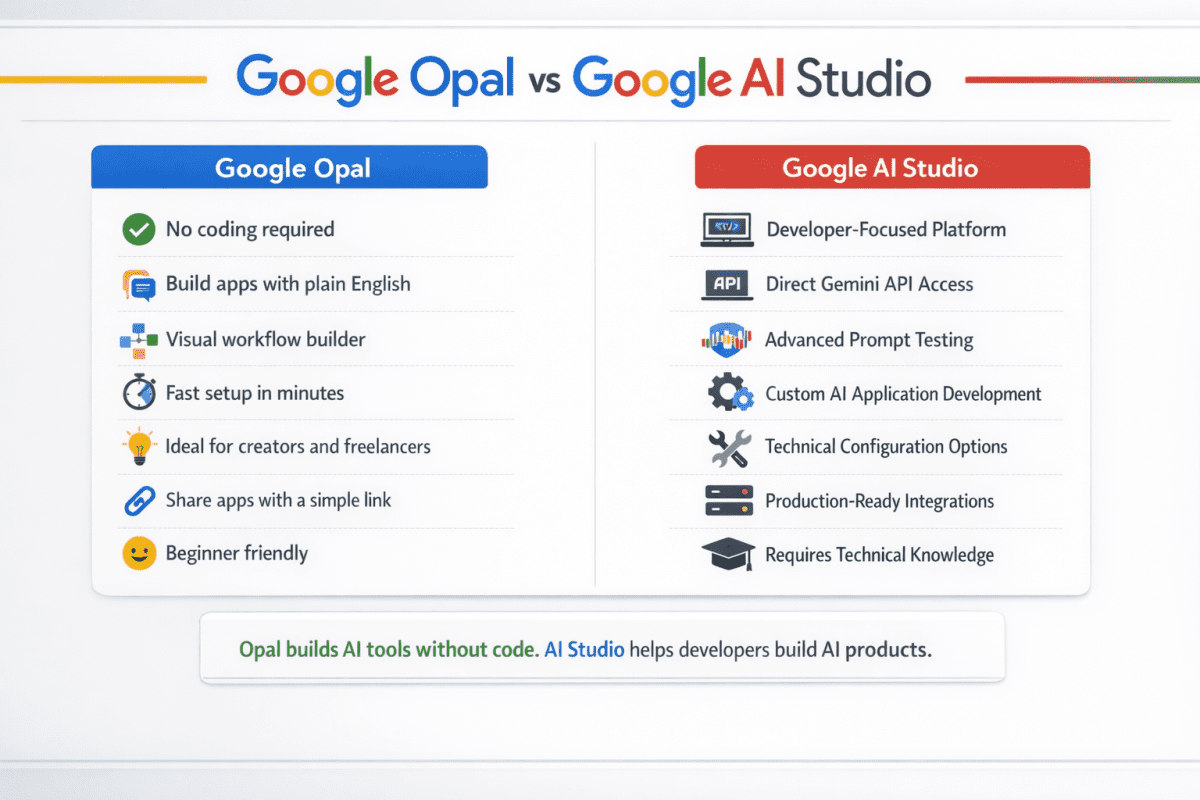
Google AI Studio is aimed at developers and technical users who want direct access to Gemini models, APIs, prompt testing, and application development.
Google Opal is aimed at everyday users who want to build useful AI-powered tools without writing code.
Think of it this way:
Google AI Studio is where developers build AI products.
Google Opal is where non-developers build AI tools.
If your goal is creating applications with custom code, APIs, and advanced configurations, AI Studio is the better fit.
If your goal is creating a blog post generator, content calendar builder, research assistant, proposal generator, or other workflow tool in minutes using plain English, Opal is dramatically easier.
Most FaithfulBiz readers will get value from Opal much faster because it removes nearly all of the technical complexity.
What Google Opal Cannot Do: The Honest Limitations
No guide on a new tool is complete without an honest look at where it falls short. Opal has real limitations that matter depending on what you are trying to build.
There is no persistent storage. Opal apps do not remember previous sessions. Each time someone opens and uses your Opal, it starts fresh with no memory of past interactions.
This means you cannot build tools that learn from user behaviour, maintain ongoing context, or accumulate data over time without integrating Google Sheets as an external storage layer.
There is no user authentication system. Anyone with the link can use your published Opal. You cannot restrict access to specific users, charge for access, or track who is using it.
For personal tools and tools you share with specific clients, this is fine. For a product you want to monetise through subscriptions or access control, you need additional infrastructure that Opal does not provide.
External Integrations
External integrations are limited. Opal connects well to Google’s own ecosystem — Docs, Sheets, Gmail, Drive — but connecting to third-party APIs, databases, or external services is either constrained or unavailable compared to full automation platforms.
If your tool needs to pull from a CRM, post to social media directly, or trigger actions in external business tools, you will quickly hit walls that Opal cannot currently clear.
The experimental status carries real risk. Google Labs products change, graduate to different forms with new pricing, or get discontinued.
Opal can make mistakes and says so explicitly in its interface. Building a business-critical workflow that depends entirely on a free experimental tool is a genuine continuity risk.
The practical mitigation is to use Opal for tools where the output is what matters — not the tool itself — and to export important results to Google Sheets or Docs so your data remains accessible regardless of what happens to the platform.
Why Right Now Is the Time to Build With Opal
The timing argument for Google Opal is straightforward and worth taking seriously. The tool is free. It works. Most people in your niche have not discovered it yet.
The gap between what early adopters build now and what latecomers find when they eventually arrive is real and growing every week.
This is the same window that existed with every significant AI tool before mainstream adoption. The people who built YouTube channels about AI tools in 2022 before everyone else caught up have audiences now that took months to build.
The people who published detailed Midjourney guides before every major tech site covered it ranked for those terms and kept that traffic.
The pattern repeats with every new tool, and Opal is at exactly the stage where the gap between early movers and everyone else is largest.
The Era of AI Tools
The skills that survive the AI era include recognising these windows and moving on them before the consensus catches up. Being the person in your network who already knows how Opal works, what it can build, and how to use it to save time or generate income is a positioning advantage that costs nothing to claim right now — and will cost significantly more effort to achieve in six months when everyone else has arrived.
Go to opal.google, sign in with your Google account, and spend thirty minutes building something you actually need. A tool that handles a task you do manually every week.
A research assistant for your niche. A writing tool configured to your specific voice and requirements. The gap between reading about a tool and building your first real thing with it is always smaller than it feels.
Opal makes it smaller than almost any other AI tool available right now — and that accessibility is exactly why it is worth your time today.
Frequently Asked Questions
Yes. As of 2026, Google Opal remains free to use during its beta phase. All you need is a Google account.
No. Opal was specifically designed for people with no coding experience. You create tools using natural language instructions.
Not directly. Opal creates AI-powered applications and workflows rather than full websites. However, it can build tools that can be embedded into broader business workflows.
Google expanded Opal to more than 160 countries after its initial release. Availability may vary slightly by region.
They serve different purposes. ChatGPT is primarily a conversational AI assistant. Google Opal is a tool builder that creates reusable applications from natural language descriptions.
Can I make money with Google Opal?
Potentially, yes. Freelancers, creators, consultants, and agencies can use Opal to create tools that speed up client work, improve productivity, and deliver services more efficiently.














Join the discussion Tap to open the comment form +