


Most AI tool comparisons are written by people who read marketing pages and copy-paste feature lists.
I chose a different route: I spent three weeks building the exact same tool in three different platforms. I built a comprehensive content research assistant — one that analyses a niche topic, finds trending questions, and outputs a structured brief — in Google Opal, Claude Projects, and ChatGPT Custom GPTs.
Three platforms, one task, wildly different results. The truth is, the debate over which platform builds better AI apps is completely missing the point. The real answer depends entirely on who is using the tool and what you are trying to achieve.
This comparison cuts through the noise to show you exactly where each tool dominates, where it breaks, and precisely which one belongs in your creative workflow.
The Problem With Most AI Tool Comparisons
Most comparisons between these three tools are written by people who have read the marketing pages but not sat down and built something real with each one over an extended period. They compare feature lists.
They run benchmark tests. Or They produce a table with checkmarks. What they miss is the actual texture of the building experience — the friction, the quirks, the moments where a tool surprises you in a good way and the moments where it hits a wall you did not expect.
The honest truth is that Google Opal, Claude, and ChatGPT are solving related but fundamentally different problems.
Opal is a tool for building reusable, shareable AI applications without code. Claude is a reasoning and writing engine that becomes a persistent workflow partner through Projects. ChatGPT is a multimodal platform that builds Custom GPTs and connects to a vast ecosystem of integrations.
Treating them as direct competitors for the same job produces a misleading comparison. Treating them as three tools with overlapping but distinct strengths produces genuinely useful decisions about which one to open for which task.
If you are new to any of these tools, the complete Google Opal guide and the complete Claude AI guide give you the foundation before this comparison makes full sense.
What Each Tool Actually Is Before We Compare Them
Google Opal is a no-code AI mini-app builder developed by Google Labs. It converts plain English descriptions into structured, cloud-hosted visual workflows with defined inputs, processing steps, and outputs that anyone with a Google account can use via a shareable link.
The key distinction is that Opal produces tools, not responses. When someone uses an Opal you built, they interact with a structured application — not a chat conversation.
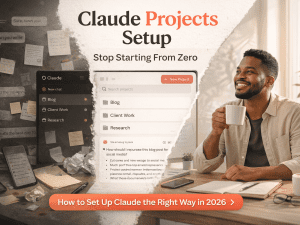
Claude, built by Anthropic, is a reasoning and writing AI that becomes significantly more powerful when you use its Projects feature.
A Claude Project is a persistent workspace where the AI carries your context, your documents, and your preferences across every conversation you have inside it.
You are not building an app in the traditional sense — you are creating a configured working environment that delivers consistent, context-aware responses to you or a small group of collaborators. The full Claude Projects setup guide shows exactly how this works in practice.
ChatGPT, built by OpenAI, offers Custom GPTs through the GPT Builder — a guided interface for creating specialised chat assistants with custom instructions, uploaded knowledge files, and optionally connected actions that trigger external tools and APIs.
Custom GPTs live in the GPT Store and can be shared publicly or kept private. The building experience is more structured than Claude Projects but less visual than Opal, sitting in the middle ground between the two in terms of technical complexity.
| Platform | Best Used For | Core Strength | Ultimate Output |
|---|---|---|---|
| Google Opal | Client-facing tools, simple automations | Zero-code visual workflows | Standalone, shareable cloud app URL |
| Claude Projects | Deep analysis, long-form writing, coding | Reasoning precision, massive context | Personalised, persistent workspace |
| ChatGPT Custom GPTs | Ecosystem-heavy tasks, image gen, app actions | Multimodal breadth, agentic computer control | Specialised chat assistant in the GPT Store |
The Building Experience: Where Each Tool Feels Natural
Building With Google Opal
The Opal building experience starts with a natural language description typed into a bar at the bottom of the screen. Within 15 to 20 seconds, a visual workflow appears — yellow Input blocks, blue Generate blocks, green Output blocks connected by lines in the Editor view.
You can see every step of what your tool will do before it runs. The Preview panel on the right shows you the user-facing interface in real time as you build.
Refinements are made through the same natural language bar — you type what needs changing and Opal updates the relevant block.
What makes Opal genuinely different is the output. When you finish building and hit Publish, you have a standalone application with its own URL.
Someone who has never used Opal, never written a prompt, and has no interest in AI as a topic can open that link, fill in a field, and get a structured, useful output.
The tool works independently of you. That independence is Opal’s core value proposition and it is something neither Claude nor ChatGPT replicates in the same way.
The full step-by-step process for building your first Opal is covered in the Google Opal tutorial.
Building With Claude Projects
Setting up a Claude Project takes about ten minutes and involves three things: writing custom instructions that tell Claude who it is working for and how it should behave, uploading relevant documents to the knowledge base, and starting your first conversation inside the Project.
There is no visual workflow builder. There are no blocks. Everything is text-based — your instructions, your knowledge files, and your conversation.
The power is in Claude’s reasoning quality and its ability to maintain your context across sessions without you re-explaining anything.
Where Claude Projects excel is in complex, nuanced work that requires the kind of judgment and writing quality that structured workflows cannot replicate.
Long-form content that needs to sound like a specific person. Analysis of large documents where subtle implications matter.
Multi-turn reasoning on a business problem where each response builds on the last. Claude at 95 percent functional accuracy on coding tasks and with a 1 million token context window on Opus handles depth in a way that Opal’s structured workflows are not designed to match.
The tradeoff is that a Claude Project serves you — it does not produce a tool that others can use independently without guidance.
Building With ChatGPT Custom GPTs
The GPT Builder walks you through creating a Custom GPT with a guided configuration screen: a name, a description, custom instructions, uploaded knowledge files, and optionally connected Actions that link to external APIs.
The interface is more structured than Claude Projects but lacks Opal’s visual workflow representation. You are essentially writing a detailed system prompt with some supporting documents and optionally connecting it to external services.
The finished GPT lives in the GPT Store and can be shared via link, made public, or kept private.
ChatGPT’s genuine advantage in this comparison is ecosystem breadth. A Custom GPT can generate images through DALL-E, browse the web for current information, execute Python code in a sandbox, and connect to thousands of external services through Actions.
On OSWorld — the industry standard benchmark for agentic computer-control tasks — GPT-5.4 scores 75%, surpassing even the human expert baseline of 72.4% — a result no current Claude model matches.
For builders who need their AI tool to take actions in the world — booking things, sending emails, updating databases, generating images — ChatGPT’s ecosystem is the strongest of the three. The full comparison of ChatGPT, Claude, and Gemini covers this breadth advantage in detail.
Head to Head: The Same Tool Built Three Ways
Building the same content research assistant across all three platforms revealed specific, concrete differences that no feature comparison table captures. Here is what actually happened across three weeks of real building.
Time to First Useful Output
Opal produced a working, testable version of the research assistant in under four minutes from a single description.
The first output needed refinement but the structure was immediately correct. Claude Projects took about twelve minutes to set up — writing instructions, uploading a few reference documents, and testing the first conversation.
ChatGPT’s GPT Builder took about eighteen minutes including writing the system prompt, configuring the knowledge files, and working through the guided setup screens. For speed to first useful output, Opal wins clearly — but speed to first output is not the same as depth of final output.
Output Quality on Complex Tasks
When the research task was straightforward — give me five article ideas on a topic — all three tools produced serviceable results.
When the task became complex — analyse this 8,000-word competitor article, identify the gaps in their coverage, and build a brief for a post that genuinely improves on it — the differences became stark.
Claude handled this with notable precision, identifying subtle gaps in argument structure that Opal’s structured workflow missed entirely and ChatGPT summarised without the same analytical depth.
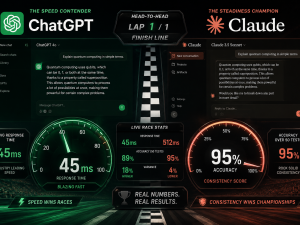
This aligns with the documented research: Claude leads on long-document analysis and coding accuracy, ChatGPT leads on speed and multimodal breadth, and Opal leads on repeatability and shareability for structured workflows.
Who Can Use What You Built
This is the dimension that matters most for freelancers and creators building tools for clients or audiences.
An Opal tool works for anyone with a Google account regardless of their AI experience. A Claude Project works best for you — it is configured around your context and requires you to be present and guiding each session.
A ChatGPT Custom GPT works for anyone with a ChatGPT account — free users can access public GPTs, though heavy usage still hits daily caps that require a paid tier to overcome meaningfully.
For building tools that other people use without guidance, Opal is the strongest option. Then For building a personalised working environment for yourself, Claude Projects is the strongest.
And For building something that benefits from ongoing conversation and multimodal capability, ChatGPT Custom GPTs occupy that middle ground.
What Practitioners Are Actually Saying
The honest picture from people who build with these tools professionally in 2026 is nuanced in a specific way: the most productive builders are not loyal to any single platform.
A live head-to-head audit comparing Opal, n8n, and Make for newsletter automation found that Opal wins on speed and simplicity for content workflows, while more complex production setups require tools with deeper API connections.
Practitioners working at that professional level consistently use Opal for rapid prototyping and client-facing tools, Claude for deep work requiring genuine reasoning quality, and ChatGPT for multimodal tasks and ecosystem-connected workflows.
The community consensus that has emerged specifically on the app-building question is this: if you need to hand someone a tool they can use immediately, build it in Opal.
If you need to do your best thinking and writing work with an AI partner, build your environment in Claude. If you need your tool to generate images, browse the web, or trigger actions in external services, build it in ChatGPT.
The people who insist on picking one and ignoring the others consistently produce worse results than the people who have learned which tool to reach for based on the specific requirement. Why most people fail with AI tools comes down exactly to this — forcing the wrong tool into the wrong job and wondering why the results disappoint.
The Honest Limitations of Each Platform
Google Opal has no persistent storage between sessions, no user authentication system, and limited external integrations beyond Google’s own ecosystem.
It is a Google Labs experimental product — which means it could change, graduate to a paid tier, or be discontinued without the timeline certainty that a commercial product would provide.
Building workflows that depend entirely on Opal without exporting important outputs to Google Sheets or Docs creates real continuity risk.
Claude Projects are only as useful as the instructions and knowledge you put into them. Vague instructions produce inconsistent outputs regardless of Claude’s underlying capability.
Heavy users on the Pro plan still hit usage limits during intensive sessions — the rolling window system means long, complex conversations burn through your allowance faster than short, focused ones.
Claude also lacks native image generation and built-in sandbox code execution tools, which are genuine gaps for workflows that require visual assets or instant code verification. The Claude Free vs Pro vs Max breakdown is worth reading before you decide which plan fits your building needs.
ChatGPT Custom GPTs require a paid plan for the full building experience — the GPT Builder’s guided setup, while approachable, produces less flexible architectures than either Opal’s visual workflow builder or Claude Projects’ open-ended instruction system.
Free users can access public GPTs but face strict daily usage caps that make sustained heavy use impractical without upgrading. And the GPT Store, while large, means your tool sits in a competitive marketplace rather than a direct shareable link that you control entirely.
These are not reasons to avoid ChatGPT — they are the specific constraints worth knowing before you commit your building time to the platform.
How to Decide Which One to Use Right Now
The decision framework that actually holds up across different use cases comes down to three questions. Who needs to use what you are building? How complex is the reasoning required? And does the output need to take actions beyond generating text?
If you are building a tool for clients, customers, or an audience who will use it independently without AI expertise, build in Opal.
If you are building a working environment for yourself that will handle complex, nuanced work requiring deep reasoning and consistent voice across long-form content, build in Claude Projects.
And If you are building something that needs to generate images, browse the web, execute code, or trigger actions in external tools, build in ChatGPT.
The ecosystem breadth is genuinely unmatched at the consumer level and the multimodal capabilities make workflows possible that the other two platforms cannot currently replicate.
For most freelancers and content creators reading this on FaithfulBiz, the practical answer is to use all three with a clear division of labour. Opal for client-facing tools and repeatable structured workflows.
Claude for your own writing, analysis, and content production. ChatGPT for tasks requiring images, current web data, or external service connections.
That combination covers the full range of what a modern digital creator needs without requiring you to force any single tool past its natural limits. The AI tools that genuinely save time are always the ones matched to the right task.
The Direction These Tools Are Heading
The gap between these three platforms is narrowing in specific ways while widening in others. Google has confirmed an Agent Marketplace for Opal that will allow creators to publish and sell their tools — which pushes Opal from a building tool into a distribution platform.
Anthropic’s Claude Code now holds between 42 and 54 percent of the enterprise coding market and is growing at a pace that suggests Claude will become the dominant platform for serious professional work even as ChatGPT retains its mass-market position.
OpenAI’s GPT-5.4 computer-use benchmark of 75 percent on OSWorld points toward ChatGPT becoming more agentic — taking real-world actions rather than just generating content.
The practical implication of these trajectories is that the builders who develop fluency across all three platforms now will have a compounding advantage as each one expands.
The skills you build using Opal’s workflow system transfer to understanding any visual AI builder. The context engineering you develop through Claude Projects transfers to any persistent AI workspace.
The prompt architecture you refine through ChatGPT Custom GPTs transfers to any instruction-based AI configuration. None of these skills expire.
All of them compound. The skills that survive the AI era are built through exactly this kind of deliberate, cross-platform fluency — not through loyalty to any single tool.
The question was never which AI builds better apps. The question was always which AI builds better apps for your specific use case, your specific audience, and your specific workflow.
You now know the answer to all three. The only thing left is to open the right platform for the right job and start building something worth building.












Join the discussion Tap to open the comment form +