

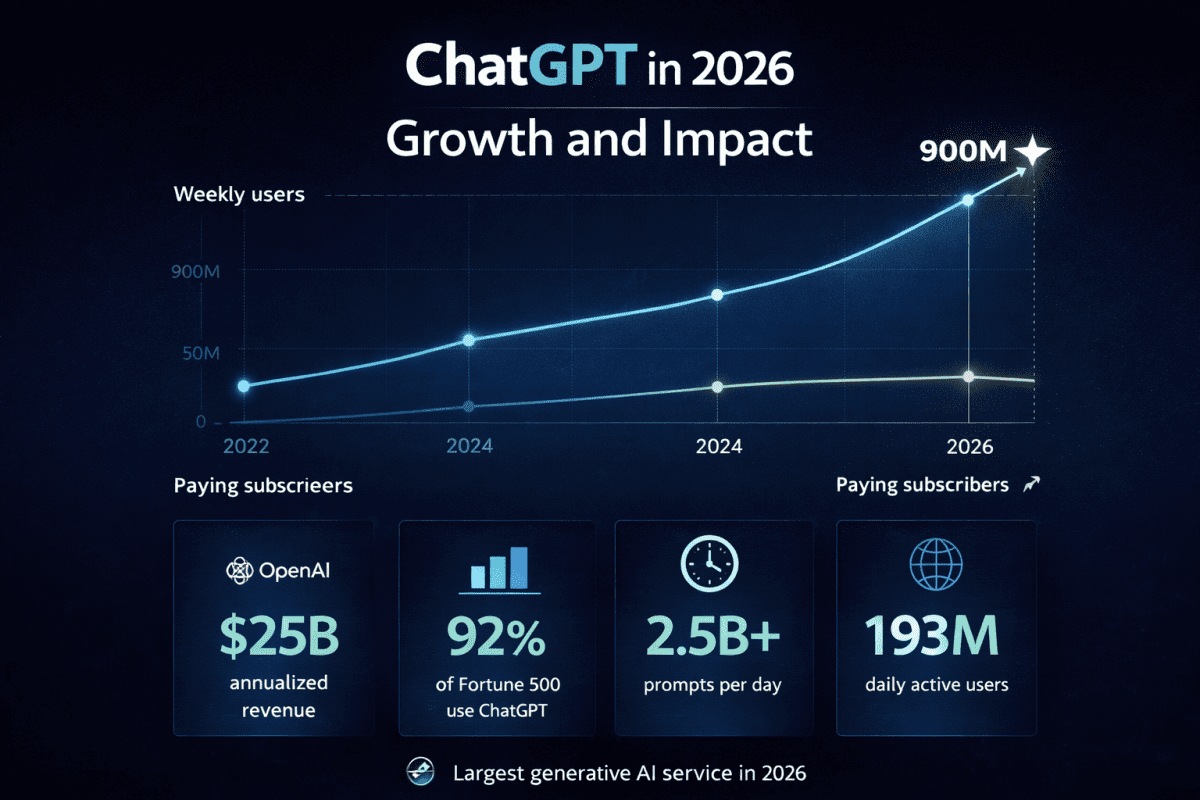
Nine hundred million people use ChatGPT every week. That number was confirmed by OpenAI on February 27, 2026, and it is still climbing toward one billion before the end of the year. The platform processes billions of prompts every day. It has been ranked the number one generative AI service continuously for every day tracked since February 2026. It generates $25 billion in annualised revenue (so to say tens of billions in annualised revenue) and is used by a large majority of Fortune 500 companies.
None of those numbers are why you should care about ChatGPT.
You should care because in 2026, ChatGPT is no longer a novelty or a productivity experiment. It is a practical daily tool that — when used properly — genuinely changes what one person can produce, how fast, and at what quality level. The gap between someone who uses ChatGPT effectively and someone who does not is now measurable in hours saved per week, work quality differences, and the range of tasks one person can handle without needing additional help.
This is the complete ChatGPT guide for 2026. Not a surface-level overview of features you could find on the OpenAI website. A practical, honest guide that covers what ChatGPT actually is in its current state, what each plan genuinely gives you, what the tool does well and where it disappoints, and how to use it in a way that produces results worth having. Everything here is current as of May 2026.
What ChatGPT Actually Is in 2026

ChatGPT is an AI assistant built by OpenAI, a San Francisco-based AI research company. It generates text responses to prompts — questions, instructions, creative briefs, analysis requests, coding problems — using large language models trained on enormous volumes of human-written text and code. The conversation interface makes it feel like messaging a very knowledgeable assistant who responds almost instantly to whatever you ask.
That description is technically accurate and practically incomplete. What makes ChatGPT genuinely useful in 2026 is not the chat interface — it is the combination of capabilities that have been added to that interface over three years of rapid development. The current flagship model, GPT-5.5, launched on April 23, 2026, and handles text, images, code, documents, web search, and reasoning tasks in a single integrated tool. It is multimodal, meaning you can upload a photo, a PDF, a screenshot, or a spreadsheet and discuss it alongside text input in the same conversation.
OpenAI has shipped seven distinct model generations in under three years. GPT-5.5 is now the default for Plus, Pro, Business, and Enterprise users. GPT-5.5 Instant became the default model for all ChatGPT users as of May 2026, replacing GPT-5.3 Instant — bringing sharper accuracy, clearer answers, stronger image understanding, and better web search integration to every user including those on the free tier.
How ChatGPT Has Changed in the Last Twelve Months
The version of ChatGPT most people’s mental model is based on — GPT-4 or early GPT-4o — is several generations behind what is currently available. The practical differences between GPT-4 and GPT-5.5 are not incremental. Reasoning ability, factual accuracy, instruction following, coding capability, and contextual understanding have all improved significantly enough that someone who found ChatGPT underwhelming in 2023 or 2024 would have a materially different experience today with equivalent use cases.
The features added in 2025 and 2026 that matter most for everyday users include Agent Mode — the ability to complete multi-step tasks autonomously across different tools and applications — Deep Research, which compiles comprehensive reports from web sources, and Codex Mobile, which launched free on all plans including Free and Go on May 14, 2026, bringing coding assistance directly to mobile devices. Image generation through ChatGPT Images 2.0, launched April 21, 2026, replaced the older DALL-E models and brought significantly improved quality and instruction following to visual output.
ChatGPT Plans and Pricing: The Full Picture in 2026
ChatGPT’s pricing structure has become significantly more complex in the past twelve months. There are now seven distinct tiers plus a pay-per-token API, and the gap between them matters more than most comparison guides acknowledge. Understanding which tier actually makes sense for your situation is one of the most practical decisions you can make before spending any money.
Free — $0
The free tier in 2026 is more capable than it has ever been. GPT-5.5 Instant is now available to free users — the same default model intelligence, with message limits. Free users in the United States see ads below their responses since February 9, 2026, funded through OpenAI’s self-serve Ads Manager which launched May 5, 2026. The message limits can be frustrating during peak hours, but for someone sending a dozen queries per day for casual use, the free tier handles the job without payment.
What free does not give you is priority access during peak demand, Deep Research runs, Sora video generation, Agent Mode, or the higher message limits that make ChatGPT practical for sustained professional use. For light, occasional use and exploration, free is genuinely sufficient. For regular professional use, it creates enough friction to make the first paid tier worth serious consideration.
Go — $8 per Month
The Go plan went global in January 2026 at $8 per month. It includes GPT-5.5 access inside Codex with a 400K context window, but standard ChatGPT conversations on Go still run on the same model as free. US Go users also see ads. The Go tier makes the most sense for users who primarily want the Codex coding assistant at a low price point rather than an upgrade to the full ChatGPT Plus experience. For general professional use, the jump to Plus is the more meaningful upgrade.
Plus — $20 per Month
Plus is the most popular paid tier and the sweet spot for most professional users. It includes GPT-5.5, higher message limits, priority access during peak hours, Deep Research with ten runs per month, Sora video generation, Agent Mode, and image generation through ChatGPT Images 2.0. The Business plan dropped from $25 to $20 per seat on April 2, 2026 — bringing the per-seat cost in line with Plus for team deployments.
For the majority of bloggers, freelancers, content creators, small business owners, and professionals using ChatGPT as a daily productivity tool, Plus at $20 per month is the tier worth paying for. The features available at this tier represent a meaningful, practical upgrade over free in every daily use case. Whether Plus justifies $20 per month depends entirely on how consistently you use it and what you are using it for — if you are using it for an hour every working day, the productivity return is significant. If you open it twice a week for casual questions, free may be enough.
Pro $100 — The New Middle Tier
Pro at $100 per month launched April 9, 2026, and sits between Plus and the original Pro at $200. It provides five times the usage limits of Plus, access to GPT-5.5 Pro, and a limited-time ten times Codex usage promotion running through May 31, 2026. For heavy professional users who consistently hit Plus message limits but do not need the full $200 Pro tier, this middle option fills a gap that previously forced users to double their cost to get meaningfully more capacity.
Pro $200 — The Power Tier
The original Pro tier at $200 per month offers twenty times Plus usage limits, a one million token context window, exclusive o1 Pro mode, and the maximum capability available from ChatGPT. It is designed for researchers, developers, and heavy professional users who need the absolute ceiling of what ChatGPT can process in a single session. For most users, Plus or Pro $100 covers realistic professional needs at a fraction of this cost.
Reality check
More features do not automatically mean better results. Better prompting still matters.
What ChatGPT Is Genuinely Good At in 2026
Honest assessment of a tool’s strengths requires being equally specific about where those strengths are real rather than listing capabilities that sound impressive on paper but underdeliver in practice. These are the use cases where ChatGPT consistently delivers results worth having.
Writing, Editing, and Communication
Writing assistance remains ChatGPT’s most widely used and most consistently reliable capability. Drafting blog posts, emails, proposals, product descriptions, social media content, and professional communications — the quality of assistance for writing tasks has improved to the point where the gap between a competent ChatGPT draft and something a person might produce independently has narrowed significantly for many content types.
The important nuance is that ChatGPT is most useful as a writing collaborator rather than a writing replacement. It produces drafts that need human editing, perspective, and the kind of specific, experience-based insight that it cannot generate from training data alone. The bloggers and content creators using ChatGPT most effectively in 2026 are not publishing its raw output — they are using it to produce first drafts faster, overcome blank page paralysis, restructure arguments, and edit for clarity. The human contribution remains essential. The tool makes that human contribution more efficient.
Quick takeaway
ChatGPT becomes more useful when treated as a collaborator, not a replacement.
Research and Information Synthesis
Deep Research, available on Plus and above, is one of the genuinely impressive capabilities added to ChatGPT in the past year. It compiles comprehensive reports from web sources on a given topic — multiple cited sources synthesised into a structured document — in a way that would previously have required hours of manual research and note-taking. For anyone who regularly needs to understand a new topic quickly, prepare a briefing, or compile background on a client or industry, Deep Research changes the time investment required significantly.
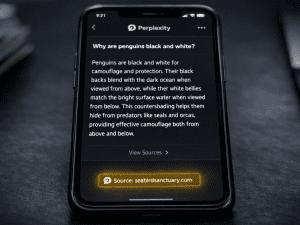
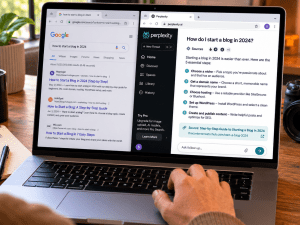
Standard ChatGPT web search — available to all paid tiers — provides real-time information retrieval for questions that require current data. It is not a replacement for dedicated research tools like Perplexity, which is specifically optimised for research with cited sources, but it handles the majority of everyday fact-checking and current information needs within a conversation that is already open for other purposes. If you want to understand how ChatGPT’s search capability compares to dedicated AI research tools, this comparison of Perplexity AI and Google covers the research tool landscape in detail.
Coding and Technical Work
ChatGPT’s coding assistance has become genuinely impressive with GPT-5.5. It writes functional code in most major programming languages, debugs errors, explains what existing code does, suggests optimisations, and converts between languages. For non-technical users, it can produce working scripts for specific automation tasks without requiring programming knowledge — you describe what you want to achieve, and ChatGPT produces code that accomplishes it.
Codex Mobile, which launched free on all plans including the free tier on May 14, 2026, brings this capability to mobile devices — a meaningful expansion of where coding assistance is accessible. For developers, Codex handles autonomous multi-step coding tasks in a way that goes beyond single-file assistance into genuine project-level code generation. The practical implication for non-developers is that the threshold of what is achievable without programming training continues to lower with each GPT generation.
Image Generation Through ChatGPT Images 2.0
ChatGPT Images 2.0, launched April 21, 2026, represents a significant quality upgrade from the DALL-E models it replaced. Thinking Mode on this system — available to Plus and above — adds web search and character consistency across up to eight images, addressing one of the most consistent limitations of previous ChatGPT image generation. For users who need images that follow detailed instructions precisely, text within images, or consistent character appearance across multiple generations, the current ChatGPT image system is competitive with standalone image generators in a way it was not in earlier versions.
Where ChatGPT Still Falls Short
Honest coverage of a tool that 900 million people use requires acknowledging where it consistently underperforms expectations — not to discourage use, but because knowing the limitations makes you a more effective user who plans for them rather than being surprised by them.
Hallucination — The Persistent Problem
ChatGPT generates confident-sounding text. It also occasionally generates confident-sounding text that is factually wrong. This is called hallucination — the model produces plausible-seeming information that is not accurate — and it remains the most significant practical limitation of using ChatGPT for any work where factual accuracy is critical.
The hallucination rate has improved significantly from GPT-4 to GPT-5.5, and the model is better at flagging uncertainty when it exists. But it has not been eliminated, and the improvement makes it more dangerous in some ways — the remaining hallucinations are harder to spot precisely because the surrounding content is more reliably accurate. For factual claims, statistics, dates, citations, and specific technical details, verifying ChatGPT output against primary sources before publishing or presenting remains non-optional.
Performance in Long Conversations
ChatGPT slows down in very long conversations — this is well documented, widely experienced, and has a specific technical explanation. The browser has to render an increasingly large thread with each new message, creating interface-level slowdown that compounds over a long session. Simultaneously, the model must re-read the full conversation history before generating each new response, increasing latency as the context grows.
The fix is practical and simple, and it is covered in detail in the dedicated guide on this blog. Why ChatGPT gets slower the more you use it explains exactly what is happening and the specific method for resetting performance without losing your work — it is the most-read post on FaithfulBiz for good reason.
Sensitivity and Content Restrictions
ChatGPT’s content filters, while necessary, occasionally block or heavily caveat legitimate requests — research into sensitive topics, fiction involving conflict or morally complex characters, analysis of controversial historical events, and some professional subject matter. The filters have become more nuanced with each generation, but they remain an occasional source of frustration for users with legitimate professional or creative needs that the model interprets as requiring restriction.
Not Always the Best Tool for Every Task
ChatGPT is the most capable general-purpose AI assistant available in 2026, but it is not the strongest option for every specific task. For long-form, nuanced writing that needs to sound authentically human, Claude consistently produces output that requires less editing. For research with reliable source citations, Perplexity is more specifically optimised. And For AI image generation where aesthetic quality is the primary goal, Midjourney’s visual intelligence exceeds ChatGPT Images 2.0 for the types of cinematically composed, artistically considered images that professional creative work demands. Understanding which tool serves which purpose makes you more effective across all of them rather than constraining yourself to one.
How to Actually Use ChatGPT Effectively
The difference between someone who finds ChatGPT underwhelming and someone who finds it transformative is almost never about the model version or the subscription tier. It is about how they interact with the tool. The mental model most people bring to ChatGPT — treating it like a smarter Google search — produces underwhelming results because it is the wrong mental model entirely.
Give Context Before Giving Instructions
ChatGPT does not know who you are, what you are working on, or what good output looks like for your specific situation — unless you tell it. Starting a conversation with context dramatically changes the quality of what follows. “I run a small business selling handmade skincare products to Nigerian women in their 30s. Write me an Instagram caption for a new shea butter product” produces a fundamentally different and more useful output than “Write an Instagram caption for a skincare product.”
The more context you provide — your audience, your tone, your goals, what you have already tried, what specifically you want the output to achieve — the more the output resembles what you actually need rather than a generic version of what you asked for.
Iterate Rather Than Accept the First Output
The first response ChatGPT gives you is rarely the best response it is capable of giving. It is the most statistically likely response given your prompt — which is not the same thing. The most effective ChatGPT users treat each response as the beginning of a refinement process rather than a deliverable. “Make this more conversational.” “Cut it by half without losing the key points.” “Rewrite the second paragraph — it sounds too formal for my audience.” “Add a specific example for the third point.” Each refinement brings the output closer to what you need.
Start Fresh Conversations for Different Tasks
One of the most common and most impactful ChatGPT workflow mistakes is treating a single conversation as a general-purpose workspace — asking about three unrelated topics, switching between tasks, and expecting the model to maintain coherent context across all of them simultaneously. Different tasks deserve different conversations. Starting a fresh chat for each distinct task keeps the context clean, the responses focused, and the interface fast. It also makes it easier to revisit specific work later without scrolling through an unrelated conversation history to find it.
Use It for the First Draft, Not the Final Output
ChatGPT’s output, at its best, is an excellent first draft — something structurally sound, reasonably well-written, covering the key points, and ready for meaningful human refinement. Treating it as a final output creates content that sounds slightly generic, occasionally inaccurate, and distinctively AI-produced to anyone reading it critically. Treating it as a first draft that you then edit, fact-check, personalise, and improve with your specific experience and voice produces content that is better than what most people produce starting from scratch — with significantly less time investment.
This workflow principle applies across almost every ChatGPT use case. First draft of an email, then personalise. Or First draft of a blog post, then add your specific experience and examples. Or First version of a code solution, then test, verify, and adapt. And First structure of a plan, then evaluate and adjust based on what you know that ChatGPT does not. The tool handles the generative work. You handle the judgment work. That division is where the real productivity gain lives.
Worth remembering
AI handles generation well. Humans still handle judgment better.
ChatGPT vs the Alternatives: Where It Sits in 2026
ChatGPT is not the only capable AI assistant in 2026, and understanding where alternatives are genuinely stronger makes you a more effective AI user overall rather than a loyal single-tool user who is occasionally getting worse results than they need to.
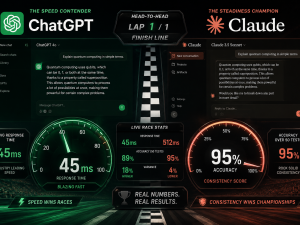
Claude, built by Anthropic, is consistently rated higher for long-form writing quality, nuanced reasoning in complex documents, and coding tasks that require maintaining context across large codebases. For enterprise coding workflows and long-context document analysis, multiple 2026 assessments place Claude ahead of ChatGPT. For consumer-facing products with very high weekly usage volume, ChatGPT remains the default. Many professional users in 2026 run both — ChatGPT for breadth and general utility, Claude for the specific tasks where its particular strengths matter most. This honest breakdown of why people are switching from ChatGPT to Claude gives you the clearest picture of when that switch makes sense.
Google Gemini integrates directly into Google Workspace — Gmail, Docs, Sheets, Meet — in a way that ChatGPT does not. For users whose work lives inside Google’s ecosystem, Gemini’s zero-friction integration creates genuine daily value that ChatGPT cannot match for those specific workflow contexts. For general capability outside the Google ecosystem, ChatGPT and Claude remain the stronger options for most professional use cases.
ChatGPT for Specific Audiences: Who Gets the Most Value
Bloggers and Content Creators
For anyone producing written content regularly — blog posts, newsletters, social media, video scripts — ChatGPT addresses the specific friction points that slow content production most consistently. Blank page paralysis, structural uncertainty about how to organise an argument, research compilation before writing, headline and title generation, editing for clarity, and repurposing existing content for different formats are all tasks where ChatGPT meaningfully reduces the time from idea to published output.
The caution worth maintaining is that AI-assisted content that lacks genuine human perspective, specific experience, and original insight produces content that ranks and converts worse than content that uses the tool for efficiency while preserving the human voice and knowledge that readers actually find valuable. ChatGPT makes the production faster. The quality of the thinking still comes from the person using it.
Freelancers and Online Business Owners
The productivity multiplier effect of ChatGPT is most visible for solo operators who are personally responsible for every aspect of their work. Client communication, proposal writing, research, content production, administrative tasks, marketing copy, and customer service responses — all of these are areas where ChatGPT assistance reduces the per-task time cost enough to meaningfully increase what one person can handle without proportional increases in working hours.
For freelancers specifically, the combination of ChatGPT for efficiency and Claude for the highest-quality writing output gives a solo operator the capability range of a small team for the combined subscription cost of less than $40 per month. That value calculation has changed what solo professional work can look like at a quality level that was previously only achievable with additional staff. This honest guide on making money with AI covers exactly where those efficiency gains translate into real income.
Students and Learners
ChatGPT is the most effective learning accelerator available to anyone studying independently in 2026. It explains complex concepts in plain language, adjusts its explanation based on your current understanding, generates practice questions on any topic, provides worked examples, checks your understanding by asking follow-up questions, and gives immediate feedback on written work. The depth of personal tutoring it can provide on demand, at any hour, for any subject, at zero cost on the free tier, represents a genuinely extraordinary educational resource that did not exist three years ago.
The ChatGPT Cluster: Where to Go From Here
This guide is the foundation of the ChatGPT content cluster on FaithfulBiz. Each supporting post goes significantly deeper on a specific aspect of using ChatGPT effectively.
If your ChatGPT conversations are running slowly — responses taking longer than they should, the interface feeling heavy and unresponsive after an extended session — the dedicated guide on this problem explains exactly what is happening technically and gives you the specific fix that works without any extensions or technical knowledge. Read the complete guide to why ChatGPT gets slower and how to fix it.
If you are trying to decide whether the free tier is sufficient for your needs or whether upgrading to Plus, Pro $100, or Pro $200 makes financial sense for your specific usage, the plan comparison guide covers every tier honestly — what each plan actually gives you, what the realistic usage limits feel like in practice, and the specific situations where each upgrade pays for itself. You can check out this guide.
If you want to get dramatically better results from ChatGPT immediately — not through a subscription upgrade but through using the tool more effectively — the practical tips guide covers the twelve specific habits and approaches that separate users who find ChatGPT transformative from users who find it underwhelming.
The Comparison
And if you are deciding between ChatGPT, Claude, and Gemini for your specific needs — which one handles your primary use cases best, which plan represents the best value, and whether running two of them simultaneously makes more sense than committing to one — the three-way comparison guide covers that honestly with specific use case recommendations.
ChatGPT in 2026 is not the experimental tool it was in 2022. It is infrastructure — used by millions of people weekly, generating $25 billion annually, embedded in the workflows of the majority of the world’s largest companies. The question is no longer whether it is worth paying attention to. It is whether you are using it well enough to get what it is actually capable of giving you. The answer to that question starts with understanding what it is, what it costs, what it does well, and how to use it deliberately rather than casually. That foundation is what this guide gives you.

















Join the discussion Tap to open the comment form +