

I remember the first time I searched for free AI tools. I found a list that had twenty tools on it. Almost every single one said “Free” right there in the headline. I got excited., then I clicked the first one, went through the sign-up process, and then hit a screen asking for my credit card details before I could access anything.
I went back and tried the next one. Same thing. Then the next. Same thing again.
That experience is more common than people admit. The AI industry has a complicated relationship with the word “free.” Some tools use it to mean a 7-day trial, while Some mean free only if you give them your payment information as a security guarantee and some give you three uses before locking you out permanently. And some are actually free — genuinely, properly, use-it-every-day free with no card required.
I spent time going through the noise to separate the real ones from the bait. This post is what I found. Every tool here has been verified as genuinely accessible at zero cost in 2026, no credit card required to start. I will also tell you exactly what the limits are on each one, because that matters just as much as whether something is free in the first place.
These are the free AI tools in 2026 that are worth your time — and the honest truth about what you actually get for nothing.
What “Free” Actually Means in AI Right Now
Before we get into the tools, it is worth being clear about what the word free means in the AI space in 2026, because it means different things to different companies.
The first type is genuinely free with no limits. This category barely exists in AI. Almost every serious AI tool has some kind of usage ceiling, even if it is generous. True unlimited free access is rare and usually comes with open-source tools you run locally on your own hardware.
The second type is free with daily or monthly limits. This is the most common and the most genuinely useful category. You get a meaningful amount of access every day or every month at no cost, and the limits reset regularly. Most of the tools in this post fall here.
The third type is free tier that is barely functional. Some companies design their free tier specifically to frustrate you into upgrading. You get just enough to see what the tool can do, but not enough to actually do anything useful with it. I have excluded these from this list because they waste your time more than they help.
The Smartest Way to Use Free AI Tools
The people getting the most value from free AI in 2026 are not the ones who found one tool and hope it covers everything. They are the ones who built a stack — using each free tool for the specific task it does best, staying within the daily limit on each one, and rotating between them so no single tool runs out.
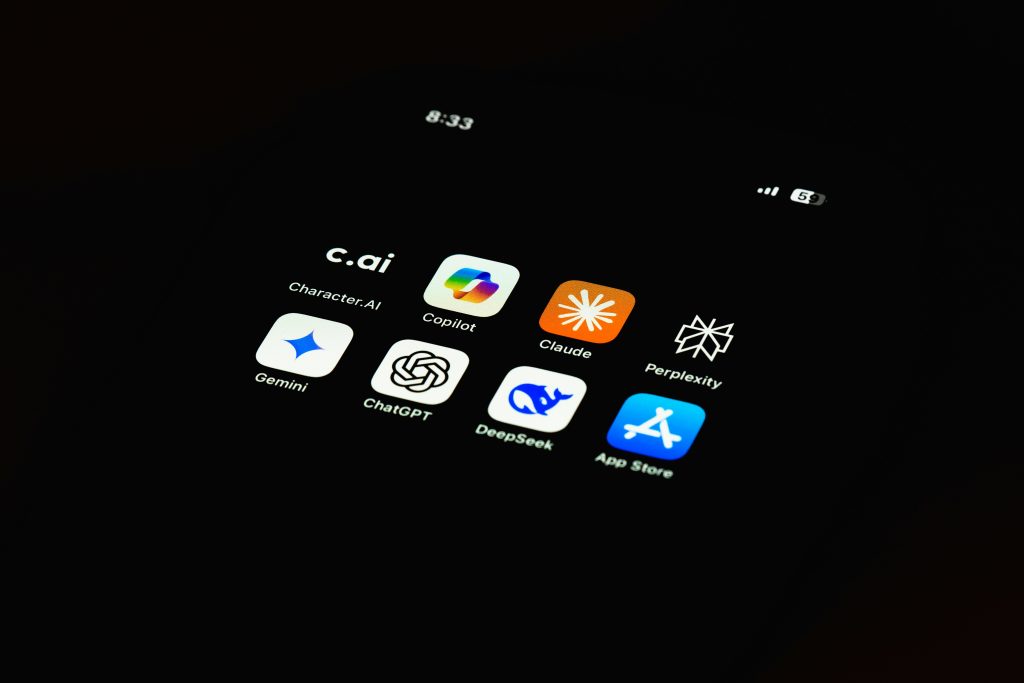
A practical free stack that covers most daily needs looks like this: Perplexity for research, Claude for your most important writing task of the day, ChatGPT for casual queries and brainstorming, and Gemini inside Google Docs and Gmail. Combined, those four free tiers cover what one $20 per month subscription would cover for most moderate users. Keep that strategy in mind as we go through each tool.
Free AI Tools for Writing and Chat
ChatGPT Free — The Most Widely Used Starting Point
ChatGPT’s free tier runs on GPT-4o mini with occasional access to the full GPT-4o model, and it requires no credit card to sign up. For most people starting with AI, it is still the most sensible first tool to open — not because it is the best at everything, but because it does more things in one place than almost anything else at no cost.
On the free tier you can have open-ended conversations, get writing help, analyze documents you upload, brainstorm ideas, generate outlines, and work through complex problems step by step. The free tier also gets you basic web browsing in some sessions, which is a significant advantage for research tasks.
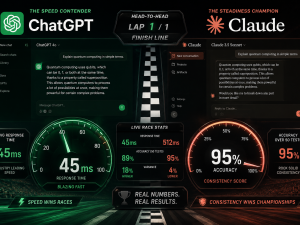
The honest limitation is quality inconsistency. Free tier users get slower response times during peak hours and less reliable access to the more capable model. For straightforward tasks, it performs well. For nuanced, high-stakes writing that will go directly to a client or audience, the gap between the free and paid output is noticeable. Reddit users consistently note that ChatGPT free tier “hallucinates on facts” more than Claude — meaning it sometimes produces confident-sounding information that is simply wrong. Always verify facts from ChatGPT before publishing.
Access it at chatgpt.com — no credit card required.
Claude Free — The Best Writing Quality at Zero Cost
If writing quality is your primary concern, Claude’s free tier is the most impressive thing available without paying for anything in 2026. Claude Sonnet 4.6 is what you get on the free plan, and it produces prose that consistently sounds more human and requires less editing than most paid alternatives.
This matters practically. If you are a blogger, content creator, freelancer, or small business owner who writes for clients or audiences, the difference between output that needs heavy editing and output that needs light editing is the difference between AI saving you an hour and AI saving you ten minutes. Claude saves you more.
The limitation is the daily message cap, which is real and noticeable if you use it heavily. During peak hours the free tier sometimes slows down. The best approach is to save Claude free for your most important writing tasks each day — the blog post, the client proposal, the email that really matters — rather than burning your daily limit on casual questions. Use ChatGPT free for everything else.
Reddit writing communities are blunt about this: “Claude is the only AI that doesn’t make me cringe when I read the output.” That consensus from r/writing, r/copywriting, and r/freelanceWriters is worth taking seriously.
Access it at claude.ai — no credit card required. If you want to understand exactly what makes Claude different from other AI tools, this breakdown of why people are switching from ChatGPT to Claude gives you the full picture.
Google Gemini Free — Best If You Already Use Google
Gemini’s strongest case for being on your free stack is not raw capability. It is integration. If you already use Gmail, Google Docs, Google Sheets, or Google Meet for any part of your work, Gemini sits inside those tools without any additional setup. You do not need to open a new tab, paste text across, and copy the output back. It is just there, inside the document you are already working in.
On the free tier, Gemini handles email drafting inside Gmail, document summarisation and rewriting inside Docs, formula help inside Sheets, and meeting summaries inside Meet. For small, frequent writing tasks — cleaning up a paragraph, drafting a quick reply, summarising a long thread — this zero-friction access saves meaningful time across a working week without costing anything.
Google AI Studio is also completely free, with no credit card required, and gives developers and curious non-technical users access to prototype with Gemini models directly. For most everyday users though, the integrated version inside Google Workspace is where the practical value lives.
Access it at gemini.google.com — free with any Google account.
Meta AI — The One Already on Your Phone
Most Nigerians and Africans reading this are already carrying Meta AI in their pocket without realising it. It is built into WhatsApp, Instagram, and Facebook at no cost, with no additional signup required. Open WhatsApp, look for the blue circle in your chat list, and it is already there.
Meta AI runs on Llama 4, Meta’s most capable open model. You can ask it questions, get help drafting messages, brainstorm content ideas, summarise long articles you paste in, and even generate images directly inside WhatsApp. For anyone on a limited data budget or without easy access to a laptop, this is the most accessible free AI tool on this entire list — because it requires no extra download, no account, and works within an app that is already open on your phone dozens of times a day.
The limitation is depth. Meta AI is optimised for quick, conversational responses rather than long-form work. It is excellent for fast questions and light tasks. For serious writing or complex analysis, Claude or ChatGPT will serve you better.
Access it at meta.ai or directly inside WhatsApp and Instagram — completely free, no setup required.
Free AI Tools for Research
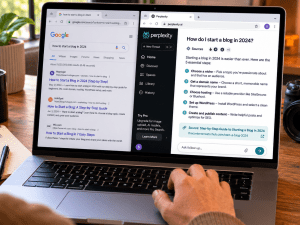
Perplexity AI — The Closest Thing to Replacing Google for Research
Perplexity is the free research tool I use more than any other on this list, and I am not alone in that. The Reddit consensus on Perplexity among serious users is consistent: “Perplexity replaced Google for 90% of my searches. I only go to Google for shopping and maps now.”
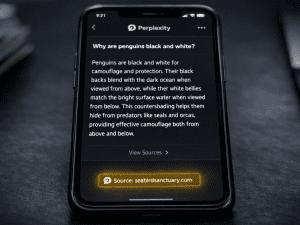
Here is why it earns that reaction. When you search on Google, you get a list of links. You then have to click each one, read through the page, find the relevant information, go back, click the next one, repeat. With Perplexity, you get a synthesised answer built from multiple sources, with the sources listed right there so you can verify them if you need to. The research that used to take fifteen minutes of tab-switching takes two minutes.
The free tier gives you unlimited basic searches and five Pro searches per day. Pro searches use more powerful models and go deeper on complex questions. For most daily research tasks, the basic search is sufficient. For deep research on a specific topic — writing a detailed article, fact-checking claims, understanding a complex subject — save your five Pro searches for that work.
One important note: Perplexity’s citations do not guarantee accuracy. The tool has a 93.9% score on the SimpleQA benchmark, which is impressive, but that missing percentage matters when the stakes are high. Always spot-check cited sources before you publish anything that depends on the accuracy of the information.
Access it at perplexity.ai — no credit card required. The free tier is genuinely useful for daily research without any upgrade pressure.
Google NotebookLM — Free Research Tool Most People Have Never Heard Of
NotebookLM might be the most underused free AI tool available right now. It is completely free with a Google account, requires no credit card, and does something that no other free tool on this list does quite as well: it lets you have a grounded, cited conversation with your own uploaded documents.
Upload a PDF, a research paper, a long article, or a set of notes. NotebookLM reads all of it and then answers your questions based specifically on those sources — not based on the internet in general, not based on the model’s training data, but specifically on what you gave it. It will not hallucinate information from outside your documents because it is operating only within what you uploaded.
The free plan gives you 100 notebooks, 50 sources per notebook, and up to 500,000 words per source. The Audio Overview feature takes your uploaded material and generates a podcast-style discussion between two AI voices summarising it. For students, researchers, and content creators who work with large documents regularly, this is genuinely extraordinary at zero cost.
Access it at notebooklm.google.com — free with any Google account.
DeepSeek — Free and Surprisingly Powerful
DeepSeek is the tool that surprised most of the AI community when it launched. The Chinese AI model matches GPT-4 level performance on many benchmarks, and the chat interface is completely free to use with no credit card required.
For general writing, reasoning, and technical tasks, DeepSeek’s free tier is one of the strongest available anywhere. Where it particularly stands out is structured, analytical writing and coding tasks — it produces clean, logical output that requires less editing on technical subjects than most alternatives.
The limitation worth knowing: DeepSeek’s servers are based in China, and the company’s data handling policies operate under Chinese law. For general use, casual research, and non-sensitive tasks this is not a practical concern. For anything involving sensitive business information or private client data, it is a real consideration worth factoring into your decision about which tool to use.
Access it at chat.deepseek.com — free, no credit card required.
Free AI Tools for Design and Visuals
Canva Free — Still the Most Practical Design Tool for Non-Designers
Canva’s free tier includes access to AI image generation, background removal, text-to-design features, and thousands of templates across every format a content creator or small business owner regularly needs. The free plan is genuinely usable for daily design work — social media posts, blog feature images, flyers, presentations, and promotional graphics.
The key to getting real value from Canva free is setting up your brand kit with your colours and fonts early, even though the brand kit feature is technically a paid feature. You can manually apply consistent colours and fonts to each design on the free tier. It takes a bit more effort but produces the same visual consistency. Once you have done that setup work once, every new design starts from a familiar foundation rather than a blank template.
Access it at canva.com — free plan available, no credit card required.
Ideogram — The Free Tool That Gets Text in Images Right
If you have ever generated an AI image and watched it turn your carefully written caption into incomprehensible visual gibberish, Ideogram is the tool that solves that specific problem. It is built specifically to generate images with accurate, readable text — which makes it valuable for thumbnails, posters, promotional graphics, and social media posts that need words in them.
The free tier gives you 10 free credits per day, which generates up to 40 images. That is a meaningful daily allowance for creating visual content without any subscription cost. The output quality on text-heavy images is significantly better than what you get from Canva’s image generator or most free alternatives.
Access it at ideogram.ai — free, no credit card required.
Adobe Firefly Free — For Editing Real Photos
Adobe Firefly is worth knowing about specifically for one feature: Generative Fill. This tool lets you remove or replace parts of a real photograph using context-aware AI — the kind of editing that used to require professional Photoshop skills. The free tier gives you 25 credits per month, which is limited but enough for occasional use on images that matter.
For bloggers editing feature images, freelancers cleaning up client photos, or small business owners making product images look professional, those 25 monthly credits are meaningful. You access Firefly through Adobe’s free online tools without needing a full Creative Cloud subscription.
Access it at firefly.adobe.com — free with an Adobe account, no credit card required for the free tier.
Free AI Tools for Video and Audio
CapCut — Fully Free Mobile Video Editing
CapCut remains the most capable fully free video editor for mobile in 2026. Auto-captions, background removal, speed adjustments, transitions, and a clean export with no forced watermark on the free plan — it covers everything a content creator needs for short-form social video without paying anything.
The one practical consideration worth keeping in mind is that CapCut is owned by ByteDance, the same company behind TikTok, which was temporarily removed from US app stores in January 2025 due to regulatory concerns. It has since been reinstated, but the situation is unresolved. For commercial client work or sensitive content, this is worth factoring in. For personal content creation and casual social posting, the free tier is excellent.
Access it at capcut.com or directly in the app store — free.
ElevenLabs Free — AI Voiceovers Without a Microphone
ElevenLabs generates natural-sounding AI voiceovers from text, and the free tier gives you 10,000 characters per month — roughly enough for five to ten short video scripts. The voice quality on ElevenLabs is genuinely impressive and significantly ahead of most free alternatives.
For content creators running faceless YouTube channels, producing explainer videos, or creating educational content without wanting to record their own voice, 10,000 free characters per month is a meaningful starting point. It is not enough for heavy production volume, but it is more than enough to test the workflow and start producing real content.
Access it at elevenlabs.io — free tier available, no credit card required.
Free AI Tools for Coding and Productivity
GitHub Copilot Free — For Anyone Writing Code
GitHub Copilot’s free tier gives you 2,000 code completions per month and 50 chat messages per month, working inside VS Code, JetBrains, and Neovim without requiring a paid subscription. For students, hobbyist developers, and people learning to code, this is genuinely valuable access to one of the most capable AI coding tools available.
The free tier works across the same high-quality models as the paid version — it is just the usage volume that is limited, not the underlying capability. For anyone who writes code occasionally rather than professionally, 2,000 completions per month is more than sufficient.
Access it at github.com/features/copilot — free tier available, no credit card required.
Grammarly Free — The Writing Quality Safety Net
Install Grammarly once as a browser extension and it works in the background across Gmail, Google Docs, LinkedIn, and most other platforms where you write professionally. The free tier catches grammar errors, flags unclear sentences, and suggests more concise phrasing — automatically, without you doing anything.
This saves credibility more than time. A proposal or client email with grammar errors creates a bad first impression before the recipient has evaluated the actual content. Grammarly removes that variable at zero cost. For any freelancer, blogger, or small business owner whose income depends on written communication, installing Grammarly free is one of the highest-value zero-cost decisions available.
Access it at grammarly.com — free, no credit card required.
Gamma Free — AI Presentations in Minutes
Gamma generates full presentations, one-page documents, and simple websites from a text prompt. The free tier gives you 400 credits — roughly 10 full presentations — at no cost. The output quality is significantly above generic template-based presentations, and the AI takes care of layout, hierarchy, and visual structure so you focus on the content rather than the design.
For pitching a freelance client, presenting a business idea, or producing a lead magnet without hiring a designer, Gamma’s free credits go a long way. Access it at gamma.app — free, no credit card required.
What People Are Getting Wrong About Free AI Tools
There are a few mistakes I see consistently in how people approach free AI tools, and they are worth naming directly because they are the difference between free AI feeling useful and free AI feeling like a waste of time.
The first mistake is trying to do everything with one tool. No single free tier covers every type of work well. ChatGPT free is excellent for brainstorming but weaker for nuanced writing. Claude free is excellent for writing but has a tighter daily limit. Perplexity is excellent for research but not designed for creative output. Using one tool for everything means you are always using the wrong tool for something. Build a stack instead.
The second mistake is not understanding where free tools fail. Most free AI tools perform at 80 to 90 percent accuracy on most tasks. That missing 10 to 20 percent is where real problems appear — hallucinated facts, off-tone writing, incorrect code. For work that goes to an audience, a client, or a publication, every output from a free tier needs a human review before it goes anywhere. Treating AI output as finished work rather than a first draft is what causes public embarrassment and lost clients.
The third mistake is treating free tools as temporary until you can afford to pay. Some of the tools on this list — NotebookLM, Meta AI, Grammarly free, Canva free — are genuinely excellent for sustained daily use at zero cost. You do not need to rush toward a paid subscription. Use the free tier properly, understand its limits, and upgrade only when the daily cap is consistently blocking work you could otherwise bill for. Most people fail with AI not because they lack the right tools but because they lack the right approach to using them.
The Free Stack Worth Building Right Now
If you are starting from zero today, here is the practical combination I would recommend building before spending a single naira or dollar on AI subscriptions.
For writing and chat, set up Claude free and ChatGPT free. Use Claude for any writing that matters — content, client work, important emails. Use ChatGPT for everything else — casual questions, brainstorming, quick tasks. For research, set up Perplexity free. Use your five Pro searches daily on your most important research questions and unlimited basic searches for everything else. Add NotebookLM for any work involving long documents, PDFs, or research papers.
For design, set up Canva free. Add Ideogram free for anything requiring text inside images. For video, CapCut free handles everything you need for short-form social content. Install Grammarly as a browser extension and forget about it — it runs in the background automatically. Add Meta AI inside WhatsApp for quick questions on the go.
That full stack costs exactly zero and covers the most important categories of AI-assisted work at a quality level that would have required paid professional tools two years ago. The only real investment is the time to understand what each tool does best — which is what this post just gave you.
If you want to understand how to turn these tools into actual income rather than just productivity gains, this honest breakdown of what actually pays with AI is the direct next step. And if you want to understand the concepts that make you better at using every tool on this list, these are the AI concepts most people skip but need to understand first.
The tools are free. The knowledge of how to use them properly is what you invest in now. That combination is genuinely powerful — and entirely available to you without spending anything.















Join the discussion Tap to open the comment form +